If you’re spending hours every week sending LinkedIn connection requests, writing follow-up messages, and trying to keep conversations alive, you’re doing too much work manually.
The reality is simple.
LinkedIn is one of the best platforms for B2B lead generation, consulting, recruiting, agency growth, and high-ticket sales. The challenge is that prospecting on LinkedIn takes time.
That’s where SalesRobot comes in.
In this detailed SalesRobot review, you’ll learn:
• What SalesRobot is
• How it works
• Key features and benefits
• Who should use it
• Pricing plans
• Pros and cons
• Whether it’s worth your investment in 2026
By the end of this review, you’ll know if SalesRobot is the right LinkedIn automation platform for your business.
What is SalesRobot?
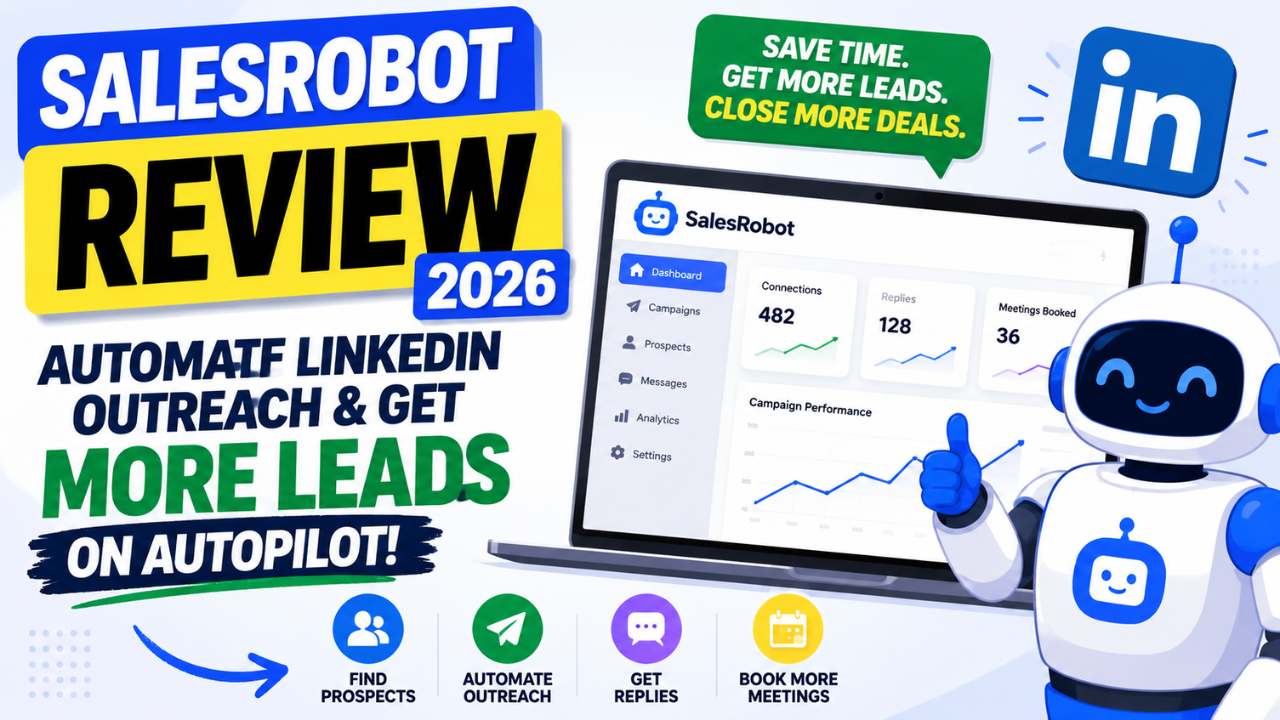
SalesRobot is a cloud-based LinkedIn and email automation platform that helps professionals automate prospecting and outreach campaigns.
Instead of manually:
• Sending connection requests
• Writing follow-up messages
• Tracking prospects
• Nurturing leads
• Following up repeatedly
SalesRobot automates the entire process.
Think of it as your virtual sales assistant that works around the clock, helping you connect with potential clients and move conversations forward while you focus on closing deals.

Why LinkedIn Automation Matters in 2026
LinkedIn now has more than one billion users globally.
Millions of decision-makers, founders, recruiters, executives, consultants, and business owners use LinkedIn daily.
The problem is attention.
Your prospects receive hundreds of messages every month. Manual outreach simply doesn’t scale.
Businesses that automate repetitive prospecting tasks can:
• Reach more qualified leads
• Save several hours every week
• Build predictable lead pipelines
• Increase appointment bookings
• Focus on revenue-generating activities
This is exactly where SalesRobot shines.
What Makes SalesRobot Different?
Many automation tools look impressive until your LinkedIn account gets restricted.
SalesRobot was designed with account safety in mind.
The platform simulates human-like behavior instead of performing actions aggressively.
This helps users scale outreach more safely while maintaining personalization.
Key Features of SalesRobot
1. Automated LinkedIn Outreach
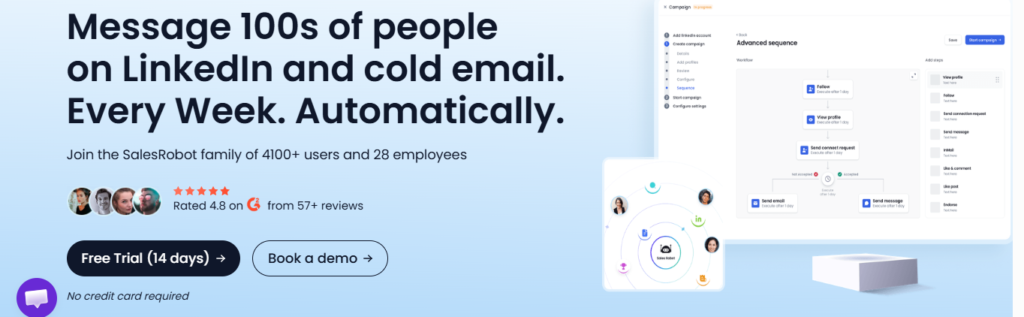
SalesRobot allows you to build multi-step campaigns.
Example workflow:
Day 1:
Send connection request
Day 3:
Send personalized follow-up message
Day 7:
Send value-driven message
Day 14:
Send final check-in message
Everything runs automatically.
You no longer need to remember who to message or when.
2. Personalized Campaigns at Scale
People ignore generic messages.
SalesRobot lets you personalize campaigns using variables such as:
• First name
• Company name
• Job title
• Location
• Industry
This makes every message feel more human and significantly improves response rates.
3. Smart Campaign Sequences
The platform allows you to create sophisticated workflows.
Examples:
If prospect accepts connection:
Send Message A.
If prospect replies:
Stop campaign.
If prospect does not reply:
Send Follow-up B.
This automation prevents prospects from receiving irrelevant messages.
Read Also: GoHighLevel Review 2026: The Definitive Honest Guide for Agencies & Business Owners
4. Email Automation
SalesRobot goes beyond LinkedIn.
You can automate cold email sequences and create multichannel campaigns.
This increases your chances of getting responses because your prospects can engage with you on multiple channels.
5. Built-in Analytics
You cannot improve what you don’t measure.
SalesRobot provides analytics that help you monitor:
• Connection acceptance rates
• Message response rates
• Campaign performance
• Prospect engagement
• Lead conversion trends
This data helps you continuously optimize campaigns.
6. Team Management
Sales teams and agencies can manage multiple campaigns and accounts from one dashboard.
This feature is especially useful for:
• Lead generation agencies
• Recruitment firms
• Marketing agencies
• B2B sales teams
How SalesRobot Works
Step 1: Connect Your LinkedIn Account
The setup process is straightforward.
Simply connect your LinkedIn profile and configure your preferences.
Step 2: Build Your Campaign
Create your outreach sequence:
Connection Request → Follow-up Message → Reminder → Final Message
Step 3: Upload Prospects
Import your ideal prospects based on:
• Industry
• Location
• Job title
• Company size
• Seniority level
Step 4: Launch Automation
SalesRobot automatically begins executing your campaign according to your settings.
Step 5: Monitor Results
Track campaign performance and optimize based on real data.
Who Should Use SalesRobot?
Agencies
Generate leads consistently without manually managing every campaign.
Freelancers
Find clients and book meetings while focusing on client delivery.
Consultants
Build authority and create a steady flow of prospects.
Recruiters
Reach qualified candidates efficiently.
SaaS Companies
Generate demos and grow sales pipelines.
Founders
Scale business development without hiring large outbound teams.
My Favorite Things About SalesRobot
Saves Massive Amounts of Time
Many professionals spend several hours every week doing repetitive LinkedIn activities.
SalesRobot automates those tasks.
Easy to Use
The platform has a clean interface and does not require technical skills.
Highly Personalized Campaigns
You can create outreach that feels genuine rather than robotic.
Multichannel Prospecting
Combining LinkedIn and email automation improves conversion opportunities.
Analytics and Optimization
Performance tracking makes it easier to improve campaigns over time.
Things to Consider Before Buying
No tool is perfect.
SalesRobot still requires:
• Clear targeting
• Strong copywriting
• Valuable offers
• Good messaging strategy
Automation amplifies your process.
If your offer is weak, automation alone will not generate results.
SalesRobot Pricing
SalesRobot offers multiple plans designed for:
• Individual professionals
• Consultants
• Small businesses
• Agencies
• Sales teams
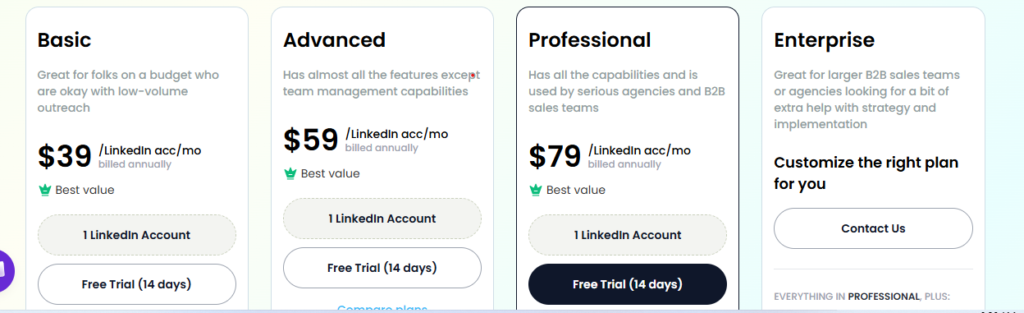
Pricing occasionally changes as new features are introduced.
For the latest pricing and available discounts, visit:
Pros and Cons
Pros
✅ Automates LinkedIn outreach
✅ Supports email automation
✅ Personalized campaigns at scale
✅ Built-in analytics
✅ Saves significant time
✅ Suitable for agencies and teams
✅ Easy setup process
✅ Cloud-based platform
Cons
❌ Requires quality messaging strategy
❌ LinkedIn outreach still needs careful targeting
❌ New users may need time to optimize campaigns
Is SalesRobot Worth It?
Yes.
If your business depends on LinkedIn lead generation, SalesRobot can significantly improve your productivity.
Instead of manually sending messages every day, you can build automated systems that continuously generate opportunities.
The businesses that benefit most from SalesRobot are those that:
• Sell B2B services
• Offer high-ticket consulting
• Run lead generation campaigns
• Need appointment bookings consistently
• Want predictable outbound pipelines
Final Verdict: Should You Buy SalesRobot?
SalesRobot is one of the most practical LinkedIn automation tools available today.
It combines:
✓ LinkedIn automation
✓ Email automation
✓ Personalization
✓ Analytics
✓ Team management
✓ Scalable outreach systems
For professionals who want more leads without spending their entire day prospecting, SalesRobot offers substantial value.
The real advantage is not simply automation.
It is getting your time back while building a system that keeps generating conversations and opportunities even when you’re focused on serving clients.
Ready to Try SalesRobot?
If you’re serious about generating more leads, booking more meetings, and building a predictable client acquisition system, SalesRobot is worth exploring.
👉 Start your free trial and see how much prospecting time you can save with SalesRobot today
Written by Olasunkanmi Adeniyi O:
Olasunkanmi Adeniyi O is a Product Manager, AI Prompt Engineer, Technical Writer, and founder of AI Discoveries. He helps professionals and businesses leverage AI to improve productivity, automate workflows, and build scalable digital businesses. His work focuses on AI tools, prompt engineering, automation systems, and practical strategies for using artificial intelligence to save time and create new income opportunities online.





Leave a Reply