Some of the most powerful AI tools in the world are not available everywhere.
You discover an impressive AI video generator on X. You click the link, ready to test it, only to see a message saying the service is unavailable in your country.
You find a new AI coding assistant that could save you hours of development work. You try to create an account, but the registration page blocks you.
Read Also: How to Advertise on ChatGPT 2026: A Step-by-Step Guide for Beginners
Or perhaps you want to experiment with the latest AI models, but your location, payment method, or account eligibility prevents you from getting started.
This is becoming an increasingly common challenge for developers, designers, content creators, researchers, and entrepreneurs.
AI companies are expanding rapidly, but access to their products does not always expand at the same pace. Some platforms restrict access by country. Others limit specific features, payment methods, APIs, or beta programs to selected regions.
The good news is that a regional restriction does not always mean you have no options.
There are legitimate ways to access AI capabilities through officially supported services, cloud platforms, developer APIs, and alternative tools.
In this guide, you will learn why AI tools are restricted, how to check regional availability, what options you have when a platform blocks your location, and how to build a reliable AI workflow without putting your accounts or data at risk.
Whether you are a developer building AI-powered applications or a creator looking for better tools to produce videos, images, articles, and other digital content, this guide will help you make informed decisions.
What Does It Mean When an AI Tool Is Restricted in Your Country?
A region-restricted AI tool is a platform or service that limits access to users based on their geographical location, legal jurisdiction, account eligibility, or other regional requirements.

For example, you might visit an AI platform and encounter one of these messages:
- This service is not available in your country.
- Your region is currently unsupported.
- Access denied due to geographical restrictions.
- This feature is not available in your location.
- We cannot process your payment method.
- Your account is not eligible for this service.
These messages do not necessarily mean the entire AI platform is unavailable.
Sometimes, the company restricts only certain features, subscription plans, models, or developer services.
For instance, an AI chatbot might be available in your country while its API, advanced video generation features, or enterprise services have different regional requirements.
This distinction matters because the solution depends on the type of restriction you encounter.
Why Do AI Companies Restrict Access to Certain Countries?
Before looking at possible solutions, it helps to understand why these restrictions exist.
AI companies operate across multiple countries, each with different legal, financial, security, and regulatory requirements.
Here are six common reasons.
1. Government Regulations and Legal Requirements
AI companies must comply with the laws of the countries where they operate.
Data protection regulations, artificial intelligence legislation, consumer protection requirements, and other local laws can influence where a company launches its products.
A company may delay launching a service in a particular country while it evaluates the applicable legal requirements.
2. Data Protection and Privacy Regulations
AI applications often process sensitive information, including personal data, business documents, images, and conversations.
Different countries have different rules governing how companies collect, store, process, and transfer this information.
A platform may restrict access until it has the necessary infrastructure and compliance arrangements.
3. Payment Infrastructure
Some AI platforms depend on international payment processors that do not support every country, bank, or payment method.
As a result, you might be able to visit a platform but encounter difficulties purchasing a subscription or accessing paid API services.
Payment availability and product availability are separate issues. Always check both.
4. Infrastructure and Service Capacity
Running advanced AI models requires expensive computing infrastructure.
Companies must manage server capacity, latency, data residency, and operational costs.
A platform may gradually introduce its services to different markets rather than launching everywhere simultaneously.
5. Security and Fraud Prevention
AI companies also monitor suspicious account activity, fraudulent transactions, identity inconsistencies, and automated abuse.
Location mismatches, unusual account activity, or unsupported payment details can trigger additional verification or access restrictions.
6. Licensing and Commercial Agreements
Some AI models and applications depend on third-party technology, intellectual property agreements, or distribution arrangements.
These agreements can affect where a service or particular feature is legally available.
Understanding these reasons will help you choose a more reliable solution instead of repeatedly trying methods that may put your account at risk.
How to Access Restricted AI Tools From Anywhere: 7 Practical Methods
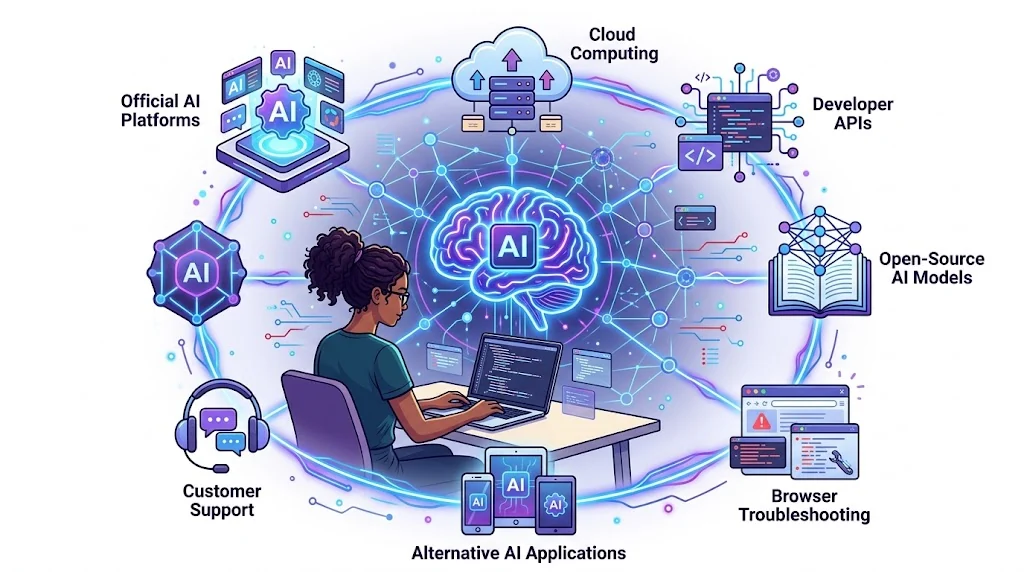
There is no universal method that legitimately unlocks every geographically restricted AI service.
However, the following approaches can help you access available AI capabilities, resolve incorrect restrictions, or find officially supported alternatives.
Method 1: Check the Platform’s Official Supported Countries List
This should always be your first step.
Before attempting to access a restricted AI platform, visit its official website and check whether your country is supported.
Do not rely on outdated YouTube tutorials, random social media posts, or third-party lists.
AI companies regularly update their supported regions.
Read Also: How to Reverse Engineer Anything Free: Apps, Websites, Games, and More
Here are three important examples.
OpenAI
OpenAI publishes separate supported-country information for ChatGPT and its API.
You can check the official lists here:
- ChatGPT supported countries: https://help.openai.com/en/articles/7947663-chatgpt-supported-countries
- OpenAI API supported countries: https://help.openai.com/en/articles/5347006-openai-api-supported-countries-and-territories
Google AI Studio
Google provides an official list of countries where Google AI Studio and the Gemini API are available.
Check it here:
Anthropic Claude
Anthropic publishes supported-region information for Claude and its developer services.
Check the official documentation:
The important lesson is simple: check the specific product and service you want to use. A company’s consumer application, API, and enterprise offering may have different availability requirements.
Method 2: Use Official Cloud Platforms and Authorized Providers
This is one of the most useful options for developers and businesses.
Some AI models are accessible through cloud infrastructure providers and authorized distribution channels.
For example, instead of relying exclusively on a model provider’s consumer website, you may be able to use an officially supported cloud platform to access compatible models.
Consider these options:
Google Cloud Vertex AI
Google Cloud provides access to Google’s AI models through its Vertex AI platform.
Developers can use its APIs to build applications, automate workflows, and integrate generative AI into business software.
Website: https://cloud.google.com/vertex-ai
Microsoft Azure AI Foundry
Microsoft provides an environment for discovering, deploying, and working with AI models through its cloud ecosystem.
Depending on the model and deployment, regional availability and eligibility requirements apply.
Website: https://ai.azure.com
Amazon Bedrock
Amazon Bedrock provides access to multiple foundation models through AWS infrastructure.
Developers can use it to build generative AI applications without managing the underlying foundation models themselves.
Website: https://aws.amazon.com/bedrock/
Why does this approach matter?
You get a developer-focused environment with documented APIs, authentication, billing, and deployment options.
However, do not assume that using a cloud provider automatically removes regional restrictions. Check the model’s availability, your cloud account eligibility, and the applicable service terms before deploying.
Method 3: Use Official APIs Instead of Depending Only on Web Applications
If you are a developer, you should understand the difference between an AI application and an AI API.
A web application gives you an interface for interacting with an AI model.
An API allows your software to communicate directly with an AI service.
For example, you might use an AI chatbot to generate text manually. With an API, you can integrate similar capabilities into:
- Websites and WordPress plugins.
- Customer support systems.
- AI-powered SaaS applications.
- Automated research workflows.
- Content generation systems.
- Business intelligence dashboards.
- Mobile and desktop applications.
An API can also provide access to developer features that are not exposed in a consumer interface.
However, an API is not a workaround for unsupported regions. You must still meet the provider’s regional, account, billing, and usage requirements.
If your country is supported, visit the provider’s developer documentation, create an eligible account, and follow its official authentication process.
Useful developer resources:
- OpenAI API: https://platform.openai.com/docs
- Gemini API: https://ai.google.dev/gemini-api/docs
- Claude API: https://platform.claude.com/docs
Method 4: Use Open-Source AI Models
What happens when the AI platform you want to use is genuinely unavailable in your country?
Consider open-source and open-weight AI models.
These models offer another way to experiment with AI without depending entirely on a single company’s hosted application.
Depending on the model’s license, you may be able to download the model, run it locally, or deploy it on supported cloud infrastructure.
Here are some useful places to discover models.
Hugging Face
Hugging Face is one of the largest communities for discovering machine learning models, datasets, and AI development tools.
You can explore language models, image generation models, speech recognition systems, and other AI technologies.
Website: https://huggingface.co/models
Ollama
Ollama makes it easier to download and run supported AI models locally.
You can experiment with models on your computer and connect them to compatible applications.
Website: https://ollama.com
LM Studio
LM Studio provides a desktop environment for discovering and running compatible local language models.
It is particularly useful for developers and researchers who want to experiment with local AI workflows.
Website: https://lmstudio.ai
Important: Running AI models locally requires sufficient hardware. Large models may need substantial RAM, GPU memory, and storage.
Also, check each model’s license before using it commercially. Open weights do not automatically mean unrestricted commercial use.
Read Also: How to Advertise on ChatGPT 2026: A Step-by-Step Guide for Beginners
Method 5: Check Whether the Restriction Is Actually an Account or Browser Problem
Not every access error is caused by geographical restrictions.
Sometimes, a platform blocks access because of an account verification issue, an outdated browser session, an unsupported payment method, or a temporary security check.
Before assuming your country is blocked, try these troubleshooting steps:
- Confirm that your country is on the platform’s supported list.
- Check whether the service requires age or identity verification.
- Update your browser to the latest version.
- Clear your browser’s cache and cookies if the provider recommends it.
- Try a private browsing window to rule out conflicting session data.
- Disable browser extensions that interfere with the website.
- Check the platform’s official status page for service interruptions.
- Contact customer support if the error continues.
For example, OpenAI documents cases where users can encounter unsupported-country errors even after returning to a supported country.
Its recommended troubleshooting steps include clearing browser data, trying another browser, and contacting support when necessary.
Read the official guidance:
Do not create multiple accounts or submit false identity and payment information to get around an account restriction.
Method 6: Explore Alternative AI Tools That Officially Support Your Region
Sometimes, the smartest solution is to use a different tool.
You do not need to depend on one AI company to complete your work.
If a particular video generator, coding assistant, chatbot, or image generation platform is unavailable, look for another service that provides similar capabilities and officially supports your location.
Here are some alternatives worth exploring.
| What you need | AI tools to explore |
|---|---|
| AI writing and research | ChatGPT, Gemini, Claude |
| AI image generation | Adobe Firefly, Ideogram, FLUX-based services |
| AI video generation | Runway, Kling, Pika |
| AI coding | GitHub Copilot, Cursor, Gemini Code Assist |
| Local AI models | Ollama, LM Studio |
| AI model discovery | Hugging Face |
Availability varies by country, subscription, model, and feature. Check the official requirements before registering or paying.
The advantage of this approach is that you can continue working without depending on a single platform.
For creators, this is particularly important. You might use one service to generate images, another to create videos, and a third to produce voiceovers.
For developers, using multiple model providers can also reduce dependency on one API.
Method 7: Contact the Provider or Request Regional Access
If you are working on a serious development project or business deployment, contact the AI provider directly.
Explain:
- Your country of operation.
- The product or API you want to use.
- Your intended application.
- Whether you need individual, business, or enterprise access.
- Any regional availability or billing issue you have encountered.
Some companies offer enterprise arrangements, authorized distribution channels, or alternative deployment options.
However, these are subject to their policies and commercial requirements.
A direct conversation with the provider is often more reliable than trying to force access through unofficial channels.
Can You Use a VPN to Access Restricted AI Tools?
This is one of the most frequently asked questions about accessing AI tools.
A VPN, or Virtual Private Network, creates an encrypted connection between your device and a VPN server.
It can help protect your internet traffic on untrusted networks and may make your connection appear to originate from the VPN server’s location.
However, there is an important distinction between improving your online privacy and bypassing a service’s geographical restrictions.
A VPN does not automatically make you eligible to use a restricted AI platform.
AI providers may consider several factors, including:
- Your physical location.
- Account information.
- Billing country.
- Payment method.
- Identity verification.
- Device and security signals.
- Applicable legal requirements.
Some providers explicitly prohibit accessing or offering their services from unsupported regions.
For example, OpenAI warns that accessing or offering its services from unsupported countries may result in account suspension or blocking.
Anthropic also publishes regional eligibility requirements covering its applications, APIs, and other services.
Source: https://www.anthropic.com/legal/supported-regions
My recommendation is to use a VPN for legitimate privacy and network-security purposes, not as a guaranteed method of bypassing regional eligibility requirements.
If you encounter a regional restriction, first verify the provider’s policy and explore its officially supported alternatives.
How to Choose the Best Method for Your Situation
Different users have different needs. A developer building an AI SaaS product will have different requirements from a content creator looking for an AI video generator.
Here is a simple comparison.
| Method | Best for | Main consideration |
|---|---|---|
| Official availability checks | Everyone | Confirms eligibility |
| Cloud AI platforms | Developers and businesses | Regional deployment limits |
| Official APIs | Developers | Account and billing eligibility |
| Open-source models | Developers and researchers | Hardware and licensing |
| Account troubleshooting | Existing users | May resolve incorrect errors |
| Alternative AI tools | Creators and professionals | Feature differences |
| Provider support | Businesses and enterprise users | Approval is not guaranteed |
For most users, I recommend starting with official availability checks and alternative tools.
Developers should also investigate APIs, cloud platforms, and local models.
Best Practices for Using AI Tools Across Different Regions
Accessing an AI platform is only one part of the process. You also need to protect your accounts, projects, and information.
Follow these practical guidelines.
1. Use Your Genuine Account Information
Do not provide false addresses, identities, or billing details to register for AI services.
Incorrect account information can create verification problems and potentially result in account suspension.
2. Avoid Buying Cheap AI Accounts From Unknown Sellers
You may encounter people selling shared accounts, pre-verified accounts, or discounted subscriptions on social media.
Some of these offers involve stolen credentials, unauthorized access, or accounts that can be revoked without notice.
Use official subscriptions or authorized resellers.
3. Protect Your API Keys
Never publish API keys in public GitHub repositories, frontend JavaScript, screenshots, or social media posts.
Use environment variables and secure secrets management.
If a key becomes exposed, revoke it immediately and generate a replacement.
4. Read the Terms of Service
Before integrating an AI service into your business, understand its usage restrictions, commercial licensing, data retention policies, and regional requirements.
This is especially important when building products for customers in multiple countries.
5. Avoid Uploading Sensitive Information to Unknown Platforms
Not every AI tool handles user data in the same way.
Before uploading customer information, financial records, confidential business documents, or private conversations, review the platform’s privacy policy and data handling arrangements.
6. Build Workflows That Do Not Depend on One AI Provider
If your business relies on AI, avoid creating a workflow that completely stops working when one platform becomes unavailable.
Where licensing and technical requirements permit, consider supporting multiple models or providers.
This gives you more flexibility when pricing, availability, or product features change.
A Practical Example: Building an AI Workflow Without Depending on One Platform
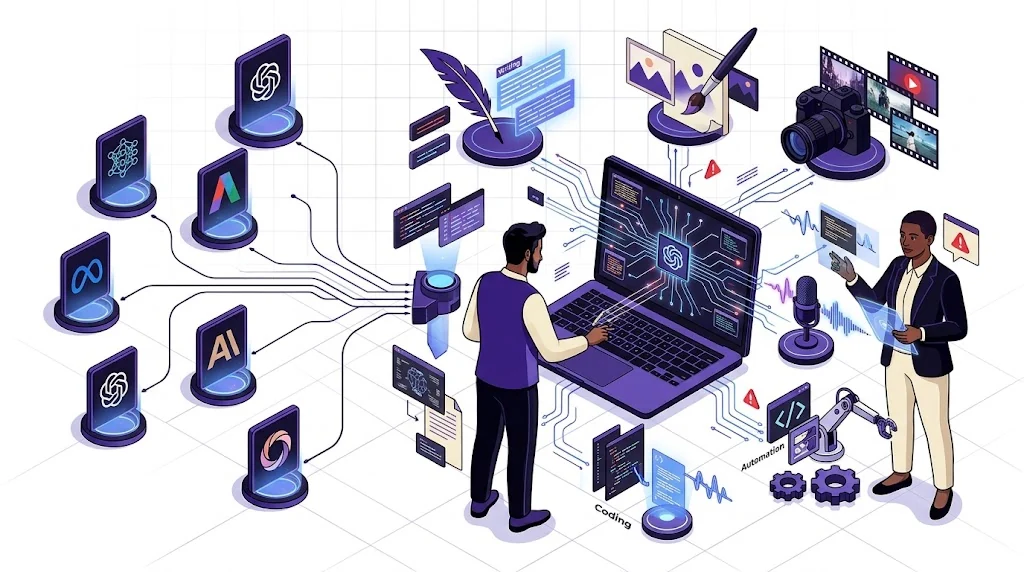
Imagine you are a content creator who wants to publish YouTube videos using AI.
Your workflow might require:
- An AI writing assistant for research and scripts.
- An AI image generator for thumbnails.
- An AI video generator for scenes.
- An AI voice generator for narration.
- A video editor for the final production.
You do not necessarily need to obtain access to five restricted platforms.
Instead, you can build a workflow around tools that are officially available to you.
For example:
- Use an accessible language model to research and write your script.
- Use an available image generation service to create visual assets.
- Use an AI video platform that supports your location.
- Use a compatible voice generation service for narration.
- Assemble everything using your preferred video editor.
The same principle applies to developers.
You can build an AI-powered application using an available API, a compatible open-weight model, or an officially supported cloud deployment.
The goal is to solve the problem you have, not to become dependent on a particular brand of AI software.
Frequently Asked Questions About Accessing Restricted AI Tools
1. Why are some AI tools unavailable in my country?
AI tools may be restricted because of government regulations, data protection requirements, payment infrastructure, licensing agreements, security policies, or regional product availability.
The reason varies between companies and services.
2. Can I access restricted AI tools using a VPN?
A VPN changes the apparent network location of your connection and can improve online privacy. However, it does not override a platform’s eligibility requirements or guarantee access.
Some providers prohibit accessing their services from unsupported regions, and attempting to bypass these restrictions may result in account suspension.
3. How can I check whether an AI tool supports my country?
Visit the platform’s official documentation or supported-country page.
Check the availability of the exact service you want, including its consumer application, API, subscription plans, and advanced features.
4. Are open-source AI models available worldwide?
Many open-weight AI models can be downloaded and run locally, subject to their licenses and applicable laws.
However, model hosting services, cloud infrastructure, and certain model downloads may have their own geographical restrictions.
5. Can developers access restricted AI models through APIs?
An API is not an automatic way around regional restrictions.
Developers must still satisfy the provider’s supported-country requirements, account verification, billing rules, and applicable terms of service.
6. What should I do if an AI tool suddenly stops working?
Check the service’s official status page, verify your account eligibility, review any error messages, and follow the provider’s troubleshooting instructions.
If the problem continues, contact customer support.
7. Are AI tools available in Nigeria?
Yes. Many major AI services officially support Nigeria.
For example, Nigeria appears on OpenAI’s supported-country lists for ChatGPT and its API. Nigeria is also included in Google’s published supported regions for AI Studio and the Gemini API.
Anthropic’s published supported-region information also includes Nigeria.
Are AI tools available in Nigeria?
Yes. Many major AI services officially support Nigeria.
For example, Nigeria appears on OpenAI’s supported-country lists for ChatGPT and its API. Nigeria is also included in Google’s published supported regions for AI Studio and the Gemini API.
Anthropic’s published supported-region information also includes Nigeria.
However, availability can differ between individual products, account features, payment methods, and deployment options.
Always check the latest official documentation before registering or making a payment.
Final Thoughts: Don’t Let Regional Restrictions Stop Your AI Journey
AI is creating new opportunities for developers, creators, entrepreneurs, freelancers, and businesses around the world.
But access to these opportunities should not depend on knowing only one AI platform.
If a particular service is unavailable in your country, investigate the reason before trying to get around the restriction.
Check official availability lists. Explore supported cloud platforms. Consider developer APIs and open-weight models. Look for alternative tools that solve the same problem.
Most importantly, protect your accounts, your data, and your projects.
The real advantage in the AI era is not knowing how to use one particular tool. It is knowing how to combine different technologies to solve problems and get work done.
Save this guide for the next time you discover an AI tool that is unavailable in your region.
Share it with a developer, creator, freelancer, or business owner who wants to get more out of artificial intelligence.
Explore more practical AI tools, tutorials, automation guides, and productivity resources at AI Discoveries.
Website: https://aidiscoveries.io
Written by Olasunkanmi Adeniyi | AI Discoveries | Updated: 31-10-2026





Leave a Reply