
Imagine discovering an interesting website and wanting to understand how it works. You might want to recreate its layout, study its features, build a similar app, analyze a game concept, or learn how its user interface fits together.
Traditionally, doing this required hours of manual research, technical expertise, and expensive software tools.
Now, an open-source GitHub project called REA, short for Reverse Engineer Anything, aims to make this process more accessible by using AI to help people investigate and understand digital products.
Whether you are a developer, designer, startup founder, product manager, student, or curious technology enthusiast, REA is worth exploring if you want to learn how digital products work without paying for a specialized reverse-engineering tool.
In this guide, you will learn what REA is, how to find the repository, how to approach reverse engineering websites, apps, and games, what you can realistically expect from the process, and how to use the results to build your own projects.
Explore REA on GitHub
Reverse Engineer Anything, an open-source project
Find the REA repository on GitHub
What Is REA (Reverse Engineer Anything)?
REA is an open-source software analysis toolkit that connects AI coding agents to tools for examining applications, program code, compiled binaries, and runtime behavior.
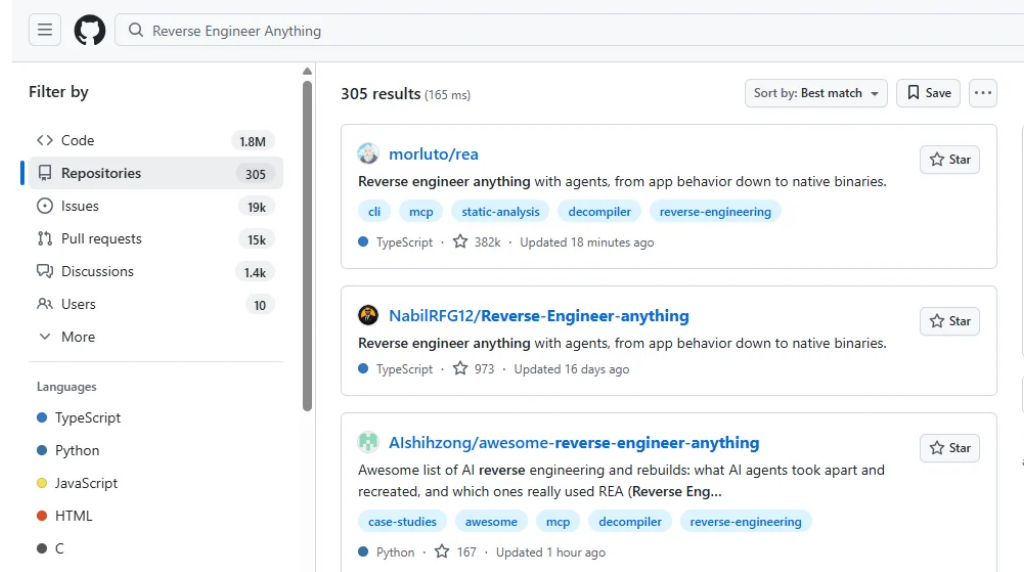
The official project is hosted on GitHub at morluto/rea. It provides a Model Context Protocol (MCP) interface and command-line workflows that allow compatible AI agents to investigate how software works, gather evidence, explain specific features, and help implement similar functionality in your own project.
GitHub
+1
In simple terms, REA helps you investigate a digital product instead of guessing how its underlying software works.
For example, suppose you find a note-taking app with an excellent search feature. You want to understand how the feature operates before building something similar.
With a compatible AI coding agent and the appropriate REA tools, you can ask the agent to investigate the application, trace relevant code, explain the evidence, and help you implement a comparable search feature.
The important distinction is that REA supplies investigation capabilities. The AI agent interprets the findings and can help you write code based on them. REA does not magically recover every original source file or reproduce every application perfectly.
GitHub
What does REA actually do?
1. Investigates software
It examines supported application files, code structures, functions, resources, and other technical evidence.
2. Traces how features work
It helps an AI agent follow the relationships between code components and investigate how a feature is implemented.
3. Presents evidence
The agent can use findings from the analysis to explain what it discovered, what remains uncertain, and which areas need further investigation.
4. Helps you build
You can use the findings to implement and test a similar feature in your own codebase.
These capabilities make REA useful for software learning, application analysis, debugging, compatibility work, and product development. The precise results depend on the target, the available analysis tools, and the environment in which you run it.
GitHub
Is REA completely free to use?
REA’s own code is released under the MIT open-source license, and its repository is publicly available. However, the entire reverse-engineering workflow is not necessarily free in every configuration.
GitHub
+1
Here is the distinction:
| Component | Cost consideration |
|---|---|
| REA source code | Open source under the MIT license |
| REA command-line and MCP workflows | Available through the project’s published setup |
| AI coding agent | Depends on the agent, account, and usage plan |
| Static analysis of supported files | May work without a paid decompiler, depending on the target |
| Native binary analysis | May require a separately installed analysis engine |
| Commercial analysis tools | May require a paid license or have restricted demo features |
For example, the project documents integrations with tools such as Ghidra and Hopper. These have different licensing and platform requirements. REA does not grant you a license to commercial tools simply because it connects to them.
GitHub
+1
The practical takeaway is simple: you can start with REA without purchasing REA itself, but check the requirements for the specific type of software you want to investigate.
How to install REA for free
The official repository is the safest starting point. Follow its installation instructions because prerequisites and supported integrations can change.
Quick installation guide
Step 1: Open the official GitHub repository
Visit github.com/morluto/rea and review the README, setup instructions, supported platforms, and current requirements.
Step 2: Check your environment
Confirm that you have the required Node.js and npm versions, a compatible AI coding agent, and any additional analysis tools required for your chosen target.
Step 3: Run the setup command
Open your terminal and run the following command from the official project’s setup instructions.
npx rea-agents@latest setup
Review the setup plan and approve the configuration changes you want. The setup process is intended to connect REA to your selected compatible coding agent.
GitHub
+1
Step 4: Restart your coding agent
Restart the selected agent after setup, then follow the official verification instructions to confirm that REA is available.
Step 5: Start with one feature
Choose an application you own or are authorized to analyze. Ask your coding agent to investigate one specific feature and show the evidence behind its findings.
Official setup resources: REA documentation and GitHub repository.
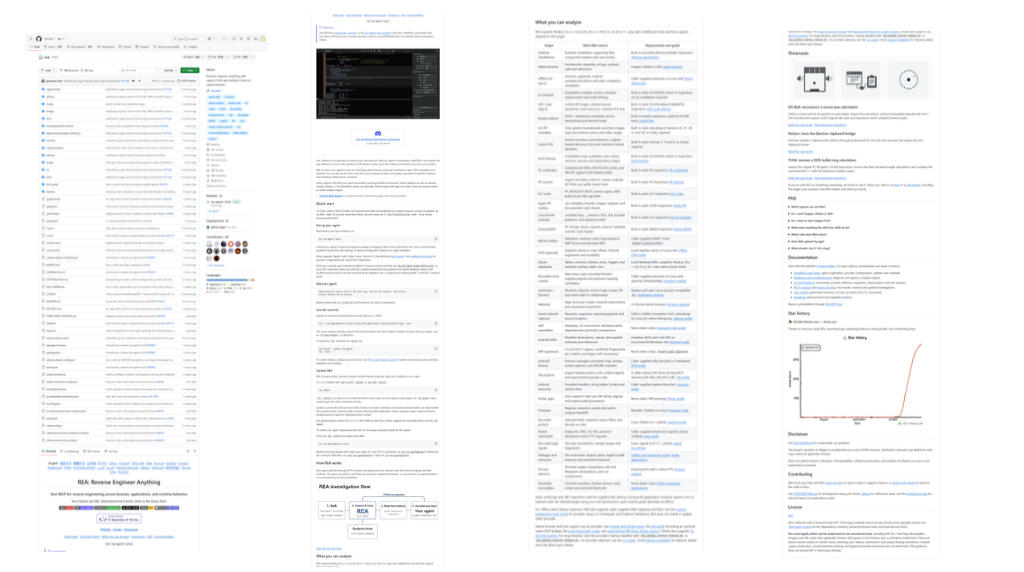
If you are new to the command line, do not worry about understanding every technical detail immediately. Start by following the current installation guide for your operating system and agent.
Do not run unfamiliar installation commands blindly. Review what they will change, especially if you are working on a machine that contains sensitive files or production credentials.
How to reverse engineer a website using REA
One of the most useful applications of REA is investigating how a website or web application works.
However, there is an important technical detail. Giving an AI agent a public website URL does not automatically reveal the website’s private backend code, database, or server-side business logic.
For a browser-based investigation, you need an accessible target and the appropriate connection or files. REA’s official documentation includes workflows for examining browser activity and tracing JavaScript code.
Reverse Engineering for Your Coding Agent
+1
Here is a practical workflow.
Step 1: Choose a website or web app
Start with a website you own, an open-source application, or a product you have permission to investigate.
Choose one specific feature, such as:
- A search interface.
- A pricing calculator.
- A navigation menu.
- A dashboard.
- A filtering system.
- A product comparison interface.
- A browser-based game.
Avoid starting with the entire website. A specific feature gives the AI agent a clearer investigation target.
Step 2: Identify what you want to understand
Suppose you want to build a website with a calculator similar to one you found online.
Before investigating, list the questions you need answered:
- What inputs does the calculator accept?
- What happens when the user changes an input?
- Which calculation rules does it follow?
- How does it validate missing or invalid values?
- Does it update the result immediately or after submission?
- Which parts of the interface change when the result changes?
These questions create a useful scope for the investigation.
Step 3: Connect the appropriate target to REA
Depending on the website and its technology, you may need to provide local source files, a packaged application, or a supported browser connection.
Follow the relevant instructions in the official REA documentation.
For a browser investigation, use the documented browser connection method and provide the necessary page and debugging connection details. Do not assume that an ordinary URL is enough.
Step 4: Ask your AI agent to investigate the feature
Use a prompt like this.
Investigate the calculator feature in this website using REA.
My goal is to understand its observable behavior and implement a similar feature in my own project.
Please:
- Identify the relevant code, functions, and dependencies available to inspect.
- Trace how user inputs affect the calculated result.
- Explain the calculation rules with concrete examples.
- Identify input validation, edge cases, and error handling.
- Separate verified findings from assumptions.
- Reference the evidence supporting each important finding.
- Explain what cannot be determined from the available evidence.
Do not copy proprietary code or attempt to access private systems. Start with analysis and wait for my approval before modifying any files.
Step 5: Verify the findings
Do not assume the AI’s explanation is correct just because it sounds convincing.
Test the feature with different inputs. Compare its actual behavior with the agent’s explanation. Check boundary conditions, invalid values, and unexpected results.
For example, if you are investigating a percentage calculator, test values such as 200 + 10%, 0 + 10%, and 200 + 0%.
This process helps you distinguish a verified implementation detail from an AI-generated guess.
Step 6: Build your own implementation
Once you understand the behavior, ask your coding agent to implement a similar feature using your preferred programming language and framework.
You can also request a different design, improved accessibility, mobile responsiveness, better validation, or additional functionality.
The objective is to reproduce the useful behavior while writing an implementation that fits your own product.
How to reverse engineer a mobile app using REA
REA can also help investigate supported mobile application artifacts, although its capabilities depend on the operating system, application format, and analysis tools available.
For example, an Android APK may contain resources, metadata, and compiled code that help explain how parts of an application work. REA’s published materials include an Android case study examining how an authenticator generates login codes.
Reverse Engineering for Your Coding Agent.
A practical workflow looks like this:
- Obtain the application package legally. Prefer an application you own, an open-source app, or a test app you are authorized to examine.
- Check the official documentation to identify the supported analysis workflow for the package format and your operating system.
- Ask your coding agent to inspect the available application resources, relevant code paths, and functions associated with the feature you want to understand.
- Request an explanation of the evidence, including any missing information or limitations.
- Build and test your own implementation using the findings as a reference.
For example, you might investigate how an app stores user preferences, validates form inputs, or organizes a particular screen.
You should not expect REA to reconstruct every original source file, bypass authentication, or reveal private server-side systems. Obfuscation, missing symbols, inaccessible services, and platform restrictions can limit what the tools can establish.
How to reverse engineer a game using REA
Game developers can use reverse engineering to study mechanics, investigate bugs, understand legacy games, and learn how particular features work.
REA’s official website demonstrates an investigation of the Chrome dinosaur game. The workflow traces the game’s speed behavior and uses the findings to build a small implementation with an adjustable speed control.
Reverse Engineering for Your Coding Agent
+1


Consider how you could apply a similar workflow to your own game project.
Step 1: Select one game mechanic
Start with a single behavior rather than the entire game.
Examples include:
- Player movement and acceleration.
- Collision detection.
- Scoring rules.
- Difficulty progression.
- Enemy movement.
- Power-up behavior.
- Sound effects triggered by player actions.
Step 2: Provide an accessible game target
Use a local game build, open-source game, or browser-based game you are authorized to inspect.
The correct method depends on whether the game runs in a browser, uses JavaScript, ships as a native application, or relies on another runtime.
Step 3: Ask REA to trace the behavior
For an endless runner, you could ask your coding agent to identify the variables that control speed, locate the relevant update function, trace how speed changes over time, and explain what happens when the player collides with an obstacle.
Step 4: Recreate the mechanic
Use the findings to build a simple prototype.
For instance, if your investigation establishes a speed increase rule, implement that rule in your own game and expose the speed as a configurable parameter.
Step 5: Test the implementation
Compare the original behavior with your implementation under equivalent conditions. Check collisions, timing, performance, and edge cases.
Remember that understanding a mechanic does not automatically give you the original game’s assets, levels, source code, or proprietary content. Create or license your own assets and respect the rights associated with the original game.
What else can you reverse engineer with REA?
The project supports several categories of software analysis. The precise capabilities vary by target type and available dependencies.
GitHub
+1
| Target | What you can investigate |
|---|---|
| Websites and browser applications | Accessible JavaScript, code paths, and selected runtime behavior |
| JavaScript applications | Modules, imports, routes, and relationships between components |
| Electron apps | Packaged application code, inter-process communication, and dependencies |
| Native desktop software | Functions, strings, assembly, and decompiled representations |
| .NET applications | Assembly metadata and other supported managed-code details |
| Android application packages | Supported package resources and code artifacts |
| Games | Specific mechanics, calculations, and behavior when the relevant code or runtime is accessible |
This makes REA useful for several different types of work.
1. Product development
Investigate how a useful feature works, then create a version tailored to your users.
2. Software education
Study real software implementations to understand programming concepts, code structure, and the relationship between functions.
3. Legacy software analysis
Examine software when the original source code is unavailable or incomplete, provided you have authorization to analyze it.
4. Debugging and compatibility
Trace unexpected behavior, investigate dependencies, and understand how software handles particular inputs or operations.
5. Game development
Learn how selected game mechanics work and use those findings to implement original gameplay systems.
6. Technical research
Explore application architecture and collect evidence that supports a technical explanation.
REA vs. manually reverse engineering software
Manual reverse engineering remains valuable. REA changes how you approach the work by allowing a compatible AI agent to coordinate supported analysis tools and interpret their findings.
| Factor | Manual approach | REA-assisted approach |
|---|---|---|
| Investigation | You inspect and trace the software yourself | An AI agent can help select tools and trace relevant code |
| Technical explanation | You interpret the evidence | The agent can explain findings and reference evidence |
| Repeated questions | You repeat parts of the analysis | You can ask follow-up questions using the same investigation context |
| Implementation | You write the new code yourself | The agent can help implement and test a comparable feature |
| Accuracy | Depends on your methods and expertise | Still depends on evidence quality, tool support, and verification |
| Cost | Depends on the tools you use | REA is open source, but other tools and AI services may cost money |
REA does not eliminate the need for technical judgment. It gives you another way to investigate software and work with the resulting evidence.
The best prompts to use with REA
The quality of your investigation depends heavily on the questions you ask. Broad requests such as “reverse engineer this app” can produce an unfocused analysis.
Instead, identify a specific behavior and ask the agent to trace it using the available evidence.
Here are six prompts you can adapt to your projects.
1. Understand an application’s architecture
Best for developers and technical researchers
Analyze this application using REA. Map its major modules, entry points, dependencies, and relationships between components. Explain the architecture using evidence from the files you can inspect. Identify unknowns instead of guessing.Copy prompt
2. Investigate a website feature
Best for web developers and product builders
Use REA to investigate how this accessible website feature works. Trace the relevant code, identify the inputs and outputs, explain its behavior, and list edge cases. Separate verified findings from assumptions.Copy prompt
3. Understand a game mechanic
Best for game developers
Investigate the movement and collision behavior in this game using REA. Trace the relevant functions and variables, explain how the mechanic operates, and propose a small original implementation that I can test independently.Copy prompt
4. Investigate a calculation or algorithm
Best for calculators, business tools, and utilities
Trace the algorithm responsible for this feature. Explain the inputs, intermediate calculations, output, and boundary conditions. Demonstrate the rule with test cases and identify any behavior that cannot be verified from the available evidence.Copy prompt
5. Investigate a suspected bug
Best for debugging and maintenance
Use REA to trace the code path responsible for this reproducible bug. Identify relevant functions, state changes, and dependencies. Explain the strongest evidence for each possible cause and suggest a minimal fix with regression tests.Copy prompt
6. Build a similar feature
Best for turning research into a working prototype
Based on the verified findings from the REA investigation, implement an original version of this feature in my project. Preserve the relevant behavior, use my existing technology stack, add appropriate validation, and test the implementation. Do not copy proprietary code or assets.Copy prompt
Limitations you should understand before using REA
REA is a powerful starting point for software investigation, but understanding its limitations will help you avoid wasting time.
1. It cannot guarantee recovery of original source code. Compiled software may expose assembly, decompiled representations, strings, and metadata rather than the original source files.
2. It cannot automatically access private backend systems. A browser investigation may reveal client-side behavior without revealing server-side algorithms, private databases, or internal APIs.
3. It requires compatible tools. Some investigations depend on particular analysis engines, operating systems, runtimes, or application formats.
4. AI-generated explanations require verification. An agent can misinterpret incomplete evidence, so test important conclusions before relying on them.
5. It does not automatically clone an entire product. Recreating a complex application requires additional design, implementation, integration, testing, and often access to supporting services.
6. Free software does not mean every dependency is free. Check the licenses, usage restrictions, and costs of any connected analysis engine or AI service.
GitHub
+1
Is it legal to reverse engineer an app, website, or game?
Reverse engineering can support legitimate activities such as education, interoperability, software preservation, debugging, and security research. However, the legality of a particular investigation depends on your jurisdiction, the software involved, your authorization, and the methods you use.
Before starting:
- Obtain permission where required.
- Respect applicable copyright and software licensing terms.
- Avoid accessing private accounts, systems, or data without authorization.
- Do not use reverse engineering to steal credentials, bypass access controls unlawfully, or exploit systems.
- Create your own code and assets when building a comparable product.
The fact that a repository is open source does not mean every application you investigate with it is open source. Read the project’s official guidance and the terms that apply to your target.
Frequently asked questions about REA
What does REA stand for?
REA stands for Reverse Engineer Anything. It is an open-source toolkit that connects compatible AI coding agents to software analysis tools through MCP and command-line workflows.
GitHub
+1
Is REA free?
Yes, REA’s own code is available under the MIT license. However, some compatible analysis engines, AI agents, or related services may have separate costs or licensing restrictions.
GitHub
+1
Can REA reverse engineer any website from its URL?
No. A public URL alone does not provide access to all of a website’s underlying code. The available results depend on accessible client-side code, browser connections, files, permissions, and the analysis workflow.
Can REA reverse engineer Android apps?
REA supports certain mobile application analysis workflows, including documented Android package investigations. The exact capabilities depend on the package contents, supported tools, and environment.
Reverse Engineering for Your Coding Agent
+1
Can I use REA to recreate a game?
You can use REA to investigate supported game code or behavior and use the findings to build a similar mechanic or original game. It does not guarantee a complete reproduction of the original game.
Do I need coding experience to use REA?
Some experience with terminals, software installation, and AI coding agents will help. Beginners can learn through guided prompts, but interpreting technical evidence and validating generated code may require additional learning.
Which AI coding agents work with REA?
The project’s published documentation lists integrations including Claude Code, Claude Desktop, Codex, Cursor, Gemini CLI, Windsurf, GitHub Copilot CLI, and VS Code. Support and setup options can change, so check the current official documentation before installing.
Does REA reveal a competitor’s complete source code?
No. REA helps investigate available software artifacts and trace evidence about how software works. It does not promise to recover the original source code or reveal inaccessible server-side implementation details.
GitHub
+1
Final thoughts: Should you try REA?
If you build software, study application architecture, develop games, or want to understand how a particular digital feature works, REA is worth exploring.
Its main advantage is the ability to connect AI coding agents with software analysis tools. Instead of relying entirely on guesses about how an application works, you can investigate available evidence, ask targeted questions, and use what you learn to develop and test your own implementation.
You do not need to begin with a complex application. Start with a small calculator, a simple browser game, or a feature in an application you own.
Visit the official repository at morluto/rea on GitHub, review the setup requirements, and follow the instructions for your environment.
The best way to learn reverse engineering is to start with one specific question, investigate the evidence, and verify what you discover.




Leave a Reply