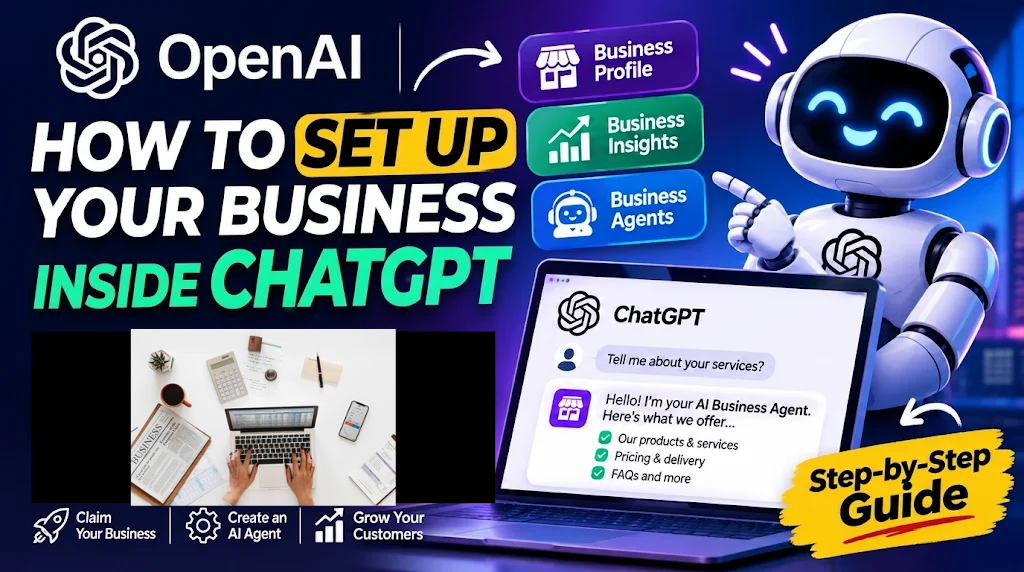
Imagine a potential customer asking ChatGPT to recommend the best logistics company, compare software providers, find a product, or choose a service provider.
Instead of simply mentioning your business and directing that customer to your website, ChatGPT could allow them to start a conversation directly with an AI agent representing your business.
The customer could ask questions about your products, compare your services, understand your pricing, explore your policies, and decide whether to buy.
Your business gets another opportunity to connect with potential customers, even when nobody from your team is available to respond.
This is the idea behind OpenAI’s new Businesses in ChatGPT initiative.
On November 10, 2026, OpenAI introduced Businesses in ChatGPT, a new business-focused experience that allows eligible businesses to claim their profiles, manage their information, access customer discovery insights, and create AI-powered Business Agents.
The announcement introduces an interesting development in the relationship between artificial intelligence, business discovery, and customer acquisition.
For entrepreneurs, ecommerce operators, SaaS founders, and service providers, this could change how customers discover and interact with businesses online.
But what exactly is Businesses in ChatGPT? How does the new Business Agent work? Can you create one for your business? And how do you get started?
This guide explains everything you need to know, including the setup process, eligibility requirements, practical use cases, and what businesses should do to prepare.
Last updated: November 11, 2026 | By Olasunkanmi Adeniyi, AI Discoveries
What Is OpenAI Businesses in ChatGPT?
OpenAI Businesses in ChatGPT is a business platform that allows eligible companies to claim and manage their business presence within ChatGPT, provide accurate information about their products and services, monitor how customers discover them, and, where eligible, create AI-powered Business Agents.
The platform introduces three major capabilities:
- Business profiles: Businesses can claim their profiles and manage information such as descriptions, contact details, products, and services.
- Business insights: Businesses can monitor aggregated mentions, website clicks, and discovery topics associated with their presence in ChatGPT.
- Business Agents: Eligible companies can create AI agents that answer customer questions using business-provided information, product details, and policies.
OpenAI is introducing these capabilities through a new destination called Business Hub.
The bigger idea is to make ChatGPT a place where people can discover businesses, understand what they offer, and interact with them directly.
According to OpenAI, the initiative is currently in beta, with Business Agents initially available to eligible ecommerce and online service businesses in the United States.
Source: OpenAI’s official announcement.
How Businesses in ChatGPT Works
The easiest way to understand the new platform is to look at how a potential customer might interact with it.
Imagine someone wants to purchase a laptop.
They open ChatGPT and ask:
“Which laptop is best for video editing under $1,500?”
ChatGPT provides recommendations based on relevant information.
If your business appears in the response and has a Business Agent, the customer may have the option to open your business profile and start a separate conversation with your agent.
They could ask:
- What is the difference between these two laptops?
- Do you offer warranties?
- What payment options are available?
- How long does delivery take?
- Can I return the product if it develops a fault?
Your Business Agent responds using the information and instructions you have provided.
The customer can then explore your offerings and take the next step with your business.
This creates a new customer journey:
- DiscoveryA customer asks ChatGPT for a product or service recommendation.
- Business visibilityChatGPT may display your business when it is relevant to the customer’s question.
- Business profileThe customer opens your claimed business profile.
- AI conversationThe customer interacts with your Business Agent and asks specific questions.
- Customer actionThe customer explores your offerings and follows the available next steps.
One important distinction: Business Agents do not replace ChatGPT’s independent recommendations. They represent the business in a separate, clearly labelled conversation. Customers can distinguish between ChatGPT’s responses and the business’s own AI agent.
This distinction matters because it helps preserve transparency and customer trust.
What Is a Business Agent in ChatGPT?
A Business Agent is an AI-powered representative that a business can create and publish within ChatGPT.
Think of it as a digital customer service representative that understands your business, products, services, and policies.
Unlike a general-purpose chatbot, a Business Agent uses information supplied by the business and follows instructions established by the business.
For example, an online fashion store could configure its agent to:
- Explain available clothing collections.
- Answer questions about sizes and materials.
- Provide product recommendations.
- Explain shipping costs and delivery timelines.
- Answer questions about returns and exchanges.
- Direct customers to relevant product pages.
A logistics company could configure its agent to explain delivery zones, international shipping options, package restrictions, delivery timelines, and pricing policies.
A software company could use its agent to explain subscription plans, product features, integrations, and frequently asked questions.
The possibilities depend on the information, instructions, and capabilities made available to the agent.
Business Agent vs Traditional Chatbot
There are important differences between a conventional website chatbot and OpenAI’s Business Agent.
| Feature | Traditional chatbot | ChatGPT Business Agent |
|---|---|---|
| Where customers find it | Business website | Within ChatGPT |
| Customer discovery | Usually requires website traffic | Can follow ChatGPT business discovery |
| Business information | Configured by business | Supplied and managed by business |
| Conversations | Website-based | Separate ChatGPT agent conversation |
| Customer support | Depends on implementation | AI-powered responses |
| Business visibility insights | Depends on analytics tools | Business Hub insights |
The biggest opportunity is the additional discovery channel.
A traditional chatbot generally helps convert visitors who have already reached your website.
A Business Agent creates another way for potential customers to explore your business while using ChatGPT.
What Is OpenAI Business Hub?
Business Hub is the central dashboard where business owners and authorized representatives manage their presence in ChatGPT.
It provides tools for claiming a business, updating business information, connecting product feeds, accessing insights, and managing eligible Business Agents.
laxi.ai: AI Customer Support and Product Recommendation
Here are its main capabilities.
1. Claim and manage your business profile
You can claim an existing business listing or add an eligible business.
After verification, you can manage important information, including:
- Business name.
- Business description.
- Business category.
- Address or service area.
- Contact information.
- Products and services.
- Relevant website links.
This helps provide ChatGPT with more accurate and current information about your business.
2. Connect your product catalogue
Businesses that sell products can provide product feeds containing information such as:
- Product names.
- Product descriptions.
- Prices.
- Product images.
- Availability.
This allows ChatGPT to use more current product information when helping customers explore available options.
OpenAI also provides Shopify integration, making it easier for eligible Shopify merchants to connect their stores.
3. Monitor business discovery insights
One particularly interesting feature is the ability to understand how people discover and interact with your business through ChatGPT.
Business Hub provides aggregated insights, including:
- Business mentions.
- Website clicks.
- Discovery topics.
Discovery topics help businesses understand the common themes and subjects associated with their appearance in ChatGPT.
For example, a business might discover that it frequently appears in conversations related to affordable laptops, business software, or international delivery services.
These insights could help companies identify content gaps and improve their product information.
Importantly, OpenAI does not provide businesses with individual users’ conversations or their private Business Agent chats. The reporting uses aggregated information and privacy thresholds.
Source: Businesses in ChatGPT official overview.
How to Set Up Your AI Business Agent in ChatGPT in 2026
Step-by-step tutorial
Now let’s get practical.
If your business meets OpenAI’s eligibility requirements, you can follow these steps to claim your business and set up a Business Agent.
Step 1: Open ChatGPT Business Hub
Start by signing into your ChatGPT account using a web browser.
Open Business Hub from the ChatGPT sidebar.
You can also visit the official Businesses in ChatGPT page:OpenAI Businesses in ChatGPT
Look for the option to claim your business.
You must own the business or have authorization to represent it.
Step 2: Search for your business
Once inside Business Hub:
- Search for your business by name.
- Find the listing that matches your organization.
- Select the correct business.
- Confirm the ChatGPT account you want to use to manage it.
- Continue with the verification process.
If your business does not appear, you may be able to add a new business, provided it meets the applicable eligibility requirements.
Step 3: Verify your business
OpenAI requires businesses to establish that they are legitimately represented by the person making the claim.
Depending on the business, available verification methods may include:
- Business phone number.
- Business email address.
- Website domain.
- Shopify connection.
You will also need to complete identity verification through Persona before publishing changes to your business information, accessing insights, connecting product feeds, or creating an eligible Business Agent.
Persona may request government-issued identification, business registration information, or evidence that you are authorized to represent the organization.
OpenAI reviews the verification submission and communicates its decision by email.
Identity Verification, KYC, KYB & Fraud Prevention for African Businesses
Step 4: Update your business information
Once your verification is approved, open your business profile.
Review the information available and make necessary corrections.
Pay particular attention to:
- Your official business name.
- What your business does.
- Your main products and services.
- Pricing information.
- Customer support details.
- Delivery and service coverage.
- Refund and return policies.
- Frequently asked questions.
This step is extremely important.
Your Business Agent depends on the information you provide. Incorrect pricing, outdated policies, or incomplete product descriptions can lead to poor customer experiences.
Make your business information specific, clear, and consistent with what customers see on your website.
Step 5: Connect your Shopify store (if applicable)
If you operate an eligible Shopify store, you can connect it through your Shopify admin or Business Hub.
The integration provides access to your store’s product catalogue.
The setup process generally involves:
- Connecting your Shopify store.
- Reviewing your business and product information.
- Confirming that product details, pricing, and availability are accurate.
- Previewing your Business Agent.
Shopify integration is particularly useful because you do not have to manually recreate every product detail.
However, connecting Shopify is not compulsory for every business. Eligible businesses can claim their profiles without a Shopify store.
Step 6: Create and configure your Business Agent
After your business claim and Persona verification have been approved, check your Business Hub dashboard for the Business Agent creation option.
If you have already connected Shopify and it has generated a draft agent, you can open that draft.
Otherwise, create an agent if the option is available.
You will need to review the information your agent will use and configure its instructions.
This is where you define how your AI representative should communicate with customers.
For example, you could provide instructions such as:
Example Business Agent Instructions
Copy and adapt
For an ecommerce business
You are the official AI customer service representative for [Business Name].Your responsibility is to help customers understand our products, services, pricing, delivery policies, and return conditions.Follow these guidelines:
- Always communicate professionally, clearly, and politely.
- Use only verified business information when answering questions about our products and services.
- Never invent prices, discounts, delivery timelines, or product availability.
- Recommend products based on the customer’s stated needs and budget.
- Explain our return, refund, and exchange policies accurately.
- If you do not know an answer, acknowledge that you need confirmation from our team.
- Direct customers to our official website for purchases and relevant next steps.
- Never claim to be a human employee. Clearly identify yourself as an AI representative of our business.
Your goal is to help customers make informed purchasing decisions and have a positive experience with our business. Copy instructions
The quality of your instructions and business information will influence how useful your agent is.
Avoid giving it conflicting policies or allowing it to make promises your business cannot fulfil.
Step 7: Test your Business Agent
Do not publish your agent immediately without testing it.
Open the preview and ask questions that real customers are likely to ask.
For example:
- What products do you currently sell?
- Which product would you recommend for a beginner?
- How much does delivery cost?
- Do you offer refunds?
- What happens if my order arrives damaged?
- Can I speak with a human representative?
Check whether the agent provides accurate answers.
If it gives incorrect information, update the business information or agent instructions and test again.
Pay particular attention to pricing, delivery promises, product availability, and customer policies.
Step 8: Publish your Business Agent
Once you are satisfied with the responses, select Publish.
Your Business Agent can then become available to customers through your business profile in ChatGPT.
Customers can choose to interact with the published agent when your business appears in relevant ChatGPT experiences.
Remember that claiming your business and publishing a Business Agent are separate processes. Claiming alone does not automatically create or publish an agent.
For the complete official instructions, see:
OpenAI Help Center: Setting Up Your Business on ChatGPT.
Who Can Use Businesses in ChatGPT in 2026?
This is one of the most important things to understand before attempting to set up your agent.
OpenAI has different eligibility requirements for claiming a business and creating a Business Agent.
| Feature | Availability |
|---|---|
| Claim a business profile | Eligible businesses in supported ChatGPT markets |
| Update business information | After required verification |
| Access business insights | After required verification |
| Connect product feeds | Eligible businesses |
| Create Business Agents | Initially eligible US ecommerce and online service businesses |
| Shopify integration | Eligible Shopify merchants |
Important for Nigerian businesses
If you operate a business in Nigeria, there is an important distinction.
OpenAI’s announcement says eligible businesses in supported ChatGPT markets can claim their business profiles. However, Business Agents are currently limited to eligible ecommerce and online service businesses in the United States.
This means Nigerian businesses should not assume they can create and publish a Business Agent immediately.
You can monitor the rollout and check whether your business qualifies through the official Business Hub.
OpenAI says it plans to expand Business Agents and other business capabilities to more markets and categories over time.
Read the Business Agents Policy for the current requirements.
7 Ways Businesses Can Use AI Business Agents to Attract and Convert Customers
The introduction of Business Agents creates several interesting opportunities.
Here are seven practical ways businesses could use this technology.
Product Catalog Management | eCommerce Catalog Management
1. Ecommerce product recommendations
Help customers compare products, understand specifications, explore available options, and identify products that meet their budgets.
Smiling female customer support operator pointing at a computer screen while working at her desk
2. Customer support
Answer frequently asked questions about delivery, returns, refunds, subscriptions, and company policies.
3. SaaS product education
Explain software features, subscription plans, integrations, and use cases to potential customers.
Japan Hotel Booking Sites Compared 2026: OTA, Hotel Direct, or Map Search?
4. Travel and hospitality
Help customers understand accommodation options, booking policies, available services, and travel packages.
Real estate agent working with couple in new apartment
5. Real estate enquiries
Explain property features, available listings, pricing information, and viewing procedures.
オンライン講座を活用するメリットと未来の学び方 | 株式会社トーン・アップ
6. Online education
Explain course content, learning outcomes, enrolment requirements, and available programmes.
7. Logistics and delivery enquiries
Explain shipping services, delivery coverage, pricing structures, package requirements, and international shipping options.
The central opportunity is reducing the amount of repetitive information your employees have to provide while making it easier for customers to understand your offerings.
However, businesses should distinguish between answering enquiries and actually completing transactions. Do not assume an agent can automatically process payments, book services, or update orders unless the relevant capability is explicitly supported.
Businesses in ChatGPT vs ChatGPT Business vs ChatGPT Work
There is another important distinction worth understanding.
OpenAI has several business-related products and experiences. Their names are similar, but their purposes are different.
| Product | Primary purpose |
|---|---|
| Businesses in ChatGPT | Helps businesses manage their presence and interact with customers |
| Business Agents | AI representatives that communicate with customers on behalf of businesses |
| ChatGPT Business | A workplace subscription for teams using ChatGPT |
| ChatGPT Work | An AI agent for research, analysis, connected apps, and longer business tasks |
For example, a company could use ChatGPT Business to give employees access to AI tools.
It could use ChatGPT Work to research competitors, analyse reports, prepare documents, and handle multi-step internal workflows.
With Businesses in ChatGPT, an eligible company can create an AI representative that helps potential customers explore its products and services.
These products serve different purposes. They should not be confused with one another.
What Businesses Should Do to Prepare for the AI Discovery Era
Even if your business cannot access Business Agents yet, there are several things you can start doing today.
The emergence of Businesses in ChatGPT reinforces an important shift in digital marketing.
For years, businesses have invested heavily in search engine optimisation to appear when people search Google.
Now, businesses also need to think about how AI systems understand, discover, and recommend their products and services.
This is where GEO (Generative Engine Optimisation) becomes increasingly important.
Here are six practical steps.
1. Build a detailed and authoritative website
Your website should clearly communicate:
- What your business does.
- Who your products and services are for.
- The problems you solve.
- Your pricing and product information.
- Your location and service coverage.
- Your contact information.
Avoid vague descriptions.
If you operate a logistics company, for example, explain exactly which locations you serve, what types of shipments you handle, and how customers can access your services.
2. Create dedicated pages for your products and services
Do not put everything on one generic services page.
Create individual pages explaining each major product or service.
For example:
- International shipping services.
- Same-day delivery.
- Corporate logistics solutions.
- Warehousing services.
- Ecommerce fulfilment.
Each page should contain specific information that answers real customer questions.
3. Publish helpful content that answers customer questions
Think about the questions potential customers ask before making purchasing decisions.
Create articles that answer those questions directly.
Examples include:
- How much does international shipping cost?
- What is the best project management software for small businesses?
- Which AI tools can help entrepreneurs reduce operating costs?
- How do I choose a reliable delivery company?
Use clear headings, concise answers, factual explanations, and relevant supporting evidence.
This helps users and gives search engines and AI systems clearer information to understand.
4. Implement structured data
Structured data helps search engines understand important information about your website.
Depending on your business, useful schema types include:
- Organization.
- LocalBusiness.
- Product.
- Service.
- Article.
- BreadcrumbList.
- FAQPage, where eligible and supported.
Use accurate structured data that reflects the visible information on your website.
Do not add fabricated ratings, prices, reviews, or business details.
5. Maintain consistent business information
Your business name, website, contact details, services, and location should be consistent across your digital properties.
Update your website, business listings, social media profiles, and relevant directories.
Inconsistent information can make it harder for customers to verify what your business actually offers.
6. Build genuine authority in your industry
Publish original research, practical guides, case studies, product comparisons, and expert insights.
Earn relevant mentions and links from credible websites.
The objective is to establish your business as a trustworthy source of information in its industry.
Importantly, no SEO technique guarantees that ChatGPT will recommend your business. A strong digital presence improves your ability to communicate what you offer, but AI recommendations remain independent.
Frequently Asked Questions About OpenAI Businesses in ChatGPT
These are some of the most important questions businesses are asking about the new platform.
1. What is Businesses in ChatGPT?
Businesses in ChatGPT is OpenAI’s business platform that allows eligible businesses to claim and manage their business profiles, provide product information, access aggregated discovery insights, and create AI-powered Business Agents where eligible.
2. Is OpenAI Business Agent free?
OpenAI’s November 10, 2026 announcement and initial setup documentation do not establish a universal public pricing structure for Business Agents. Check Business Hub for the terms and any applicable commercial requirements.
3. Can Nigerian businesses create Business Agents?
Business Agents are initially available to eligible ecommerce and online service businesses in the United States. Nigerian businesses should check Business Hub for profile-claiming eligibility and monitor future expansion.
4. Do I need a Shopify store to create a Business Agent?
No. Shopify is an optional integration. Eligible businesses can claim their profiles and create agents without Shopify, subject to OpenAI’s requirements.
5. Do I need ChatGPT Enterprise to claim my business?
No. OpenAI says businesses do not need a ChatGPT Enterprise agreement or an advertising account to claim an eligible business.
6. Can a Business Agent process customer payments?
Do not assume so. The initial announcement focuses on answering questions and helping customers explore business offerings. Payment processing and other transactional capabilities depend on explicitly supported integrations and features.
7. Will claiming my business guarantee that ChatGPT recommends it?
No. Claiming your business helps you manage its information and understand how it appears in ChatGPT. It does not guarantee higher recommendation rankings, visibility, or sales.
8. Can customers see that they are talking to an AI agent?
Yes. Business Agent conversations are clearly labelled as conversations with the business and remain separate from ChatGPT’s independent responses.
9. Can businesses see what individual customers ask their agents?
No. OpenAI says businesses do not receive individual users’ conversations or Business Agent chats. Business Hub provides aggregated insights subject to privacy thresholds.
10. Where can I claim my business?
Visit the official Businesses in ChatGPT page and follow the instructions to access Business Hub.
Final Thoughts: Is Businesses in ChatGPT the Future of Customer Acquisition?
The introduction of Businesses in ChatGPT is an important development in how businesses can participate in AI-powered discovery.
Think about what is happening.
People are increasingly using AI assistants to research products, compare services, explore alternatives, and make purchasing decisions.
Businesses have traditionally depended on websites, search engines, social media, advertising, and marketplaces to reach these customers.
OpenAI is now introducing another layer to this ecosystem.
With Businesses in ChatGPT, eligible companies can manage how they appear in ChatGPT, understand aggregated discovery activity, and create AI representatives that help potential customers explore their offerings.
This creates a new opportunity for businesses to participate in customer conversations.
However, there is an important lesson here.
Do not wait until every new AI feature becomes available before improving your digital presence.
Start by making your business easier to understand, easier to discover, and easier to trust.
Build a useful website. Publish authoritative content. Keep your product information accurate. Invest in SEO and GEO. Prepare your business information for AI-powered discovery.
The businesses that take these steps now will be better positioned to adapt as AI-powered customer experiences expand.
And for entrepreneurs, founders, and digital marketers, this is one development worth watching closely.


Leave a Reply