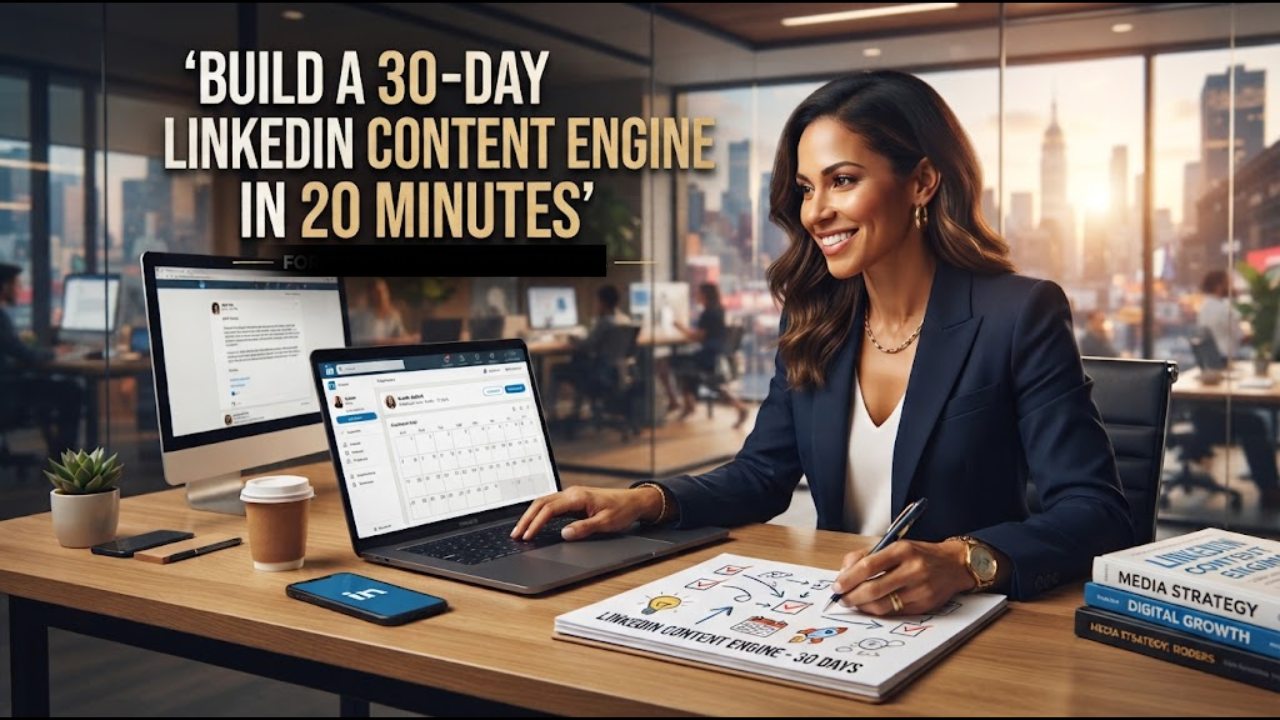
Creating LinkedIn content every day can become exhausting when you have to decide what to post from scratch.
A better approach is to build a 30-day LinkedIn content calendar before you start publishing.
With Claude, LinkedIn, and Notion, you can create 30 LinkedIn post ideas, hooks, content pillars, and a publishing schedule in about 20 minutes.
This guide shows you exactly how.
Key Takeaways
You can build a 30-day LinkedIn content calendar in about 20 minutes by following this process:
- Define your target audience.
- Identify your audience’s biggest pain points.
- Create 4 to 6 content pillars.
- Generate 30 specific LinkedIn post ideas.
- Create multiple hooks for each idea.
- Organize everything in a content calendar.
- Review your performance and improve the next month’s calendar.
The goal is not to create content faster just for the sake of publishing more.
The goal is to build a repeatable LinkedIn content system that consistently produces useful content for a specific audience.
What Is a 30-Day LinkedIn Content Calendar?
A 30-day LinkedIn content calendar is a structured plan that tells you what to publish on LinkedIn each day for an entire month.
A useful calendar typically contains:
- Publishing date
- Content pillar
- Post topic
- Hook
- Content format
- Main lesson
- Call to action
- Content objective
- Publishing status
- Post URL
Instead of opening LinkedIn every morning and asking, “What should I post today?”, you already have the answer.
You can focus your time on creating and improving the content.
Read Also: 50 Gmail Tricks That Save Time and Make Email Much Easier
Why You Should Build Your LinkedIn Content Calendar With AI
AI can help you accelerate the research and planning stages of content creation.
Tools such as Claude can help you organize audience problems, identify content themes, generate ideas, create hooks, and structure a publishing calendar.
But there is an important distinction.
AI should help you build the system.
You should provide the audience knowledge, experiences, examples, opinions, customer insights, and expertise that make the content worth reading.
If you simply ask an AI tool to “give me 30 LinkedIn posts,” you are likely to get generic ideas.
The better workflow is:
Audience → Problems → Content Pillars → Ideas → Hooks → Posts → Distribution
This creates a much stronger foundation for your LinkedIn strategy.
How to Create a 30-Day LinkedIn Content Calendar
Step 1: Define Your Target Audience
Start with your audience.
Before asking AI for content ideas, clearly describe who you want to reach.
For example:
“I create content for B2B founders and business owners who want to use AI to improve productivity, marketing, and sales.”
You can make this even more specific by defining:
- Job title
- Industry
- Business size
- Experience level
- Main goals
- Biggest challenges
- Products or services they buy
- Questions they regularly ask
The more specific your audience definition, the easier it becomes to create relevant LinkedIn content.
Step 2: Identify Your Audience’s Pain Points
Your best content ideas often come from problems your audience already wants to solve.
Look for questions and complaints in places such as:
- LinkedIn comments
- Reddit discussions
- Customer conversations
- Sales calls
- Reviews
- Support requests
- Emails
- Direct messages
- Community discussions
Suppose your audience consists of business owners learning AI.
You might discover problems such as:
“I don’t know which AI tools are actually useful.”
“I use AI but the results are inconsistent.”
“I don’t have time to learn complicated AI workflows.”
“I want to use AI to grow my business.”
“I don’t know how to turn AI skills into income.”
Each problem can become multiple pieces of content.
This is one of the most important parts of the process because you’re creating content around real problems rather than randomly choosing topics.
Read Also: How to Create a Personal AI Agent: A Practical Guide for 2026
Step 3: Create Your LinkedIn Content Pillars
Content pillars are recurring themes that organize your LinkedIn content.
Instead of creating 30 unrelated posts, divide your content into several strategic categories.
For example:
- AI productivity
- AI tools
- AI workflows
- AI business strategies
- AI case studies
- AI mistakes
You can then rotate between these pillars throughout the month.
For example:
Monday: AI productivity
Tuesday: AI tools
Wednesday: AI workflow
Thursday: AI business
Friday: Case study
This gives your content strategy structure while still allowing you to cover different topics.
Step 4: Generate 30 LinkedIn Content Ideas
Now give your audience, pain points, and content pillars to Claude.
Ask it to generate 30 specific post ideas.
The key word is specific.
Compare these two ideas:
“AI is changing business.”
“5 AI workflows that can help a small business owner reduce repetitive administrative work.”
The second idea gives the reader a clear topic and potential outcome.
Ask the AI to make every idea do at least one of these things:
- Solve a specific problem
- Teach a practical skill
- Explain a complicated concept
- Share a useful framework
- Demonstrate a workflow
- Analyze a case study
- Challenge an assumption
- Show a mistake and how to avoid it
Step 5: Generate Strong LinkedIn Hooks
Your content idea is only part of the equation.
You also need a strong opening.
Ask Claude to create several hook variations for each topic.
Useful hook types include:
Problem-based hooks
Curiosity hooks
Contrarian hooks
Story-based hooks
Data-driven hooks
Mistake-based hooks
Before-and-after hooks
For example:
Weak:
“AI can help you save time.”
Stronger:
“Most people aren’t using AI to save time. They’re using it to create more work.”
The second version creates tension and gives the reader a reason to continue.
Don’t use AI-generated hooks without reviewing them.
Your best hooks should sound like something you would actually say.
Step 6: Organize Your Calendar in Notion
Once you have your ideas and hooks, move them into Notion.
Create a simple content database with fields such as:
| Field | Purpose |
|---|---|
| Date | Publishing date |
| Pillar | Main content category |
| Topic | What the post covers |
| Hook | Opening line |
| Format | Text, carousel, video, poll, etc. |
| CTA | Desired reader action |
| Objective | Awareness, engagement, leads, or authority |
| Status | Idea, Draft, Ready, Published |
| URL | Published LinkedIn post |
This turns your content ideas into an actual publishing system.
You can also add a performance field later.
Track metrics such as:
- Impressions
- Comments
- Reactions
- Reposts
- Saves
- Profile visits
- Website clicks
- Leads
Then use the results to improve your next 30-day calendar.
The Copyable AI Prompt for a 30-Day LinkedIn Content Calendar
Copy and paste this prompt into Claude:
“Act as my LinkedIn content strategist.
I want to build a 30-day LinkedIn content engine.
My target audience is:
[DESCRIBE YOUR AUDIENCE]
My product, service, or expertise is:
[DESCRIBE WHAT YOU DO]
My main goals on LinkedIn are:
[LEADS / AUTHORITY / FOLLOWERS / SALES / JOB OPPORTUNITIES]
Here are the biggest problems my audience faces:
[LIST 5-10 PROBLEMS]
Create 5 content pillars based on these problems.
Then create a 30-day content calendar.
For every day, provide:
- Content topic
- Content pillar
- Strong scroll-stopping hook
- Recommended format
- Main lesson
- Suggested CTA
- Content objective
Use a mix of educational posts, personal stories, case studies, frameworks, mistakes, opinions, tutorials, and practical tips.
Avoid generic AI-generated advice.
Every post should teach something useful, solve a specific problem, or give the reader something they can immediately apply.
Make the content specific to my audience.
Finally, organize everything into a simple 30-day publishing calendar.”
How to Build the Calendar in 20 Minutes
You don’t need to spend an entire afternoon planning your LinkedIn content.
Try this 20-minute workflow.
Minutes 0-3: Define your audience
Write down exactly who you want to reach and what you help them achieve.
Minutes 3-7: Identify pain points
List 5 to 10 problems, questions, frustrations, or goals your audience has.
Minutes 7-10: Create content pillars
Group those problems into 4 to 6 recurring topics.
Minutes 10-15: Generate 30 ideas
Use your AI prompt to generate specific content ideas.
Minutes 15-18: Create hooks
Generate several hook options and select the ones that sound natural.
Minutes 18-20: Organize the calendar
Put everything into Notion and assign each idea to a publishing date.
That’s it.
You now have a month’s worth of content planned.
A Simple 30-Day LinkedIn Content Structure
If you don’t know how to distribute your ideas across the month, start with a simple structure.
Week 1 can focus on education.
Week 2 can focus on practical workflows and tutorials.
Week 3 can focus on stories, case studies, and lessons.
Week 4 can focus on frameworks, mistakes, FAQs, and your strongest topics.
You can then use your performance data to determine which subjects deserve more attention in the following month.
Don’t Let AI Make Your LinkedIn Content Generic
AI can generate 30 ideas in seconds.
That doesn’t mean all 30 ideas deserve to be published.
The biggest mistake is allowing AI to replace your perspective.
Add your:
- Experiences
- Results
- Examples
- Opinions
- Lessons
- Customer questions
- Screenshots
- Data
- Stories
For example, instead of asking AI:
“Write a post about AI productivity.”
Give it something specific:
“I used this three-step AI workflow to turn a two-hour research task into a 30-minute process. Here’s what changed.”
Now AI has something real to work with.
The result is more specific and more useful.
The LinkedIn Content Engine
A strong LinkedIn content strategy can be reduced to a simple system:
Audience
↓
Problems
↓
Content Pillars
↓
30 Ideas
↓
Hooks
↓
Posts
↓
Distribution
↓
Performance Data
↓
Better Ideas
Read Also: YouWare Review 2026: I Tested This AI App & Website Builder
The final step matters.
Your first 30-day calendar should not be your final system.
Use the performance of your published posts to understand which topics attract attention, generate conversations, bring profile visits, and create business opportunities.
Then use those insights to build your next calendar.
Frequently Asked Questions
How can I create 30 LinkedIn posts quickly?
Start by defining your target audience and their biggest problems. Create several content pillars from those problems, then use an AI tool such as Claude to generate 30 specific ideas and multiple hooks. Organize the ideas in Notion and turn the strongest ones into full posts.
Can AI create my entire LinkedIn content calendar?
Yes. AI can help generate the structure, topics, hooks, formats, CTAs, and publishing schedule. However, you should review and personalize the output with your own experience, examples, opinions, and audience insights.
What should I post on LinkedIn for 30 days?
A balanced 30-day LinkedIn calendar can include educational posts, tutorials, personal stories, case studies, frameworks, industry insights, mistakes, FAQs, opinions, and practical workflows. Your specific mix should reflect your audience and business goals.
How many content pillars should I have on LinkedIn?
Four to six content pillars are a practical starting point for most personal brands and businesses. This gives you enough variety without making your content strategy too broad.
Is Notion good for managing a LinkedIn content calendar?
Notion can work well for organizing LinkedIn ideas, drafts, publishing dates, content pillars, hooks, CTAs, statuses, and performance information in one workspace.
What is the best AI tool for creating LinkedIn content?
There isn’t one universally best tool. Claude can help with content strategy, research synthesis, ideation, and drafting. Other AI tools can also be useful depending on your workflow. The quality of the output depends heavily on the context, examples, and instructions you provide.
Your 20-Minute LinkedIn Challenge
Don’t save this article and forget about it.
Open Claude.
Open Notion.
Set a 20-minute timer.
Define your audience.
List their problems.
Create your content pillars.
Generate 30 ideas.
Write your hooks.
Build your calendar.
Then publish Day 1.
You don’t need another month of wondering what to post.
You need a system that makes your next post obvious.
Start building your 30-day LinkedIn content engine today.





Leave a Reply