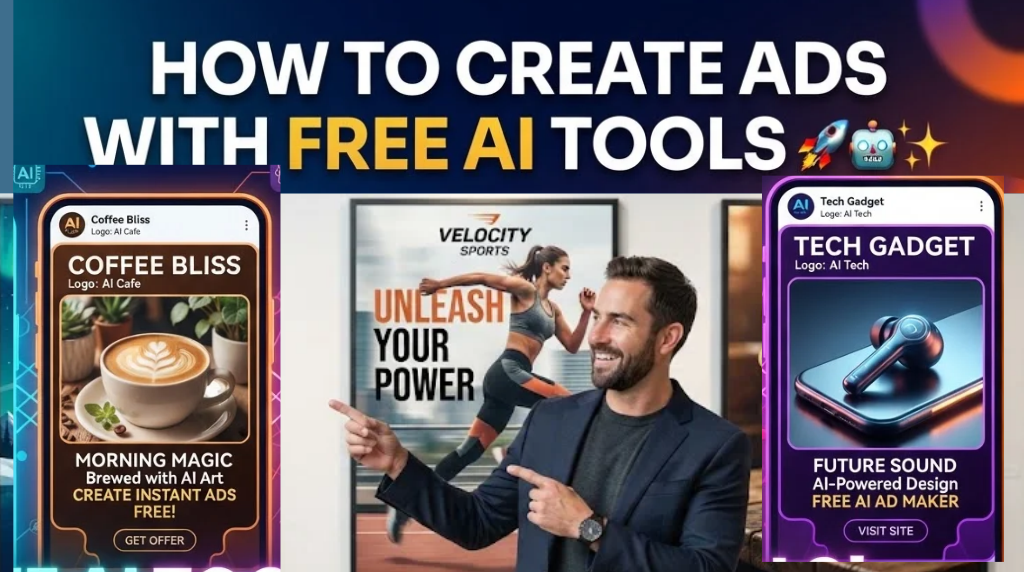
You no longer need a professional designer, expensive advertising software, or a large production team to create compelling ads.
With free AI tools, you can generate ad ideas, write copy, create images, produce videos, generate voiceovers, add captions, and assemble a complete advertisement.
The important part is knowing how to connect these tools into a practical workflow.
Also Check: Free Youtube and Startup ROI Calculators
This guide shows you how to create ads with free AI tools from start to finish.
Key Takeaways
• AI can help you create ad strategy, copy, images, videos, voiceovers, and captions.
• Start with your offer and target audience before choosing an AI tool.
• Use AI to create multiple ad angles instead of relying on one concept.
• A strong 30-second ad can follow the structure: Hook → Problem → Solution → Proof → CTA.
• Free tools such as ChatGPT, Claude, Canva, and CapCut can handle much of the production process.
• The goal isn’t to make an advertisement look AI-generated. The goal is to create an advertisement that communicates a clear message to the right customer.
Can You Create Ads With Free AI Tools?
Yes.
Free AI tools can help with almost every stage of the advertising process.
You can use AI to:
• Research your audience
• Generate advertising ideas
• Write headlines and ad copy
• Create advertising images
• Generate video concepts
• Create voiceovers
• Add captions
• Edit short-form video ads
• Create multiple variations for testing
The exact features and free limits vary between platforms, so always check the current terms of each tool.
The bigger advantage is workflow.
Instead of spending hours moving between different creative tasks, you can use AI to reduce the time required to go from an idea to a finished advertisement.
Step 1: Start With Your Offer
Don’t begin with an AI image generator.
Start with your offer.
Before creating an advertisement, answer five questions:
- What are you selling?
- Who is it for?
- What problem does it solve?
- What result does the customer want?
- Why should the customer act now?
Read Also: 50 Gmail Tricks That Save Time and Make Email Much Easier
For example:
Offer: An AI productivity course.
Audience: Busy professionals.
Problem: They spend too much time doing repetitive tasks.
Desired outcome: They want to save several hours every week.
A simple positioning statement could be:
“AI training for busy professionals who want to automate repetitive work and save hours every week.”
This gives your AI tools enough context to create relevant advertising material.
Read Also: How to Create a Personal AI Agent: A Practical Guide for 2026
Step 2: Use AI to Develop Your Advertising Strategy
You can use ChatGPT or Claude to generate different advertising angles before producing the actual creative.
Try this prompt:
“Act as a direct-response advertising strategist.
My offer is: [OFFER]
My target audience is: [AUDIENCE]
Their biggest problem is: [PROBLEM]
Create:
- Five attention-grabbing hooks
- Three advertising angles
- Three major customer pain points
- Three desired outcomes
- Three calls to action
Make the ideas specific, conversational, and focused on customer benefits.”
Don’t immediately choose the first idea AI generates.
Generate several options and look for the concepts that directly address the customer’s problem.
Step 3: Create Multiple Ad Angles
One of the easiest ways to improve your AI-generated ads is to create different angles.
Here are five useful advertising angles.
Problem Angle
Focus on the problem your customer is experiencing.
Example:
“Still spending three hours every week creating reports manually?”
Transformation Angle
Show the difference between the customer’s current situation and their desired result.
Example:
“Turn five hours of repetitive work into a 20-minute AI workflow.”
Mistake Angle
Highlight a common mistake.
Example:
“Three AI mistakes that are wasting your team’s time.”
Curiosity Angle
Create a knowledge gap that encourages people to keep watching.
Example:
“This simple AI workflow replaced five repetitive tasks.”
Before-and-After Angle
Show the customer’s situation before using your product and after using it.
Creating multiple angles gives you more creative options to test.
Step 4: Write Your Ad Copy With AI
Once you have an angle, use AI to write the advertisement.
A simple structure for a short video ad is:
Hook → Problem → Agitation → Solution → Proof → CTA
Use this prompt:
“Write a 30-second video advertisement using this structure:
HOOK → PROBLEM → AGITATION → SOLUTION → PROOF → CTA.
Make the language conversational and easy to understand.
Avoid corporate language.
Write for a general audience.
Offer: [OFFER]
Audience: [AUDIENCE]
Main problem: [PROBLEM]
Desired result: [RESULT]”
Keep the opening short.
The first few seconds need to give viewers a reason to continue watching.
Step 5: Create Your Advertising Visuals With AI
AI image generators can help you create advertising visuals without hiring a photographer or designer for every concept.
Instead of telling an AI tool:
“Create a nice advertisement for my course.”
Give it a detailed creative brief.
For example:
“Create a premium advertising image showing a frustrated professional surrounded by spreadsheets at 11 PM, contrasted with the same person using an AI workflow on a laptop.
Commercial photography style.
Clean composition.
Realistic lighting.
Strong subject focus.
Leave negative space for headline text.
16:9 aspect ratio.”
The second prompt provides a clear visual story.
That’s important.
AI works better when you explain what the viewer should see rather than simply asking for a “beautiful ad.”
Step 6: Turn Your Concept Into an AI Video
If you’re creating a video advertisement, you can use an AI video generator to animate an image or create a short scene.
Give the tool specific instructions about:
• Camera movement
• Character movement
• Facial expressions
• Environment
• Lighting
• Scene duration
• Aspect ratio
For example:
“Create a cinematic 5-second shot of a busy professional sitting at a desk late at night.
The character looks frustrated while switching between multiple spreadsheets.
Slow camera push-in.
Natural office lighting.
Realistic movement.
Professional commercial style.
16:9.”
Simple scenes often work better than trying to generate an entire commercial in one prompt.
You can create several short clips and assemble them during editing.
Read Also: How to Map Your Current Role to AI-Enabled Work in 2026
Step 7: Generate the Voiceover
Your next step is the voiceover.
AI voice tools can turn your written script into narration.
The most important thing is the script.
Instead of writing:
“Our innovative solution provides businesses with advanced artificial intelligence capabilities.”
Use natural language:
“You’re probably wasting hours doing this manually.
There’s a faster way.
Here’s how you can automate it with AI.”
The second version sounds like someone talking to another person.
That usually makes the advertisement easier to follow.
Step 8: Add Captions
Add captions to your video before publishing it.
Many people consume social media videos without sound, so your message should remain understandable when the audio is muted.
Keep captions:
• Large enough to read
• Short
• Synchronized with the voiceover
• Easy to understand
• Focused on important phrases
You can use tools such as CapCut for editing and caption generation, depending on the features available in your region and current free plan.
Step 9: Build the Complete 30-Second Advertisement
A simple 30-second advertising structure looks like this:
0–3 seconds: Hook
3–8 seconds: Problem
8–15 seconds: Make the problem concrete
15–23 seconds: Introduce the solution
23–27 seconds: Show proof or the expected result
27–30 seconds: Call to action
Every section has a purpose.
Don’t spend 15 seconds explaining your company before telling people why they should care.
Lead with the customer.
Step 10: Create a Clear Call to Action
Your advertisement should tell viewers what to do next.
Weak:
“Learn more.”
Stronger:
“Download the free guide.”
“Start your free trial.”
“Comment AI and I’ll send you the workflow.”
“Get the free checklist from the link in my bio.”
Make the next step obvious.
Free AI Tools You Can Use to Create Ads
You don’t need dozens of AI tools to get started.
A simple AI advertising workflow could look like this:
ChatGPT or Claude
Use them for:
• Ad strategy
• Customer research
• Hooks
• Scripts
• Headlines
• Calls to action
AI image generator
Use it for:
• Product visuals
• Advertising backgrounds
• Characters
• Concept images
• Social media creatives
AI video generator
Use it for:
• Short advertising scenes
• Product demonstrations
• Animated visuals
• Story-based advertisements
AI voice generator
Use it for:
• Voiceovers
• Narration
• Explainer ads
CapCut
Use it for:
• Video editing
• Captions
• Transitions
• Music
• Final assembly
Canva
Use it for:
• Static advertisements
• Social media graphics
• Ad layouts
• Thumbnails
Free plans and features change frequently, so check each platform before building a workflow around a specific feature.
A Simple Free AI Ad Creation Workflow
Here’s the complete process:
Offer
↓
Target audience
↓
Customer problem
↓
Advertising angle
↓
Hook
↓
Script
↓
AI visual
↓
AI video
↓
Voiceover
↓
Captions
↓
Call to action
↓
Publish
↓
Test
This is the basic system you can repeat for different products, services, businesses, and content campaigns.
Create 3 Versions of Every Ad
Don’t assume your first advertisement will be your strongest one.
Create three versions.
Ad A: Problem-focused
Start with the customer’s biggest pain point.
Ad B: Transformation-focused
Show the result the customer wants.
Ad C: Curiosity-focused
Create an information gap that encourages the viewer to continue.
Keep the core offer consistent while changing the hook, opening visual, or angle.
This gives you multiple creative concepts to test.
How to Make AI Ads Look Less Generic
One common problem with AI advertising is that everything starts looking the same.
Perfect people.
Perfect offices.
Perfect lighting.
Generic business language.
Generic claims.
Instead, give your AI tools specific information.
Tell them:
• Who the customer is
• What they struggle with
• What they are trying to accomplish
• Where the situation happens
• What emotion should appear
• What the customer should see
• What action you want them to take
For example, instead of:
“Create an ad for an AI productivity tool.”
Try:
“Create a realistic social media advertisement for a Nigerian small-business owner who spends several hours every week manually preparing customer reports. Show the owner working late in a small office, looking frustrated while reviewing spreadsheets. Then transition to the owner using an automated AI workflow and finishing the task quickly.”
Specific context gives you more useful creative direction.
Common Mistakes When Creating AI Ads
1. Starting With the Tool
Don’t start by asking:
“What AI tool should I use?”
Start by asking:
“What does my customer need to hear?”
Then choose the tool.
2. Using One Ad Concept
One creative idea isn’t enough.
Create several hooks and angles.
3. Making the Ad About Your Business
Your audience cares about their problem first.
Lead with their situation.
4. Making Unrealistic Claims
AI makes it easy to generate impressive-sounding marketing claims.
Don’t publish claims you cannot support.
Use real results, testimonials, demonstrations, or clearly labeled examples when appropriate.
5. Making the Advertisement Too Long
If the message can be communicated in 20 seconds, don’t force it into 60 seconds.
Remove anything that doesn’t move the viewer toward understanding the offer.
Can Free AI Tools Really Replace an Advertising Team?
Free AI tools can reduce the amount of time and money required to produce advertising creative.
They can help with ideation, copywriting, design, video production, voiceovers, and editing.
They don’t automatically replace marketing strategy, customer research, creative judgment, testing, or business expertise.
The best approach is to use AI as a production and thinking assistant.
You still decide:
• Who you want to reach
• What you want to sell
• What message matters
• Which claims are accurate
• Which creative to publish
• What results to measure
Frequently Asked Questions
What is the best free AI tool for creating ads?
There isn’t one tool that is best for every advertising task.
ChatGPT and Claude can help with strategy and copy. Image generators can create visual concepts. AI video tools can produce video scenes. CapCut and Canva can help assemble and format the final creative.
The right combination depends on the type of advertisement you’re creating.
Can AI create a complete video advertisement?
Yes. AI can assist with the script, visuals, video clips, voiceover, captions, and editing.
For higher-quality results, it is usually better to create individual scenes and combine them rather than expecting one prompt to generate a complete polished commercial.
Can I create Facebook and Instagram ads with AI?
Yes.
AI can help you create the copy, images, videos, headlines, hooks, and creative variations for platforms such as Facebook and Instagram.
You still need to follow each platform’s advertising policies and requirements.
Can I create ads without hiring a designer?
Yes.
Free and low-cost AI tools can handle many basic design and production tasks.
However, professional design support can still be valuable for complex campaigns, brand systems, high-budget advertising, and campaigns that require extensive creative testing.
How long should an AI video ad be?
There is no universal ideal length.
For short-form social advertising, 15 to 30 seconds can be a useful starting point because it forces you to communicate the message quickly.
Test different lengths based on your audience, platform, offer, and campaign objective.
The Real Advantage of AI Advertising
The biggest advantage isn’t that AI can make a beautiful picture.
It’s speed.
You can go from:
Idea → strategy → script → visual → video → finished advertisement
much faster than traditional production workflows.
But speed alone doesn’t create good advertising.
A strong advertisement still needs a clear offer, a specific audience, a relevant problem, a compelling message, and a clear next step.
Use AI to produce faster.
Use marketing principles to communicate better.
That’s the combination that makes the workflow powerful.
Final AI Ad Creation Checklist
Before publishing your advertisement, ask:
□ Is the target audience clear?
□ Is the offer clear?
□ Does the first few seconds grab attention?
□ Does the ad address a real customer problem?
□ Is the benefit easy to understand?
□ Does the visual support the message?
□ Can viewers understand the ad without sound?
□ Is the CTA specific?
□ Have you created multiple variations?
□ Can you measure the result?
If you can answer yes to most of these questions, your ad is ready to test.
The goal isn’t to create the most complicated AI advertisement.
The goal is to create a clear advertisement that reaches the right person, communicates the right message, and gives them a reason to act.
About the Author: Olasunkanmi Adeniyi is a solo founder, product builder, AI practitioner, no-code and low-code developer, and SEO/content strategist. He builds websites, SaaS products, digital tools, and content systems using AI and modern development tools.
Rather than writing about AI from theory alone, Olasunkanmi focuses on testing, building, experimenting, and documenting what actually works. His work explores AI-powered workflows, product development, automation, SEO, content strategy, online business, and the practical use of emerging technologies.
Through AI Discoveries, he publishes practical tutorials, in-depth guides, experiments, and real-world use cases designed to help entrepreneurs, professionals, creators, and businesses understand and apply AI more effectively.
His goal is simple: make AI practical, understandable, and actionable—so readers can move from learning about what AI can do to actually using it to build, work, and grow.
Learn more and explore his latest work at www.aidiscoveries.io.



Leave a Reply