The Marking Crisis Every Teacher Knows:
Every teacher knows the feeling. A stack of exam booklets sits on your desk. Marking season has arrived, and alongside lesson planning, parent meetings, and administrative duties, you now face hours — sometimes days — of painstaking paper grading.
What if artificial intelligence could carry a significant portion of that load?
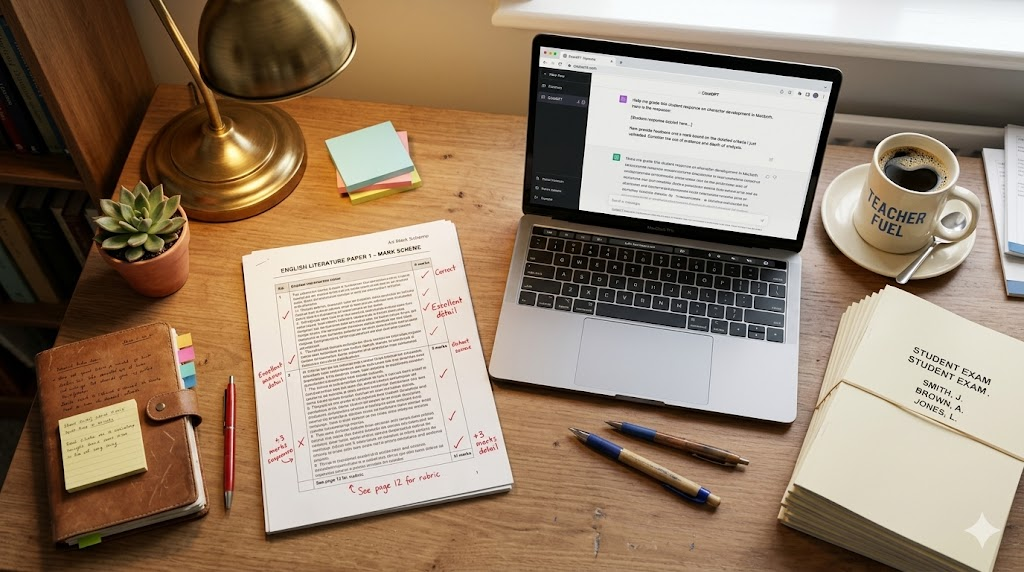
ChatGPT, powered by GPT-4o’s multimodal vision capabilities, can now read handwritten text from uploaded photos, apply a mark scheme, assign scores, and generate personalised student feedback — all within minutes.
Read Also: Claude 101: Everything You Need to Set Up and Use Claude — Step-by-Step Guide (2026)
This guide walks you through the exact process of using ChatGPT to mark handwritten student exam papers. It covers everything from photographing scripts correctly to writing prompts that produce accurate, rubric-aligned results. Whether you teach primary school, secondary school, or university level, this workflow is built for you.
What You Need Before You Start
Before diving into the steps, make sure you have the following in place:
A ChatGPT Plus subscription or access to GPT-4o. The vision feature that reads images of handwritten work requires the GPT-4o model. Free-tier users may have limited access. You can sign up at chat.openai.com.
A smartphone or scanner to photograph exam scripts. A modern smartphone camera produces images of sufficient quality. A flatbed scanner produces even better results.
Your mark scheme or marking rubric. ChatGPT cannot apply standards it has not been given. You must provide your marking criteria within the prompt.
The student’s paper in image format. JPEG or PNG files both work. You can also convert a scanned PDF to images using free tools like Smallpdf or Adobe Acrobat.
Optionally, a spreadsheet to log marks and feedback as you go.
Step 1: Photograph the Handwritten Exam Paper Correctly
The quality of the photo you upload directly affects how accurately ChatGPT can read the handwriting. Poor lighting or blurred images will result in transcription errors and unreliable marking.
Follow these photography best practices:
Place the paper on a flat, well-lit surface. Natural daylight works best. Avoid shadows falling across the page.
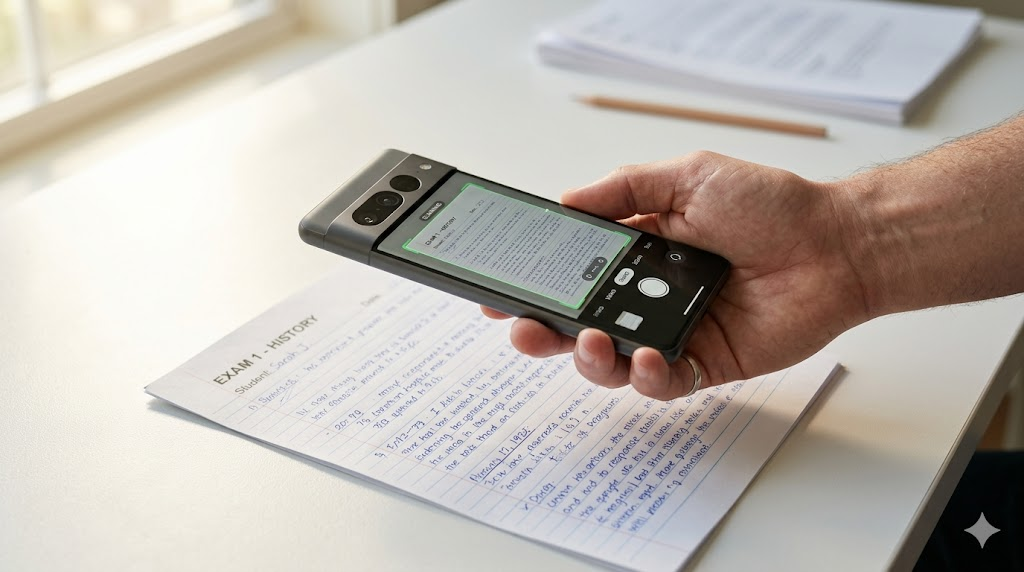
Hold the camera directly above the paper to avoid angular distortion. Use the camera’s document scanning mode if your phone has one — most iOS and Android devices do.
Take one photo per question or per page, not one photo of the entire booklet. Smaller, focused images are easier for the AI to process accurately and reduce the risk of missed text.
If the handwriting is faint, increase the contrast slightly using your phone’s photo editor before uploading.
Rename your image files logically before uploading, for example: studentname_q1.jpg, studentname_q2.jpg. This keeps your workflow organised when marking a full class set.
Step 2: Prepare Your Mark Scheme
ChatGPT is only as useful as the information you give it. A vague prompt produces vague results. Before you upload a single image, write out your marking criteria in clear, specific language.
A strong mark scheme for ChatGPT should include the following:
The question being answered, stated in full. Do not assume ChatGPT will infer the question from the student’s answer.
The total marks available for the question.
The individual marking points. List each point that earns a mark. For example: 1 mark for identifying the correct concept, 1 mark for providing a relevant example, 1 mark for linking back to the question.
Any accepted alternative answers. If there are multiple correct responses, list them explicitly.
Any errors or misconceptions that should not receive marks.
The desired output format. Tell ChatGPT whether you want a mark out of a specific number, bullet-point feedback, or a structured table.
Here is an example of a well-prepared mark scheme prompt for a biology question:
“You are an experienced secondary school biology teacher. The question is: Explain how the heart pumps blood around the body. This question is worth 4 marks. Award 1 mark for each of the following correct points: (1) The right ventricle pumps deoxygenated blood to the lungs. (2) The left ventricle pumps oxygenated blood to the body. (3) The valves prevent backflow of blood. (4) The heart contracts and relaxes in a cycle called systole and diastole. Do not award a mark if the student confuses the right and left sides. Award the mark for point 4 if the student mentions heartbeat or cardiac cycle without using the specific terms. Now I will upload a photo of the student’s handwritten answer. Please read the handwriting, apply the mark scheme, state the total marks awarded out of 4, and provide two sentences of constructive feedback for the student.”
This level of specificity produces reliable, consistent marking.
Read Also: The Ultimate AI Side Hustle Blueprint: Start Your Online Income in 7 Days
Step 3: Upload the Handwritten Paper and Run the Prompt
With your photo ready and your prompt written, follow these steps inside ChatGPT:
Open a new chat in ChatGPT. Using a fresh chat for each student or each question prevents context from one paper bleeding into another.
Click the paperclip or image icon in the message box. Select your photo file from your device. Wait for it to upload fully before sending.
Paste your prepared prompt into the message box alongside the image. Do not send the image without a prompt. An unprompted upload may cause ChatGPT to simply describe the image rather than mark it.
Press send and wait for the response. ChatGPT will read the handwriting, identify the relevant content, match it against your marking criteria, and produce a marked response.
If the handwriting is particularly difficult to read, ChatGPT will sometimes flag uncertainty. In those cases, you can ask: “If you were unsure about any word or phrase, please indicate it and give your best interpretation.” This keeps transparency in the process.
Step 4: Review and Validate the Output
ChatGPT is a powerful assistant, not a certified examiner. You must review its output before recording any marks. Think of it as a highly capable teaching assistant that has done the first pass for you.
When reviewing the output, check the following:
Did ChatGPT correctly read all the key phrases in the student’s answer? Occasionally, unusual handwriting will be misread. Cross-reference the awarded marks against the original paper.
Are the marks fair and aligned with your scheme? If ChatGPT awarded a mark for something that does not match your criteria, override it manually.
Is the feedback appropriate in tone for your students? ChatGPT feedback is generally constructive, but you may want to personalise it further, especially for younger students.
A good rule of thumb: the first five papers you mark using this method should be double-checked thoroughly. Once you are confident the prompt is working accurately for your context, you can review subsequent outputs more quickly.
Step 5: Generate Class-Wide Feedback and Analysis
One of the most powerful features of using ChatGPT for marking is the ability to generate summary insights across a class set. Once you have marked all papers, you can feed the results back into ChatGPT and ask for analysis.

Useful class-level prompts include:
“Here are the marks and key errors for my class of 28 students on the biology question about the heart. What were the most common misconceptions? What topics should I reteach?”
“Based on these 30 student responses, write a model answer that addresses the most common gaps in understanding.”
“Create a feedback comment bank of 10 phrases I can use for students who scored 1 out of 4, 2 out of 4, 3 out of 4, and 4 out of 4 on this question.”
This kind of aggregated analysis can transform your lesson planning, helping you target exactly the areas where most students struggled rather than teaching to the average.
Advanced Technique: Using Custom Instructions to Speed Up Your Workflow
If you mark the same type of exam regularly — for example, weekly quizzes or end-of-unit tests — you can save time by storing your marking persona in ChatGPT’s Custom Instructions feature.
Go to your ChatGPT profile settings, select Custom Instructions, and in the “How would you like ChatGPT to respond?” box, add a default persona like this:
“When I upload images of student exam papers, you are acting as an experienced [subject] teacher. Always read the handwriting carefully, apply the mark scheme I provide, state marks as a fraction of the total, and give two to three sentences of constructive, age-appropriate feedback. If handwriting is unclear, flag your uncertainty.”
With this in place, your prompts become shorter each time because the base instructions are already loaded.
Subject-Specific Tips for Marking With ChatGPT
English and Humanities: ChatGPT excels at evaluating extended writing for structure, argument quality, use of evidence, and vocabulary. Provide a full rubric with descriptors for each grade band. Ask for strengths and areas for improvement rather than just a mark.
Science: For short-answer science questions, ChatGPT is highly accurate when mark schemes are specific. For questions involving diagrams, upload a separate image of the diagram and describe it in text to help ChatGPT interpret it correctly.
Mathematics: ChatGPT can follow method marks and error carried forward rules if you explain them in your prompt. State clearly that a student should receive method marks even if the final answer is wrong, as long as the working is correct.
Languages: ChatGPT can mark written responses in French, Spanish, Yoruba, Swahili, Hausa, Arabic, and dozens of other languages. Simply write your mark scheme in that language or ask ChatGPT to evaluate vocabulary range, grammatical accuracy, and communication effectiveness.
History and Social Studies: For source-based or essay questions, provide the assessment objectives and ask ChatGPT to evaluate whether the student has addressed each one. Ask it to quote specific phrases from the student’s answer that earned or did not earn marks.
Accuracy: How Reliable Is ChatGPT at Reading Handwriting?
Based on studies and practical testing by educators, ChatGPT with GPT-4o vision performs well on clear to moderately legible handwriting. Research published in 2024 in the Alexandria Engineering Journal confirmed that AI models can substantially reduce examiner workload in automated script evaluation. A separate study using ChatGPT-4 to evaluate handwritten physics exam solutions found it gave reliable results when the handwritten text was first converted to a readable format and combined with structured grading prompts.
The key variables that affect accuracy are: legibility of the handwriting, image quality, specificity of the mark scheme, and clarity of the prompt. When all four are optimised, ChatGPT performs consistently and often catches marking errors that tired human markers miss.
It does not replace professional judgment. It reduces the cognitive load and the time cost so that professional judgment can be applied where it matters most.
Privacy and Ethical Considerations
Before using ChatGPT to process student work, consider the following:
Student data privacy: Do not include student names, ID numbers, or other personally identifiable information in the images or prompts. Anonymise scripts before uploading. Refer to students as Student A, Student B, or use a class code.
Institutional policy: Check whether your school, college, or university has a policy on using AI tools for assessment. Some institutions require disclosure or have restrictions on which platforms can process student work.
Transparency with students: It is good professional practice to inform students that AI tools assist in the marking process and that all marks are verified by their teacher before being finalised.
Bias and fairness: Monitor for patterns where ChatGPT consistently under-marks or over-marks particular types of answers. Recalibrate your prompts if you notice systematic bias.
Tools That Work Alongside This Method
While ChatGPT is the core tool in this workflow, several companion tools can enhance your process:
Microsoft Lens (free iOS and Android app): Excellent for scanning handwritten pages with automatic edge detection and contrast correction.
Adobe Scan (free): Produces clean, high-resolution PDFs that can be split into individual image files.
Notion or Google Sheets: For logging marks, tracking student progress, and storing feedback comments.
Examino: A dedicated AI grading app designed for educators that integrates smartphone scanning with AI assessment. Useful if you want a purpose-built interface rather than a general ChatGPT workflow.
Gradescope: A platform built specifically for grading handwritten work at scale, popular in universities. It does not use ChatGPT directly but offers structured AI-assisted marking with an institutional privacy framework.
Sample Prompt Template You Can Use Right Now
Copy and adapt this prompt for your next marking session:
“You are an experienced [insert subject] teacher at [insert school level: primary / secondary / university]. I am going to upload a photo of a student’s handwritten exam answer. The question is: [paste the question in full]. This question is worth [X] marks. Here is the mark scheme: [list each marking point on a new line]. Award one mark for each correct point. Do not award marks for [insert common misconceptions]. The student may use alternative correct phrasing — use your judgment to award marks fairly. After reading the handwriting in the uploaded image, please: (1) state the total mark awarded out of [X], (2) list which marking points were met and which were missed, (3) write two to three sentences of constructive feedback suitable for a [insert student age] student.”
Conclusion: Mark Smarter, Not Longer
Marking handwritten exam papers with ChatGPT is not a theoretical future — it is a practical, working method available to every teacher today. With a smartphone, a clear mark scheme, and a well-crafted prompt, you can slash marking time, generate richer feedback, and spend more of your professional energy on teaching.
The workflow is straightforward: photograph the paper clearly, provide ChatGPT with a detailed mark scheme, upload and prompt, review the output, and log the results. As you build confidence with the process, you will find it becomes faster with each marking cycle.
AI does not replace the human teacher. It gives that teacher back their time.
Start with a single question from your next test. Upload one paper. Run the prompt. See what comes back. The evidence is in your inbox by the time you would have marked the first three scripts by hand.
Frequently Asked Questions
Can ChatGPT read messy handwriting?
ChatGPT with GPT-4o vision can read a wide range of handwriting styles, including moderately messy scripts. Very poor handwriting may result in errors. Good lighting and a sharp photo significantly improve accuracy.
Do I need ChatGPT Plus to do this?
Yes. The image upload and vision features require access to GPT-4o, which is currently available on the ChatGPT Plus plan and higher. Free accounts have limited or no access to vision features.
Is this legal and ethical?
Yes, provided you anonymise student data before uploading and comply with your institution’s AI usage policies. Always review AI-generated marks before finalising them.
Can ChatGPT mark maths papers?
Yes. ChatGPT can follow method marks and accept correct working even when final answers are wrong, as long as you specify this in your prompt. For complex calculations, verify results manually.
How many papers can I mark in one session?
There is no strict limit, but each paper should be uploaded in a fresh or well-organised chat thread. Marking 30 papers in sequence in one chat may cause context confusion. Use a new chat for each student or each question batch.
Written by Olasunkanmi Adeniyi O : Olasunkanmi is a Product Manager, AI Prompt Engineer, and Technical Writer specializing in advanced automation and digital strategy. As the founder of AI Discoveries, he creates high-performance frameworks and digital operating systems designed to help professionals leverage artificial intelligence, optimize workflows, and build scalable global brands.





Leave a Reply