Published by Olasunkanmi Adeniy, Senior Technical Writer: April 28, 2026 | Updated: April 28, 2026 | Reading time: ~12 minutes
━━━━━━━━━━━━━━━━━━━━━━━━━━━━━━━━━━━━━━━━━━━━━━━━━━━━━━━━━━━━━━
QUICK ANSWER
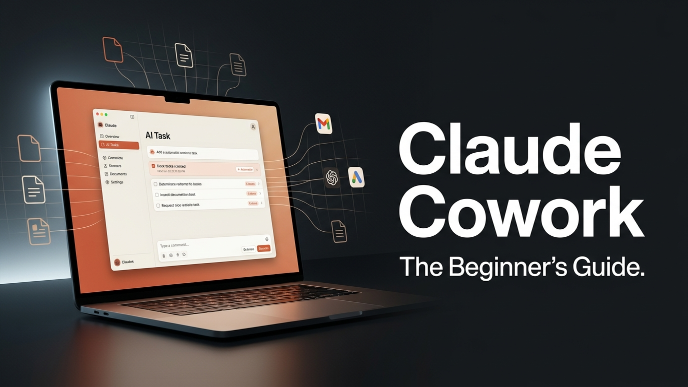
Claude Cowork is Anthropic’s agentic AI tool built into the Claude Desktop app. It lets Claude autonomously plan and execute multi-step tasks — reading, editing, and creating files on your computer — so you get a finished deliverable instead of a list of instructions. It requires a paid Claude plan (Pro, Max, Team, or Enterprise) and runs on macOS and Windows.
━━━━━━━━━━━━━━━━━━━━━━━━━━━━━━━━━━━━━━━━━━━━━━━━━━━━━━━━━━━━━━
TABLE OF CONTENTS
- What Is Claude Cowork?
- Claude Cowork vs. Claude Chat vs. Claude Code
- Requirements & Plans
- How to Get Started (Step by Step)
- What Can You Actually Do With It?
- Connectors & Integrations
- Safety, Privacy & Control
- Beginner Tips for Better Results
- Frequently Asked Questions
━━━━━━━━━━━━━━━━━━━━━━━━━━━━━━━━━━━━━━━━━━━━━━━━━━━━━━━━━━━━━━
- WHAT IS CLAUDE COWORK?
Claude Cowork is Anthropic’s agentic AI system for knowledge work. Announced in early 2026 and built into the Claude Desktop app, it represents a fundamentally different way of working with AI compared to traditional chat interfaces.
Where regular Claude Chat responds to your messages one at a time and cannot touch your files directly, Cowork operates like a capable colleague who can actually sit at your computer and get work done. You describe the goal — “analyse these spreadsheets and write a report” or “sort this folder of downloads” — and Claude figures out the steps, plans an approach, and executes it from start to finish.

Read Also: How to Stop Hitting Claude’s Usage Limits: 11 Rules That Actually Work – AI Discoveries
The idea came from an observation inside Anthropic itself: non-technical teams in Marketing and Data started bypassing Claude’s chat interface to use Claude Code because it could handle complex, multi-step work. Cowork brings that same capability to a simplified desktop experience, designed specifically for knowledge workers who are not developers.
Key things Cowork can do:
- Accept a goal in plain language and figure out how to achieve it
- Read, edit, and create files in folders you specify on your machine
- Connect to hundreds of apps and services via connectors
- Show you its plan before acting, so you stay in control at every step
- Work on parallel subtasks simultaneously for complex jobs
━━━━━━━━━━━━━━━━━━━━━━━━━━━━━━━━━━━━━━━━━━━━━━━━━━━━━━━━━━━━━━
- CLAUDE COWORK VS. CLAUDE CHAT VS. CLAUDE CODE
The Claude Desktop app now houses three distinct modes. Knowing which to reach for saves time and confusion.
CLAUDE CHAT
- Responds to one prompt at a time
- Cannot access your local files directly
- Returns descriptions and advice, not finished files
- Available on the free tier
- Works on web, mobile, and desktop
CLAUDE COWORK
- Autonomously plans and executes multi-step tasks
- Reads, edits, and creates files in folders you authorise
- Returns a finished deliverable (a report, spreadsheet, organised folder)
- Requires a paid plan (Pro, Max, Team, or Enterprise)
- Runs only on the Claude Desktop app (macOS and Windows)
- Designed for knowledge workers — no coding required
CLAUDE CODE
- Agentic coding assistant that runs in your terminal / CLI
- Has direct access to your local files and codebase
- Designed for developers and software projects
- Requires a paid plan
- Available in the desktop app and via the command line
In short: use Chat for conversation and one-off questions. Use Cowork when you want Claude to execute a task on your machine without writing a single line of code. Use Code if you are a developer who wants agentic help with software projects.
━━━━━━━━━━━━━━━━━━━━━━━━━━━━━━━━━━━━━━━━━━━━━━━━━━━━━━━━━━━━━━
- REQUIREMENTS & PLANS
SYSTEM REQUIREMENTS
Operating system: macOS (generally available) or Windows (requires the latest Claude for Windows). Cowork is not available on the web interface or mobile-only.
App: The Claude Desktop app at its latest version. Download at claude.com/download.
Internet: An active internet connection is required throughout the session. Claude processes tasks in the cloud even though it acts on your local files.
Awake computer: Your desktop needs to remain awake and running for Claude to complete tasks. If your computer goes to sleep, the session ends.

Not sure if your computer is compatible? Anthropic provides a downloadable readiness-checker utility. Run it and if you see “This computer is ready for Cowork,” you are good to go.
WHICH PLANS INCLUDE COWORK?
Free plan — Not included. Free users can join a waitlist from within the app.
Pro plan — Included. Best for quick, lighter tasks like organising a folder or pulling together a short report.
Max plan — Included. Best value for everyday use on longer, more complex tasks. Recommended for heavy Cowork users.
Team plan — Included. Comes with admin controls and OpenTelemetry monitoring for organisations.
Enterprise plan — Included. Full compliance features, org-wide deployment, and cloud provider access (Amazon Bedrock, Google Cloud Vertex AI, Microsoft Foundry).
Important: Cowork consumes your plan’s usage limits faster than Chat. Heavy users should consider upgrading to Max or above before committing to daily Cowork use.
━━━━━━━━━━━━━━━━━━━━━━━━━━━━━━━━━━━━━━━━━━━━━━━━━━━━━━━━━━━━━━
- HOW TO GET STARTED (STEP BY STEP)
Here is exactly how to go from zero to your first completed Cowork task.
Step 1 — Subscribe to a paid Claude plan
Visit claude.ai and upgrade to Pro, Max, Team, or Enterprise. Cowork is included in all paid plans.
Step 2 — Download and install Claude Desktop
Go to claude.com/download and grab the installer for your platform (macOS or Windows). Launch the app and sign in with your Anthropic account.
Step 3 — Open the Cowork tab
At the top of the Claude Desktop window, you will see three tabs: Chat, Cowork, and Code. Click Cowork to switch to Tasks mode.
Step 4 — Grant folder access
Cowork needs permission to read and write files. You will be prompted to choose which folders on your computer Claude is allowed to access. Only grant access to folders relevant to your task.
Step 5 — Describe your task in plain language
Type what you want as a goal, not a list of instructions. For example: “This folder contains sales receipts as PDFs. Summarise each one into a spreadsheet with columns for date, vendor, and total amount.”
Step 6 — Review Claude’s plan, then let it run
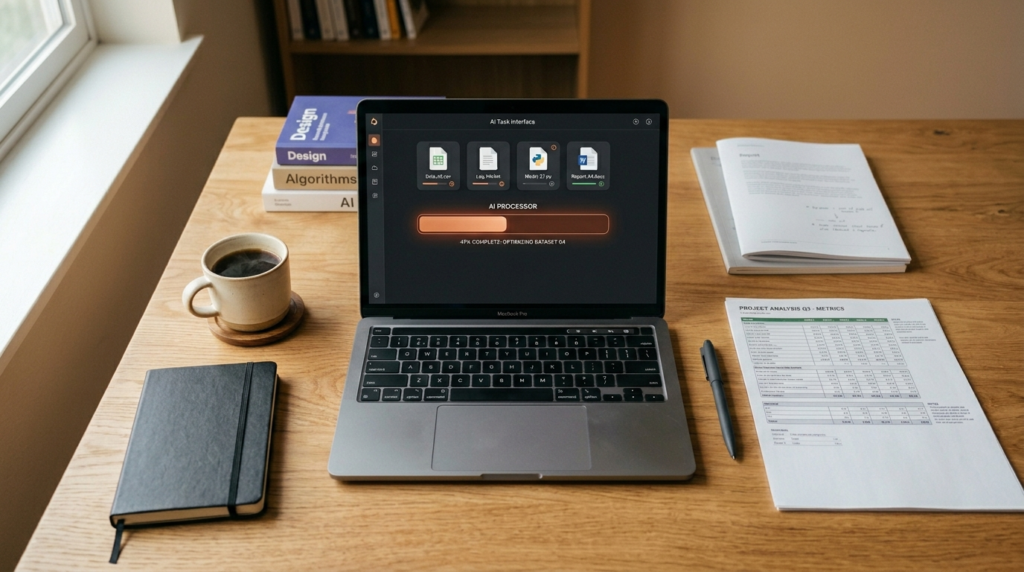
Claude will show you its planned approach before doing anything significant. Review it, adjust if needed, and click to proceed. You can watch the steps in real time or walk away and come back to the finished result.
Step 7 — Review and refine the output
Claude delivers a finished deliverable — a formatted document, an organised folder, a filled spreadsheet. Your job is to review, refine, and decide what is next.
Pro tip: You can also assign tasks to Cowork from your phone. Pair the Claude mobile app with your desktop app, send the task from your phone, and Claude works on your desktop while you are away. Results are delivered back to your phone when done.
━━━━━━━━━━━━━━━━━━━━━━━━━━━━━━━━━━━━━━━━━━━━━━━━━━━━━━━━━━━━━━
- WHAT CAN YOU ACTUALLY DO WITH IT?
Cowork is designed for anyone whose workday involves documents, data, and files — researchers, analysts, operations teams, legal professionals, finance teams, and more. Here are the most common use cases.
FILE ORGANISATION
Point Cowork at a messy folder of drafts, downloads, and attachments. Ask it to rename, sort, deduplicate, or surface what is relevant. File systems accumulate faster than anyone can organise them — Cowork handles the grunt work.
Example prompt: “This is my Downloads folder from the last six months. Organise everything into subfolders by type (PDFs, images, spreadsheets) and rename files that have generic names like ‘document1.pdf’ based on their content.”
REPORT DRAFTING FROM SOURCE FILES
Hand off a set of source files (PDFs, spreadsheets, notes) and ask for a structured report. Claude handles assembly and synthesis, leaving you with a draft that needs only your refinement.
Example prompt: “These files contain Lichess’s 2025 operating expenses. Analyse the data and create a Word document report covering total annual spending, breakdown by category with percentages, the three largest expense categories, and month-over-month trends. Format it professionally with an executive summary at the top.”
RESEARCH SUMMARISATION
Share a question and a set of sources. Claude identifies what is relevant and returns a summary ready for your review — no manual reading across dozens of tabs required.
Example prompt: “Here are 12 research papers on remote work productivity. Summarise the key findings, note where the papers agree and disagree, and flag any studies with small sample sizes.”
DOCUMENT ANALYSIS
Contracts, reports, and records are dense by nature. Cowork reads through them and returns the information that matters in a clear, digestible, structured format.
Example prompt: “Read through these three supplier contracts and list every clause related to termination rights, payment terms, and liability caps in a comparison table.”
DATA EXTRACTION AND FORMATTING
Pull data from a pile of receipt screenshots, invoice PDFs, or survey exports and compile it into a formatted spreadsheet automatically.
BROWSER-BASED RESEARCH (with Claude in Chrome)
Enable the Claude in Chrome connector and Cowork can navigate your browser — visiting pages, clicking, filling forms, and extracting information — without you switching windows.
Read Also: How to Sell Digital Products Online in 2026: A Step-by-Step Guide for Beginners – AI Discoveries
━━━━━━━━━━━━━━━━━━━━━━━━━━━━━━━━━━━━━━━━━━━━━━━━━━━━━━━━━━━━━━
- CONNECTORS & INTEGRATIONS
Connectors link Claude to external services and data sources. They have long been available in regular Claude Chat, but in Cowork they gain a new dimension: because Cowork also has filesystem access, a connector that pulls data from an external service can save that data directly to your local files — or use local files as input for external actions.
HOW TO FIND AND ADD CONNECTORS
Navigate to Settings → Connectors → Browse Connectors. The pop-up shows two tabs:
Web connectors — Run through browser-based APIs (Google Drive, Slack, Notion, etc.). These work wherever Claude runs: web, desktop, or mobile.
Desktop extensions — Run locally on your machine and tend to have deeper system access. These are only available in the desktop app.
The catalogue includes hundreds of options, including AWS Marketplace for cloud resources, n8n for workflow automation, Honeycomb for observability data, and Fellow.ai for meeting insights. Every connector is Anthropic-reviewed. You can also add custom connectors if your specific tool is not listed.
CLAUDE IN CHROME
Claude in Chrome is included as a built-in connector and is ready to use the moment you enable it. Once turned on, Claude can navigate websites, click links, and fill in forms from within the desktop app — no extra setup required.
HOW COWORK PRIORITISES CONNECTORS
Cowork does not reach for “computer use” (controlling your screen directly) first. Its priority order is: first a direct connector integration, then your browser via Chrome, and finally your screen as a last resort. Direct integrations are faster and more precise, so they are always preferred when available.
━━━━━━━━━━━━━━━━━━━━━━━━━━━━━━━━━━━━━━━━━━━━━━━━━━━━━━━━━━━━━━
- SAFETY, PRIVACY & CONTROL
The idea of AI working autonomously on your computer raises understandable questions. Here is how Anthropic addresses them.
YOU ALWAYS STAY IN CONTROL
- Claude shows you its plan before acting on anything significant.
- You can steer mid-task at any point — jump in to course-correct or give extra direction.
- You can delete any task at any time using the menu next to the task in your task list.
- When Cowork needs to interact directly with your screen, it asks permission before accessing each application.
- Progress indicators show what Claude is doing at every step.
HOW CODE EXECUTION WORKS
Cowork runs code and shell commands in an isolated virtual machine (VM) on your computer, not directly in your main environment. This sandboxing means runaway processes or accidental commands cannot spill over into your primary system. You still see exactly what is happening and approve changes to your actual files.
DATA AND PRIVACY
Local Cowork sessions stay on-device. Deleted tasks are removed from your task history immediately and purged from Anthropic’s backend storage within 30 days. Cowork activity is not captured in Audit Logs, the Compliance API, or Data Exports — which is why Anthropic explicitly states you should not use Cowork for regulated workloads at this time.
NOTE FOR ENTERPRISE USERS
Team and Enterprise admins can monitor Cowork activity across their organisation via OpenTelemetry (OTel) streaming to their SIEM. This is not a replacement for audit logging. Review Anthropic’s enterprise Cowork documentation before deploying at scale.
━━━━━━━━━━━━━━━━━━━━━━━━━━━━━━━━━━━━━━━━━━━━━━━━━━━━━━━━━━━━━━
- BEGINNER TIPS FOR BETTER RESULTS
THINK IN OUTCOMES, NOT INSTRUCTIONS
The biggest shift from Chat is how you frame requests. Do not break the work down yourself — that is Claude’s job. Instead of “First open the PDF, then read column three, then copy the figures to a new spreadsheet…” simply say “Extract all revenue figures from these PDFs and put them in a spreadsheet organised by month.”
GIVE CONTEXT, NOT JUST COMMANDS
The more context you provide about the goal, the better the output. Mention the audience (“this is for our board”), the format (“I’d like a one-page memo”), and any constraints (“please exclude figures from before 2024”). Claude uses this context to plan more accurately.
USE PROJECTS FOR RECURRING WORK
Cowork supports Projects — separate workspaces with their own files, context, instructions, and memory. If you have recurring work (weekly reports, monthly data pulls, ongoing research), set up a Project with standing instructions so you do not have to re-explain context every time.
ASSIGN TASKS FROM YOUR PHONE
Pair the Claude mobile app with your desktop. You can fire off a task from your phone while you are away from your desk — Claude works on your desktop using your local files and connectors, then delivers the result back to your phone when done.
ENABLE CLAUDE IN CHROME FOR RESEARCH TASKS
For any task involving web research, turn on the Claude in Chrome connector first. This gives Cowork a fast, direct path to browsing and extracting web information — much faster than falling back to screen-based computer use.
WATCH IT WORK AT FIRST
For your first few sessions, stay in the app and watch Claude work step by step. Cowork streams its tool calls, file access, and approval states in real time. Understanding how Claude approaches your tasks will help you write better prompts and intervene at the right moments when things need adjusting.
DO NOT GRANT BLANKET FOLDER ACCESS
Only give Cowork access to the folders relevant to the specific task at hand. Avoid pointing it at your entire home directory or a sensitive root folder. Specific access leads to better task focus and reduces the surface area for accidental changes.
━━━━━━━━━━━━━━━━━━━━━━━━━━━━━━━━━━━━━━━━━━━━━━━━━━━━━━━━━━━━━━
- FREQUENTLY ASKED QUESTIONS
Q: What is Claude Cowork?
A: Claude Cowork is Anthropic’s agentic AI system for knowledge work. Built into the Claude Desktop app, it lets Claude autonomously plan and execute multi-step tasks — reading, editing, and creating files on your computer — returning a finished deliverable rather than instructions on how to do it yourself.
Q: Is Claude Cowork free?
A: No. Cowork requires a paid Claude plan. It is available on Pro, Max, Team, and Enterprise plans but not the Free tier. Free users can join a waitlist from within the app.
Q: What platforms does Claude Cowork support?
A: Cowork runs inside the Claude Desktop app on macOS and Windows. It is not available on the Claude web interface or the mobile app. However, once your desktop is running, you can assign tasks to Cowork from your phone using the Claude mobile app.
Q: What is the difference between Claude Chat and Claude Cowork?
A: Claude Chat is a back-and-forth conversation — Claude responds to your messages but cannot access your local files directly. Claude Cowork can autonomously plan and execute multi-step tasks, read and write files in folders you authorise, and return a finished output. Think of Chat as asking for advice and Cowork as delegating the actual work.
Q: Is Claude Cowork safe? Can it accidentally delete my files?
A: Cowork has multiple safety layers. Claude shows you its plan before acting, asks permission before accessing each new application, and runs code in an isolated virtual machine — not directly in your main environment. You can stop any task at any time. That said, Claude can make real changes to your files, so always grant access to only the specific folders needed for the current task.
Q: Does my computer need to stay on while Cowork runs?
A: Yes. Your computer needs to be awake and the Claude Desktop app must remain open while Claude is working. If your computer sleeps or you close the app, the session ends.
Q: What connectors and apps can Cowork work with?
A: The Cowork connector catalogue includes hundreds of options across web connectors (Google Drive, Slack, Notion, etc.) and desktop extensions (local system tools). Claude in Chrome is included as a built-in connector for browser-based tasks. Browse available connectors via Settings → Connectors → Browse Connectors.
Q: How is Claude Cowork different from Claude Code?
A: Claude Code is a command-line tool designed for developers — it lives in your terminal and is built for coding tasks. Claude Cowork brings the same agentic architecture to the desktop app GUI, designed for non-coding knowledge work like organising files, drafting reports, and analysing documents. No terminal or coding experience required.
Q: Can I use Cowork on my phone?
A: Not directly — Cowork only runs on the desktop app. But you can assign tasks to Cowork from your phone by pairing the Claude mobile app with your Claude Desktop. Your desktop does the work; your phone is used to send the task and receive the result.
Q: Who is Claude Cowork designed for?
A: Cowork is built for knowledge workers whose days involve working with documents, data, and files — researchers, analysts, operations teams, legal professionals, finance teams, and anyone who needs multi-step tasks completed without writing code. If your work is time-consuming but not technically complex, Cowork was designed for you.
━━━━━━━━━━━━━━━━━━━━━━━━━━━━━━━━━━━━━━━━━━━━━━━━━━━━━━━━━━━━━━
SOURCES AND OFFICIAL DOCUMENTATION
- Claude Cowork product page: anthropic.com/product/claude-cowork
- Get started with Cowork (Help Centre): support.claude.com/en/articles/13345190-get-started-with-claude-cowork
- Download Claude Desktop: claude.com/download
- Introduction to Claude Cowork (free course): anthropic.skilljar.com/introduction-to-claude-cowork
- Cowork feature overview: claude.com/product/cowork
━━━━━━━━━━━━━━━━━━━━━━━━━━━━━━━━━━━━━━━━━━━━━━━━━━━━━━━━━━━━━━
Last updated: April 28, 2026
Content reflects Claude Cowork as available in the Claude Desktop app at time of publication.



Leave a Reply