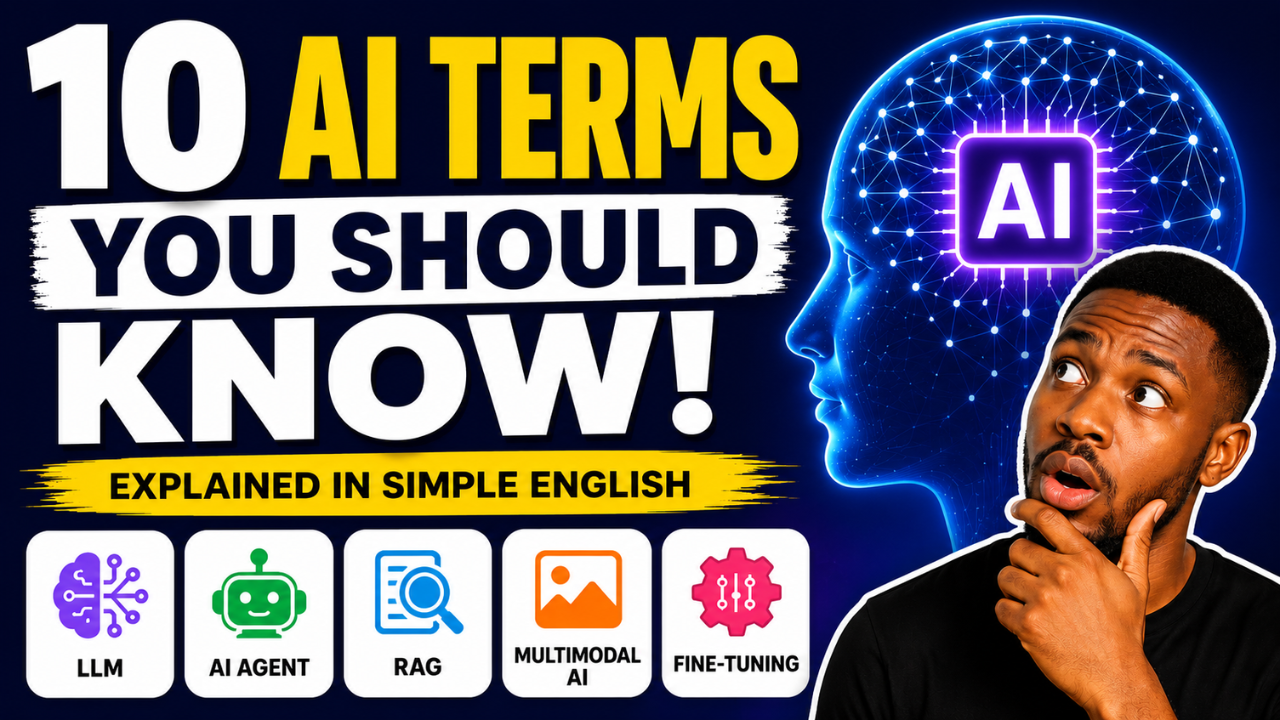
Artificial Intelligence is changing how people work, learn, build businesses, and make money. Every day, new AI tools appear, and with them comes a wave of technical words that can make AI feel confusing.
You hear people talking about Large Language Models, AI Agents, RAG, Prompt Engineering, Fine-Tuning, and Multimodal AI. If you’re wondering what these terms actually mean, you’re not alone.
The good news is that you do not need a computer science degree to understand them.
This guide explains the ten most important AI terms in plain English. By the end, you’ll understand the language used by ChatGPT, Claude, Gemini, Microsoft Copilot, Perplexity, and nearly every modern AI platform.
Whether you’re a student, business owner, creator, marketer, developer, or simply curious about AI, this guide will give you a strong foundation.
Quick Summary
If you’re short on time, here are the ten AI terms every beginner should know:
| AI Term | Simple Meaning |
|---|---|
| Artificial Intelligence (AI) | Computers performing tasks that normally require human intelligence |
| Machine Learning | AI that learns patterns from data instead of following fixed rules |
| Large Language Model (LLM) | AI trained to understand and generate human language |
| Prompt | The instruction you give an AI |
| Generative AI | AI that creates new content such as text, images, music, videos, and code |
| AI Agent | AI that can complete tasks and make decisions with minimal human input |
| Multimodal AI | AI that understands text, images, audio, video, and documents together |
| Retrieval-Augmented Generation (RAG) | AI that searches trusted information before answering |
| Hallucination | When AI confidently provides incorrect information |
| Fine-Tuning | Customizing an AI model for a specific purpose or industry |
Understanding these ten concepts will make learning any new AI tool much easier.
Why Understanding AI Terms Matters
Artificial Intelligence is becoming part of everyday life.
Companies now expect employees to know how AI works. Businesses are using AI to automate customer support, marketing, sales, logistics, and content creation. Schools are teaching AI literacy, and employers increasingly list AI skills in job descriptions.
If you understand the language of AI, you can:
• Learn new AI tools faster.
• Make better decisions about which tools to use.
• Avoid being confused by technical jargon.
• Communicate confidently with colleagues and clients.
• Stay competitive in the workplace.
Most importantly, understanding these concepts helps you use AI more effectively instead of simply copying prompts from the internet.

What Is Artificial Intelligence?
Artificial Intelligence, often shortened to AI, refers to computer systems that perform tasks that normally require human intelligence.
These tasks include:
- Understanding language
- Recognizing images
- Solving problems
- Making predictions
- Learning from experience
- Creating content
- Answering questions
- Translating languages
- Writing computer code
Rather than following one fixed set of instructions, AI systems analyze information and make decisions based on patterns they have learned.
Real-Life Examples of Artificial Intelligence
You probably use AI every day without realizing it.
Some common examples include:
- ChatGPT writing emails
- Google Maps finding the fastest route
- Netflix recommending movies
- Spotify creating personalized playlists
- Amazon suggesting products
- Face ID unlocking your smartphone
- Gmail filtering spam emails
- YouTube recommending videos
Each of these systems uses Artificial Intelligence to improve your experience.
Key Takeaway
Artificial Intelligence is the broad field that includes many different technologies.
Everything else in this guide falls under the AI umbrella.
1. Machine Learning
Machine Learning is one of the most important branches of Artificial Intelligence.
Instead of programming every rule manually, developers give the computer large amounts of data. The computer studies the data, discovers patterns, and improves its predictions over time.
Think of it this way.
Imagine teaching a child to recognize dogs.
You don’t describe every possible dog.
Instead, you show thousands of pictures.
After seeing enough examples, the child begins recognizing dogs automatically.
Machine Learning works in almost the same way.
How Machine Learning Works
The process is surprisingly simple.
Step 1
Collect data.
Step 2
Train the model.
Step 3
The AI identifies patterns.
Step 4
It uses those patterns to make predictions on new information.
The more high-quality data the AI receives, the better it usually performs.
Everyday Examples of Machine Learning
Machine Learning powers many services you already use.
- Credit card fraud detection
- Netflix recommendations
- Google Search ranking
- Weather forecasting
- Voice assistants
- Product recommendations
- Email spam filtering
- Online shopping suggestions
- Medical diagnosis support
- Traffic prediction
Why Machine Learning Matters
Machine Learning allows computers to improve without developers rewriting software every day.
It is the engine behind many of today’s most powerful AI applications.
Simple Definition
Machine Learning is a type of AI that learns from data instead of relying only on fixed programming.
2. Large Language Model (LLM)
If you’ve used ChatGPT, Claude, Gemini, or Microsoft Copilot, you’ve already interacted with a Large Language Model.
An LLM is an Artificial Intelligence system trained on enormous amounts of text.
This includes:
- Books
- Research papers
- Websites
- Articles
- Public documents
- Programming code
- Conversations
Its goal is to understand language and predict what words should come next.
While that sounds simple, the result is extraordinary.
Modern LLMs can:
- Answer questions
- Write articles
- Generate business ideas
- Translate languages
- Explain difficult concepts
- Summarize documents
- Write software code
- Brainstorm marketing campaigns
- Analyze reports
- Create lesson plans
Popular Large Language Models
Some of today’s leading LLMs include:
- ChatGPT
- Claude
- Google Gemini
- Microsoft Copilot
- Grok
- DeepSeek
- Llama
Each model has different strengths, but they all rely on the same core concept.
Simple Definition
A Large Language Model is an AI system trained on vast amounts of text so it can understand and generate human language naturally.
3. Prompt
Every interaction with an AI starts with a prompt.
A prompt is simply the instruction, question, or request you give to an AI model.
Think of it as giving directions to a highly skilled assistant.
If your instructions are vague, the results will usually be vague.
If your instructions are specific, detailed, and clear, the AI is much more likely to produce exactly what you want.
Why Prompts Matter
Many people believe AI is inconsistent.
In reality, the quality of the output often depends on the quality of the prompt.
A well-written prompt provides:
- Context
- A clear goal
- The desired format
- Any important constraints
- Relevant background information
For example:
Weak Prompt
Write about artificial intelligence.
The AI has very little guidance.
Better Prompt
Write a 1,000-word beginner-friendly article explaining Artificial Intelligence. Use simple English, include real-world examples, answer common questions, and optimize it for Google Search.
Notice the difference.
The second prompt tells the AI exactly what success looks like.
Tips for Writing Better AI Prompts
To get better results from ChatGPT, Claude, Gemini, or other AI tools:
- Clearly describe your goal.
- Specify your audience.
- Mention the tone you want.
- Define the output format.
- Include examples when possible.
- Ask the AI to think step by step when solving complex problems.
Real-World Uses
Good prompting helps with:
- Writing blog posts
- Creating marketing campaigns
- Summarizing reports
- Writing emails
- Coding software
- Creating lesson plans
- Brainstorming business ideas
- Building presentations
Simple Definition
A prompt is the instruction or question you give an AI to generate a response.
4. Generative AI
Generative AI refers to Artificial Intelligence that creates new content instead of simply analyzing existing information.
Traditional AI focuses on recognizing patterns and making predictions.
Generative AI goes a step further.
It produces original content in seconds.
Depending on the tool, it can create:
- Articles
- Images
- Videos
- Music
- Voice recordings
- Computer code
- Logos
- Presentations
- Marketing copy
- Business plans
This technology has transformed industries such as marketing, education, software development, design, filmmaking, healthcare, and customer service.
Popular Generative AI Tools
Examples include:
- ChatGPT for writing and conversations
- Claude for long-form writing and analysis
- Google Gemini for research and productivity
- Midjourney for AI-generated images
- DALL·E for illustrations
- Runway for AI videos
- ElevenLabs for AI voice generation
- GitHub Copilot for programming
Each tool specializes in generating a different type of content.
How Generative AI Works
Generative AI studies enormous amounts of existing information during training.
It learns patterns, relationships, grammar, structure, and style.
When you provide a prompt, it generates brand-new content based on everything it has learned.
It does not simply copy information.
Instead, it predicts what should come next while following your instructions.
Industries Using Generative AI
Generative AI is now used in:
- Marketing
- Software development
- Education
- Healthcare
- Finance
- Human resources
- Customer support
- Manufacturing
- Logistics
- Content creation
This explains why demand for AI skills continues to grow worldwide.
Simple Definition
Generative AI creates new content such as text, images, videos, music, and code based on user prompts.
5. AI Agent
AI Agents are one of the biggest developments in Artificial Intelligence.
Unlike a chatbot that simply answers questions, an AI Agent can complete tasks on your behalf.
Think of it as the difference between asking someone for directions and hiring someone to complete the entire job.
An AI Agent can:
- Plan tasks
- Make decisions
- Use software tools
- Search the web
- Analyze documents
- Write reports
- Send emails
- Schedule meetings
- Automate repetitive work
Many AI Agents can work with very little human supervision.
Example of an AI Agent
Imagine you own an online business.
Instead of asking AI:
How do I respond to customer emails?
You could assign an AI Agent to:
- Read incoming emails
- Categorize customer requests
- Draft replies
- Update your CRM
- Schedule follow-up messages
- Alert your team if a problem requires human attention
The AI is no longer just answering questions.
It is performing work.
Characteristics of AI Agents
Most AI Agents can:
- Understand goals
- Break work into smaller tasks
- Choose appropriate tools
- Remember previous actions
- Learn from feedback
- Complete multi-step workflows
This makes them ideal for automating business operations.
Industries Using AI Agents
AI Agents are increasingly used in:
- Customer support
- Sales
- Human resources
- Finance
- Healthcare
- Marketing
- Software development
- Logistics
- Education
- Legal services
Many experts believe AI Agents will become one of the biggest productivity tools of the decade.
Simple Definition
An AI Agent is an AI system that can plan, make decisions, and complete tasks with minimal human involvement.
6. Multimodal AI
Humans understand information in many different forms.
We read text.
We watch videos.
We listen to audio.
We recognize images.
We interpret charts.
Modern AI can now do the same.
This capability is called Multimodal AI.
Instead of understanding only text, Multimodal AI can process multiple types of information together.
These include:
- Text
- Images
- Audio
- Video
- Documents
- Graphs
- Handwritten notes
Because it combines different sources of information, Multimodal AI often produces more accurate and useful responses.
Real-World Examples
You upload a picture of your refrigerator.
The AI identifies the ingredients and recommends recipes.
You upload a PDF report.
The AI summarizes it and creates a presentation.
You upload a chart.
The AI explains the trends in plain English.
You upload a photo of a broken machine.
The AI helps diagnose the problem.
These are all examples of Multimodal AI in action.
Why Multimodal AI Matters
Businesses increasingly work with different types of information.
Being able to analyze text, images, spreadsheets, and videos together makes AI much more powerful.
This capability is becoming standard in many leading AI platforms.
Simple Definition
Multimodal AI is Artificial Intelligence that can understand and work with different types of information, including text, images, audio, video, and documents.
7. Retrieval-Augmented Generation (RAG)
Retrieval-Augmented Generation, commonly called RAG, is one of the most important technologies behind modern AI assistants.
Although the name sounds technical, the concept is straightforward.
A traditional Large Language Model answers questions using what it learned during training. It relies on its internal knowledge, which may not include recent events or your private documents.
RAG changes that.
Before generating an answer, the AI first searches trusted sources for relevant information. It then combines those findings with its language capabilities to produce a more accurate and up-to-date response.
Think of it like taking an open-book exam.
Instead of relying only on memory, you first look up the correct information before answering.
How RAG Works
The RAG process typically follows these steps:
- You ask a question.
- The AI searches a trusted knowledge base.
- It retrieves the most relevant information.
- It combines that information with its reasoning ability.
- It generates a complete answer with greater accuracy.
This approach significantly improves the quality of AI responses.
Why RAG Is Important
Without RAG, an AI model can only answer based on what it learned during training.
With RAG, it can use:
- Company documents
- Product manuals
- Internal knowledge bases
- Research papers
- Customer support articles
- Legal documents
- Medical guidelines
- Current information
This makes RAG especially valuable for businesses that need AI to answer questions using their own data.
Real-World Example
Imagine you ask an AI chatbot:
“What is your company’s refund policy?”
A regular chatbot might guess or provide outdated information.
A chatbot powered by RAG first searches the company’s latest policy document before responding.
The answer is more accurate and trustworthy.
Industries Using RAG
RAG is becoming standard in:
- Customer support
- Healthcare
- Finance
- Education
- Legal services
- Government
- Enterprise search
- Human resources
Simple Definition
Retrieval-Augmented Generation (RAG) is a technique that allows AI to search trusted information before generating an answer.
8. AI Hallucination
One of the biggest limitations of Artificial Intelligence is something called hallucination.
Despite the unusual name, it has a simple meaning.
An AI hallucination occurs when an AI confidently generates information that is incorrect, fabricated, or misleading.
The AI is not intentionally lying.
Instead, it predicts what seems like the most likely response based on patterns in its training data.
Sometimes those predictions are wrong.
Examples of AI Hallucinations
An AI might:
- Invent a book that does not exist.
- Create fake research citations.
- Generate incorrect statistics.
- Misquote historical events.
- Provide outdated facts.
- Make up legal cases.
- Reference nonexistent websites.
Because the response sounds convincing, many users assume it is correct.
This is why fact-checking is essential.
Why Hallucinations Happen
Several factors can contribute to hallucinations:
- The AI lacks enough information.
- The prompt is unclear.
- The requested information does not exist.
- The AI was trained on incomplete or outdated data.
- The model prioritizes producing an answer instead of admitting uncertainty.
How to Reduce Hallucinations
You can improve AI accuracy by:
- Asking clear and specific questions.
- Providing additional context.
- Requesting sources.
- Uploading reliable reference documents.
- Using RAG-powered AI systems.
- Verifying important information with trusted sources.
When Verification Is Essential
Always verify AI-generated information related to:
- Healthcare
- Finance
- Legal advice
- Academic research
- Government regulations
- Business contracts
- Investment decisions
AI should assist decision-making, not replace critical thinking.
Simple Definition
An AI hallucination is when an AI confidently generates information that is false or inaccurate.
9. Fine-Tuning
Fine-Tuning is the process of teaching an existing AI model to become better at a specific task.
Instead of building a new AI model from scratch, developers take an already trained model and give it additional training using specialized data.
This allows the AI to perform better in a particular industry or use case.
Think of It Like Employee Training
Imagine hiring a new employee.
They already know how to use a computer.
However, they do not know your company’s products, policies, or procedures.
You train them.
After training, they become much better at serving your customers.
Fine-Tuning works in the same way.
The AI already understands language.
Fine-Tuning teaches it your organization’s expertise.
Examples of Fine-Tuning
Organizations use Fine-Tuning to create AI systems that specialize in:
- Medical diagnosis
- Legal research
- Financial analysis
- Customer support
- Insurance claims
- Technical documentation
- Software development
- Manufacturing processes
Instead of giving general answers, the AI produces responses that match the organization’s specific needs.
Benefits of Fine-Tuning
Fine-Tuning helps AI:
- Produce more accurate answers.
- Follow company guidelines.
- Match a preferred writing style.
- Improve consistency.
- Understand industry terminology.
- Reduce errors.
For many businesses, Fine-Tuning creates a competitive advantage.
Simple Definition
Fine-Tuning is the process of training an existing AI model with specialized data so it performs better for a specific purpose.
Bonus Term: Context Window
As AI models become more advanced, you will often hear people discussing context windows.
A context window refers to the amount of information an AI can remember during a conversation.
You can think of it as the AI’s short-term working memory.
The larger the context window, the more information the AI can process at one time.
Why Context Windows Matter
A larger context window allows AI to:
- Remember earlier parts of a conversation.
- Analyze lengthy reports.
- Read entire books.
- Review legal contracts.
- Understand large software projects.
- Summarize multiple documents at once.
This makes modern AI much more useful for professionals working with large amounts of information.
Simple Definition
A context window is the amount of information an AI model can remember and process in a single conversation.
AI Terms Comparison Table
| Term | What It Does | Simple Example |
|---|---|---|
| Artificial Intelligence | Makes computers perform intelligent tasks | ChatGPT answering questions |
| Machine Learning | Learns patterns from data | Netflix recommendations |
| Large Language Model | Understands and generates language | ChatGPT writing an email |
| Prompt | Instruction given to AI | “Write a blog post about AI.” |
| Generative AI | Creates new content | AI generating an image |
| AI Agent | Completes tasks automatically | AI scheduling meetings |
| Multimodal AI | Understands multiple input types | AI analyzing a photo and document together |
| RAG | Searches trusted information before answering | AI reading your company handbook |
| Hallucination | Generates incorrect information | Fake statistics or citations |
| Fine-Tuning | Specializes AI for one task | Medical AI trained on healthcare data |
| Context Window | Determines how much AI remembers | AI reading an entire report |
AI Cheat Sheet
If you only remember one sentence about each term, make it these:
- Artificial Intelligence is the broad field of intelligent computer systems.
- Machine Learning allows AI to learn from data.
- Large Language Models understand and generate text.
- Prompts tell AI what to do.
- Generative AI creates new content.
- AI Agents complete tasks for you.
- Multimodal AI understands text, images, audio, and video.
- RAG lets AI search trusted information before answering.
- Hallucinations are AI mistakes that sound convincing.
- Fine-Tuning customizes AI for specific industries.
- Context Windows determine how much information AI can remember.
Common AI Terminology Mistakes
Many beginners confuse similar AI concepts.
Here are the most common misconceptions.
AI Is the Same as ChatGPT
Incorrect.
ChatGPT is one application powered by Artificial Intelligence.
AI includes thousands of different technologies beyond chatbots.
Machine Learning and AI Are Identical
Not exactly.
Machine Learning is one branch of Artificial Intelligence.
AI is the broader field.
AI Always Knows the Correct Answer
No.
AI can make mistakes and hallucinate.
Important information should always be verified.
AI Will Replace Every Job
AI is more likely to automate specific tasks than entire professions.
People who learn how to use AI effectively will have a significant advantage in the workplace.
AI Can Think Like a Human
Current AI models recognize patterns and generate predictions.
They do not possess consciousness, emotions, beliefs, or human understanding.
Frequently Asked Questions About AI Terms
This section is designed to answer the most common questions people ask on Google and AI search engines. These concise, direct answers improve your chances of appearing in Google’s Featured Snippets, People Also Ask boxes, and AI-generated search results.
What are AI terms?
AI terms are words and phrases used to describe Artificial Intelligence technologies, concepts, tools, and techniques. Learning these terms helps you understand how modern AI systems like ChatGPT, Claude, Gemini, and Microsoft Copilot work.
What is the most important AI term to learn first?
If you’re just getting started, begin with these five concepts:
- Artificial Intelligence
- Machine Learning
- Large Language Models (LLMs)
- Prompts
- Generative AI
These form the foundation for understanding nearly every modern AI tool.
What is the difference between AI and Machine Learning?
Artificial Intelligence is the broad field of creating machines that perform intelligent tasks.
Machine Learning is a branch of AI where computers learn from data instead of relying only on manually programmed rules.
In simple terms:
AI is the umbrella.
Machine Learning is one technology under that umbrella.
What is an LLM?
An LLM, or Large Language Model, is an AI system trained on massive amounts of text so it can understand, generate, summarize, translate, and analyze human language.
Popular examples include ChatGPT, Claude, Gemini, DeepSeek, Grok, and Llama.
What is Generative AI?
Generative AI is Artificial Intelligence that creates new content from user prompts.
It can generate:
- Articles
- Images
- Videos
- Music
- Voice
- Code
- Presentations
- Marketing content
What is Prompt Engineering?
Prompt Engineering is the practice of writing effective instructions that help AI produce better responses.
A good prompt provides context, goals, formatting requirements, and relevant details.
Better prompts almost always lead to better results.
What is an AI Agent?
An AI Agent is software that can plan, make decisions, use tools, and complete tasks with minimal human involvement.
Unlike a chatbot that simply answers questions, an AI Agent can actually perform work such as scheduling meetings, researching information, generating reports, or managing workflows.
What is RAG in AI?
Retrieval-Augmented Generation (RAG) is a technique that allows AI to search trusted information before generating a response.
Instead of relying only on what it learned during training, the AI retrieves relevant documents first, making its answers more accurate and up to date.
What is an AI hallucination?
An AI hallucination happens when an AI confidently produces incorrect or fabricated information.
Hallucinations may include:
- Fake statistics
- Invented research papers
- Incorrect historical facts
- Nonexistent legal cases
- Imaginary websites
Always verify important information before relying on AI-generated content.
What is Fine-Tuning?
Fine-Tuning is the process of training an existing AI model using specialized data so it performs better for a particular task or industry.
For example, a hospital might fine-tune an AI model using medical documents to improve healthcare-related responses.
Why should beginners learn AI terminology?
Understanding AI terminology helps you:
- Learn new AI tools faster
- Communicate confidently with colleagues
- Make informed business decisions
- Avoid misinformation
- Improve your productivity
- Prepare for AI-related careers
AI literacy is quickly becoming an essential professional skill.
Key Takeaways
Let’s quickly recap the ten AI terms every beginner should know.
| AI Term | One-Line Definition |
|---|---|
| Artificial Intelligence | Computers performing tasks that require human intelligence |
| Machine Learning | AI that learns from data |
| Large Language Model | AI trained to understand and generate language |
| Prompt | The instruction given to AI |
| Generative AI | AI that creates new content |
| AI Agent | AI that completes tasks automatically |
| Multimodal AI | AI that understands different types of information |
| RAG | AI that searches trusted information before answering |
| Hallucination | AI generating incorrect information |
| Fine-Tuning | Customizing AI for specific purposes |
If you understand these concepts, you’ll be able to learn almost any AI tool with confidence.
The Future of AI Terminology
Artificial Intelligence is evolving rapidly.
New terms appear every year, but the core concepts remain the same.
As AI becomes more capable, you can expect to hear more about:
- Autonomous AI Agents
- AI Reasoning Models
- AI Workflows
- AI Automation
- Knowledge Graphs
- Synthetic Data
- AI Memory
- AI Copilots
- Edge AI
- AI Governance
The good news is that these emerging technologies are built on the same foundational ideas you’ve learned in this guide.
Once you understand the basics, learning advanced AI concepts becomes much easier.
Final Thoughts
Artificial Intelligence is no longer a technology reserved for researchers and software engineers.
It is becoming part of everyday work, education, business, healthcare, finance, logistics, marketing, and entertainment.
Whether you’re writing emails with ChatGPT, generating presentations, analyzing data, building a business, or automating repetitive tasks, understanding AI terminology gives you a significant advantage.
You don’t need to memorize hundreds of technical definitions.
Focus on understanding the core ideas.
The ten terms covered in this guide will help you:
- Understand AI conversations with confidence
- Choose the right AI tools
- Improve your prompts
- Work more efficiently
- Build valuable AI skills
- Prepare for the future of work
The more you use AI, the more these concepts will become second nature.
Start experimenting with different AI tools, ask questions, refine your prompts, and continue learning.
AI is changing how we work. The people who understand it today will be better prepared for the opportunities of tomorrow.
Next Steps
Now that you understand the essential AI terminology, continue building your AI knowledge with these beginner-friendly guides:
- How to Write Better AI Prompts That Get Amazing Results
- Best AI Tools for Students, Professionals, and Businesses
- AI Agents Explained: Everything Beginners Need to Know
- ChatGPT vs Claude vs Gemini: Which AI Is Best?
- 25 Ways to Use AI to Save Time at Work
- How to Make Money with AI in 2026
- The Complete Beginner’s Guide to Prompt Engineering
About the Author
Olasunkanmi Adeniyi is the founder of AI Discoveries, where he helps professionals, entrepreneurs, and businesses understand Artificial Intelligence through practical tutorials, in-depth guides, and real-world use cases. His mission is to make AI simple, accessible, and actionable for everyone, regardless of their technical background.
Article Summary
If you only remember one thing from this guide, let it be this:
Artificial Intelligence isn’t difficult because of the technology. It’s difficult because of the terminology.
Once you understand the language of AI, you’ll understand the technology behind it.
That’s the first step toward using AI to learn faster, work smarter, grow your career, and build new opportunities in the years ahead.





Leave a Reply