Most guides to “AI blog writing” give you one prompt and call it a day. That’s why the results read like AI — generic, repetitive, and instantly recognizable.
This guide is different. It walks through the exact 20-minute workflow for turning a blank page into a publish-ready, SEO-optimized blog post using Claude — from idea to outline to first draft to a human-sounding final edit. Every prompt is copy-paste ready. Every step tells you exactly what to screenshot if you’re documenting your own process or teaching someone else.
Read Also: 10 Best CRM AI Automations for Small Businesses in 2026
By the end, you’ll have a repeatable system, not just a one-off trick.
Why Claude Specifically (Not Just “AI”)
Three things make Claude a strong fit for long-form blog writing:
- Artifacts: Claude can generate your full draft in a separate, editable document pane instead of dumping it into the chat — so you can revise section by section without losing your place.
- Long, coherent context: Claude tends to hold a consistent argument and tone across a full 1,500–2,500 word post instead of drifting or repeating itself, which is the single biggest giveaway of AI-written content.
- Instruction-following on structure: Claude is reliably good at sticking to a specific outline, word count, and formatting spec — which matters when you’re optimizing for both search engines and readability.
None of this means you skip editing. It means editing takes 5 minutes instead of 50.
The 20-Minute Framework: Plan → Outline → Write → Humanize

Here’s the breakdown you’ll follow:
| Phase | Time | What happens |
|---|---|---|
| 1. Plan | 3 min | Define angle, audience, keyword intent |
| 2. Outline | 4 min | Generate and tighten a structured outline |
| 3. Write | 10 min | Draft section-by-section in an Artifact |
| 4. Humanize | 3 min | Edit pass to remove AI “tells” |
Set a timer the first few times. It trains you to stop over-tweaking prompts and start shipping drafts.
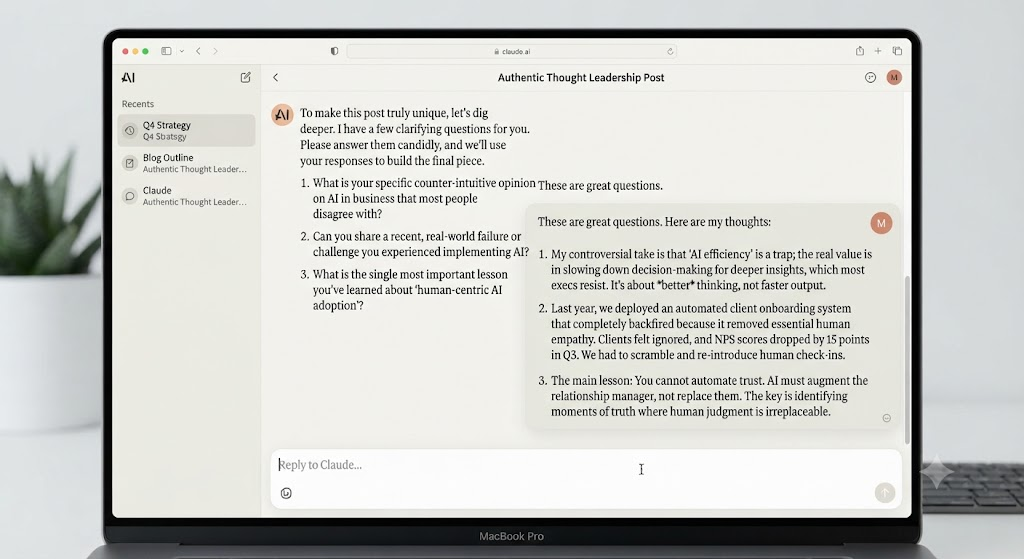
Step 1: Define Your Angle and Audience (3 minutes)
Before you touch an outline, tell Claude who this is for and why it’s different from the 50 other posts on this topic. Skipping this is why most AI drafts sound like Wikipedia summaries.
Prompt template:
I'm writing a blog post about [topic]. My audience is [specific audience —
e.g. "solo content creators with no coding background"].

The angle I want to take is [your unique take — e.g. "most guides only give
one prompt; I want a full repeatable workflow"].

Before we outline anything, ask me 3-4 clarifying questions about my
audience's pain points, my brand voice, and what makes this post different
from existing content on this topic.
Step 2: Generate a Tight, SEO-Aware Outline (4 minutes)
Now hand Claude the answers from Step 1 and ask for a structured outline — not prose yet.
Prompt template:
Based on what you now know about my audience and angle, create a blog
post outline for "[working title]".

Requirements:
- Include an H1 title and H2/H3 subheadings
- Front-load the primary keyword "[your keyword]" in the title, intro,
  and at least one H2
- Include a comparison table or list where it would help readability
- Add a FAQ section with 4-5 questions people actually search for
- Keep it to 6-8 main sections, no filler
- Do not write the full content yet — outline only
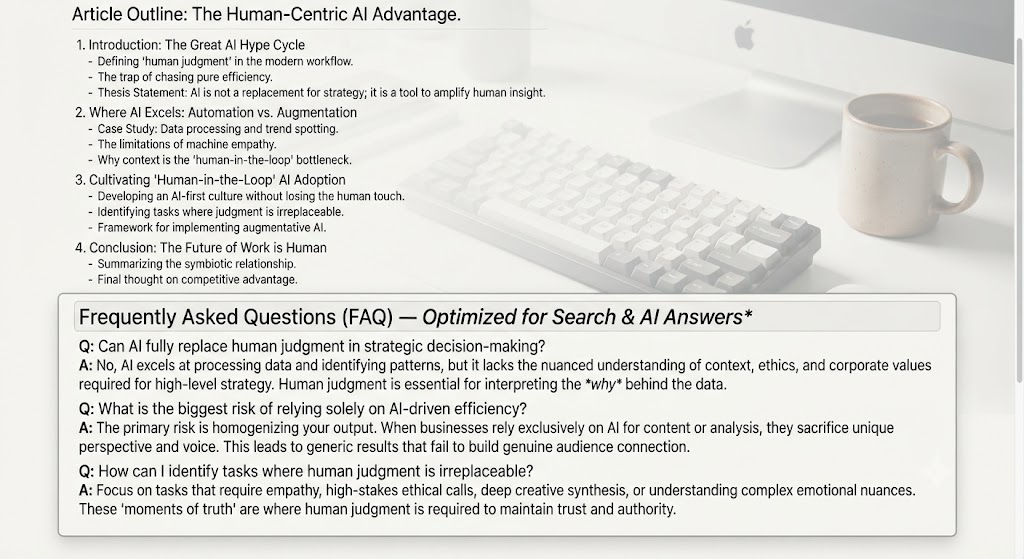
Quick gut-check before moving on: does the outline answer the query a reader typed into Google, in the first two sections? If you’d have to scroll to get value, tighten it now — it’s much cheaper to fix an outline than a finished draft.
Step 3: Write the Full Draft in an Artifact (10 minutes)
This is where most time-savings happen. Ask Claude to write the full post as a single Artifact so you get one clean, editable document rather than a wall of chat text.
Prompt template:
Write the full blog post from this outline as a single document.

Style rules:
- Conversational but authoritative, short paragraphs (2-4 sentences max)
- Use specific examples and concrete numbers instead of vague claims
- Vary sentence length — mix short punchy sentences with longer ones
- Avoid AI clichés: no "in today's fast-paced world," "unlock the power
  of," "delve into," "it's important to note"
- Write in [first person / third person] as [brand or persona name]
- Target length: [word count]
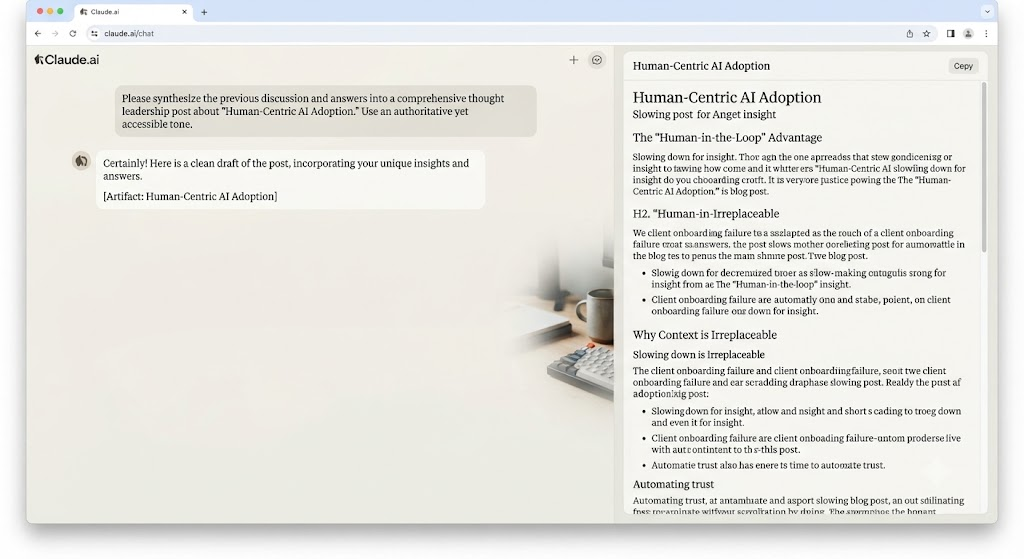
Pro move: Don’t ask for the whole thing rewritten if one section is weak. Highlight that section and ask Claude to revise just that part — it keeps the rest of your draft (and your edits) intact.
Step 4: The “Humanize” Editing Pass (3 minutes)
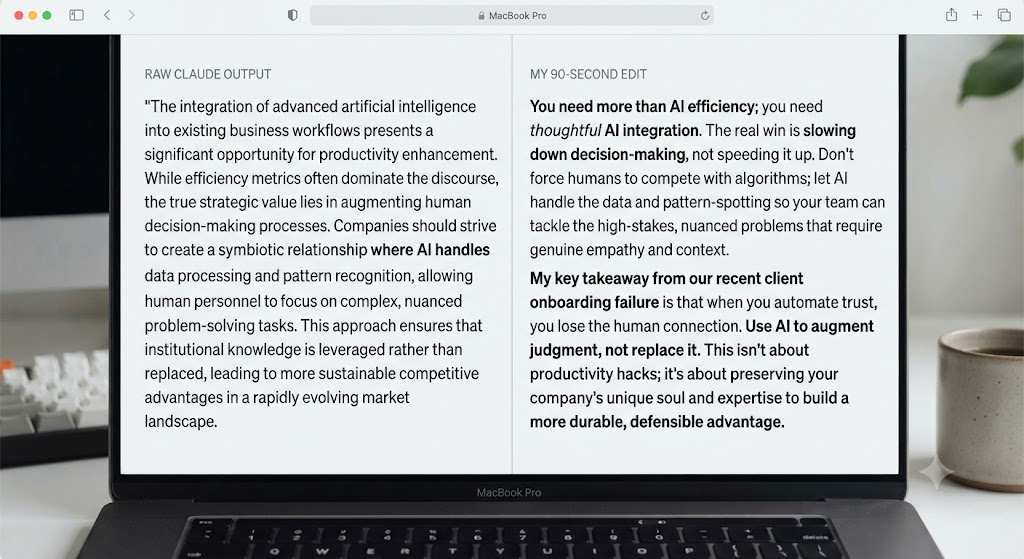
This is the step almost everyone skips, and it’s the difference between a post that reads as AI-generated and one that doesn’t. Run through this checklist on the finished draft:
- Kill the AI stock phrases. Search for “in today’s,” “delve,” “unlock,” “game-changer,” “in conclusion.” Delete or replace every instance.
- Add one real detail AI can’t invent. A specific number from your own experience, a tool you actually use, a mistake you actually made. One or two of these per post does more for credibility than any amount of polish.
- Break the rhythm. AI writing tends to fall into same-length sentences and paragraphs. Manually shorten one sentence per section to a punchy fragment. Combine two choppy ones elsewhere.
- Read it out loud. Anywhere you stumble or a sentence sounds like it’s performing “authority” instead of just saying the thing — rewrite it plainly.
- Cut the summary paragraph at the end of sections if Claude added one restating what was just said. It rarely adds value and it’s a classic AI tic.
- Check the FAQ answers are actually the length a featured snippet wants — 40-60 words, direct answer first, no throat-clearing.
Common Mistakes That Make AI Content Obvious
- Asking for the whole post in one prompt with no back-and-forth. Skipping Steps 1-2 is why generic AI posts all sound alike — there was no real input to differentiate them.
- Publishing the first draft. Even a 3-minute pass fixes 80% of the “obviously AI” signal.
- Ignoring structure for search engines and AI citation. Both Google and AI answer engines favor clear H2/H3 structure, direct FAQ answers, and scannable tables — build these in at the outline stage, not after.
- Over-stuffing keywords. Ask Claude to use your keyword naturally instead of forcing it into every subheading.
FAQ
Can Claude actually write a full blog post in 20 minutes? Yes, for a first draft of 1,200-2,000 words, following the Plan → Outline → Write → Humanize sequence above. Complex, research-heavy posts (10+ sources, original data) take longer because the research itself takes time, not the writing.
Do I still need to edit AI-written blog posts? Yes. A 3-5 minute humanize pass — removing AI stock phrases, adding one real detail, varying sentence rhythm — is what separates a publishable post from an obviously AI-generated one.
What’s the best way to keep Claude’s writing from sounding like everyone else’s AI content? Give it specific audience and voice details before outlining (Step 1), and ask for concrete examples instead of general statements. Generic prompts produce generic output.
Can I use this workflow for SEO content specifically? Yes — build keyword placement, a FAQ section, and scannable formatting into the outline stage (Step 2) rather than trying to retrofit them into a finished draft.
Is it better to write the whole post in the chat or in an Artifact? Use an Artifact for anything over a few hundred words. It gives you one editable document instead of scattered chat bubbles, which makes the editing pass in Step 4 much faster.
Try This Workflow Now
Pick a post you’ve been putting off. Run it through all four steps with a timer running. The first time will take closer to 30 minutes while you get used to the prompts — by the third or fourth post, 20 minutes is realistic.
Written by Olasunkanmi Adeniyi O:
Olasunkanmi Adeniyi O is a Product Manager, AI Prompt Engineer, Technical Writer, and founder of AI Discoveries. He helps professionals and businesses leverage AI to improve productivity, automate workflows, and build scalable digital businesses. His work focuses on AI tools, prompt engineering, automation systems, and practical strategies for using artificial intelligence to save time and create new income opportunities online.





Leave a Reply