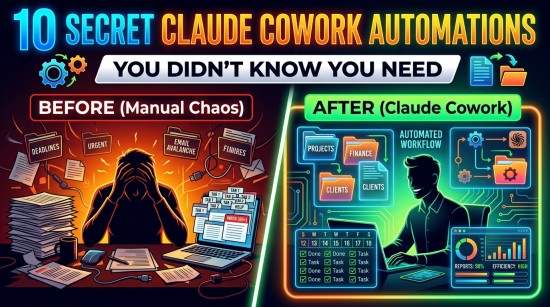
When Anthropic launched Claude Cowork, it marked a massive shift in how knowledge workers interact with artificial intelligence. For years, AI was confined to a text box. You prompted, it answered, and then you did the heavy lifting of copying, pasting, downloading, and sorting.
Read Also: How to Use Claude’s Cowork to Automate File Management Without Writing a Single Line of Code
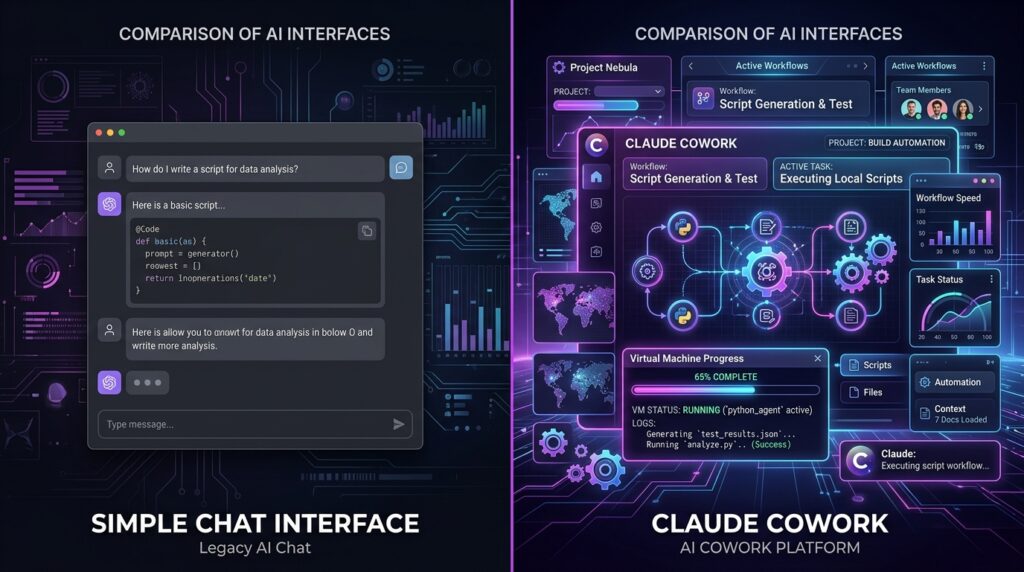
Claude Cowork flips the script. It transitions Claude from a conversational chatbot into an operational, agentic digital teammate. Operating natively inside the Claude Desktop app, Cowork can execute multi-step tasks, interact with your local file system, run terminal commands in an isolated virtual machine (VM), and integrate with your favorite cloud tools—all without you needing to write a single line of code.

If you are only using Claude Cowork to write emails or summarize articles, you are barely scratching the surface. Here are 10 repetitive, high-effort tasks you didn’t know Claude Cowork could autonomously handle for you.
1. Weekly “Downloads” and Desktop Triage
File systems accumulate digital clutter faster than anyone can manually organize them. Instead of letting your Downloads folder become a digital graveyard of random PDFs, screenshots, and CSVs, you can set Cowork on a recurring schedule to handle the cleanup.
- How it works: Claude analyzes the actual content of the files—not just the extensions—and intelligently sorts them into designated subfolders.
- The Automation Prompt: > “Organize my Downloads folder by type and date every Friday at 4 PM. Move files into structured subfolders, rename generic image names based on their content, and delete duplicates or temporary installers older than 30 days.”
Read Also: How to Make $5,000 in 24 Hours Selling Simple Digital Products with AI (Step-by-Step)
2. Generating Expense Reports from Scattered Receipts
Manual data entry for corporate expenses is universally dreaded. Claude Cowork can completely eliminate this friction by pairing its computer vision capabilities with direct local file access.
Read Also: How to Make $5,000 in 24 Hours Selling Simple Digital Products with AI (Step-by-Step)
- How it works: You point Claude toward a local directory containing a messy pile of receipt screenshots, invoices, or scanned documents. Claude spins up an isolated VM, extracts the pricing, merchant, and tax data, and creates a polished, structured spreadsheet.
- The Automation Prompt:
“Review all receipt images in
/receipts. Extract the vendor, date, total amount, and tax. Compile this into a formatted CSV calledMay_2026_Expenses.csv, and move the processed images into an archive folder.”
3. Auto-Triaging NDAs and Legal Vendor Agreements
With Anthropic’s deep integration into the legal sector—accelerated by its recent “Claude for Legal” plugins—Cowork has become a massive asset for operational legal tasks, contract management, and compliance teams.
- How it works: Utilizing custom legal plugins like the NDA Triager or Vendor Agreement Reviewer, Claude can cross-reference incoming contracts against your company’s standard master templates.
- The Automation Prompt:
“Scan the incoming supplier agreements in
/contracts/unread. Run them through the Vendor Agreement Reviewer plugin, automatically flag clauses that violate our liability thresholds, and sort them into color-coded folders based on risk level.”
4. Cross-App Reporting (e.g., Excel Data to PowerPoint Decks)
Copying data points out of a massive spreadsheet and manually pasting them into layout boxes on a presentation slide is a monumental waste of time. Thanks to native integrations like the Microsoft 365 connector, Claude can manage cross-app data transitions fluidly.
- How it works: Claude reads the raw numerical data directly from a spreadsheet, identifies core performance metrics or anomalous trends, and builds a complete, natively formatted presentation deck.
- The Automation Prompt:
“Analyze the Q1 sales performance data in
/reports/q1_data.xlsx. Find the top three performing regions and build a 6-slide PowerPoint deck summarizing the key trends and growth metrics.”
5. Multi-Channel Content Generation and Deployment via Canva
Managing a brand’s social presence usually involves jumping between copy docs, design tools, and scheduling managers. Through the Claude for Small Business workflow ecosystem, Claude bridges these gaps natively.
- How it works: Claude takes a centralized text prompt or campaign brief, utilizes the HubSpot connector to look at target audience metrics, and coordinates with the Canva integration to generate and prepare visual assets.
- The Automation Prompt:
“Take our product launch brief from
/projects/launch.txt. Generate three alternative social media captions, design matching visual layouts using our Canva brand kit, and queue them in HubSpot for review.”
6. Daily Morning Briefings Aggregated from Calendar and Workspace
Instead of starting your day reactively scrolling through tabs to see what your morning looks like, you can instruct Claude Cowork to prepare a bespoke, context-aware dossier for your day ahead.
- How it works: Utilizing the Google Calendar or Microsoft Outlook connectors, Claude reviews your schedule for the day, locates corresponding local folders, project specs, or past meeting notes, and delivers a localized digest.
- The Automation Prompt:
“(Scheduled: Daily at 7:30 AM) Scan my calendar for today. For every client meeting, search my local
/projectsand/contextdirectories for historical briefs, and generate a 1-page markdown briefing doc summarizing agendas and open action items.”
Read Also: Claude vs ChatGPT vs Gemini: Which AI Assistant Saves You the Most Time in 2026?
7. Intelligent Batch Document Renaming using Semantic Context
Traditional batch-renaming utilities only allow you to change file prefixes or append sequential numbers. They cannot understand what the file actually is. Claude Cowork brings semantic understanding to your file hierarchy.
- How it works: Cowork opens every document or image in a folder, reads or scans the contents to figure out the primary subject matter, and renames the files according to a strict, logical architecture.
- The Automation Prompt:
“Review all raw files in
/scans. Read each document to determine the main client name and transaction date. Rename every file using the format:[YYYY-MM-DD]-[Client Name]-[Document Type].”
8. Financial Reconciliation and Payroll Verification
For small business owners and operators, verifying numbers between distinct financial platforms is an absolute chore. Claude’s agentic workflows allow it to look across multiple platforms to ensure financial alignment.
- How it works: Using QuickBooks and PayPal connectors, Claude cross-references your current cash positions, pending invoices, and employee hourly tracking files to verify payroll readiness before any payouts occur.
- The Automation Prompt:
“Settle our QuickBooks cash position against active PayPal settlements for this week. Look for any invoicing or payment discrepancies, map them to our internal reconciliation ledger, and generate a payroll confidence summary.”
Read Also: No More UTME for Education & Agriculture Courses: Full 2026/2027 Guide, Eligibility & Requirements
9. Priority-Driven Email Triaging and Action Summaries
The traditional email inbox is an unorganized stream of consciousness. Claude Cowork changes your relationship with your inbox by turning it into a prioritized, structured to-do list.
- How it works: Connecting directly to your email provider, Claude scans your unread messages from a specific timeframe, separates conversational noise from critical operational needs, and provides actionable summaries.
- The Automation Prompt:
“Scan my inbox for the last 48 hours. Categorize all incoming emails into three distinct blocks: Action Required, FYI, or Ignore. For ‘Action Required’ emails, outline the exact next step needed and draft a proposed response.”
10. Automated Local VM Code Testing and Execution
While developers heavily rely on Claude Code inside their terminal, non-technical power users, data analysts, and product managers can use Claude Cowork to safely run script-based automations on their local data.
- How it works: Claude writes the code required to solve your problem (like a complex data transformation or statistical time-series analysis) and then automatically executes that code within a secure, isolated sandboxed VM environment on your desktop.
- The Automation Prompt:
“Analyze the consumer behavior dataset in
/data/raw_metrics.csv. Write and execute a Python script inside the VM to identify statistical outliers and time-series anomalies, then save the resulting charts as PNGs in/data/plots.”
Summarizing Claude Chat vs. Claude Cowork
To understand exactly why Claude Cowork is a breakthrough for personal productivity, look at how it fundamentally differs from standard AI interactions:
| Feature Capability | Standard Claude Chat | Claude Cowork Agent |
| Execution Style | Sequential, prompt-by-prompt guidance | Autonomous multi-step planning & execution |
| File System Access | Manual upload/download attachments only | Direct, secure local read/write file access |
| Execution Environment | Text-based chat sandbox | Isolated virtual machine (VM) for shell commands |
| Schedules & Hooks | None (Manually triggered) | Support for automated, recurring scheduled tasks |
| Processing Power | Single-threaded linear conversations | Parallel processing of multiple tasks at once |
A Note on Security and Permission Guardrails
Handing tasks over to an autonomous agent requires a robust security structure. Claude Cowork operates on a strict human-in-the-loop safety model. You retain granular control over exactly which local folders Cowork can interact with. Furthermore, you can toggle between session modes: “Ask before acting” (where Claude pauses to let you review and greenlight every major local action) and “Act without asking” (optimized for automated, hands-off workflows in trusted environments).
How to Get Started with Claude Cowork
Claude Cowork is currently available within the Claude Desktop Application for paid subscribers (Pro and Max tiers).
- Open your Claude Desktop App.
- Look at the top center menu bar, where you will find three operational tabs: Chat, Cowork, and Code.
- Select Cowork.
- Connect your relevant local folders or cloud software connectors (like Microsoft 365, HubSpot, or QuickBooks).
- Input your high-level objective, set your approval boundaries, and let Claude handle the rest of the busywork.
By offloading these 10 tedious, repetitive workflows to Claude Cowork, you can stop spending your valuable work hours finding, formatting, and fixing files—and start focusing on the creative and strategic decisions that actually move the needle.



Leave a Reply