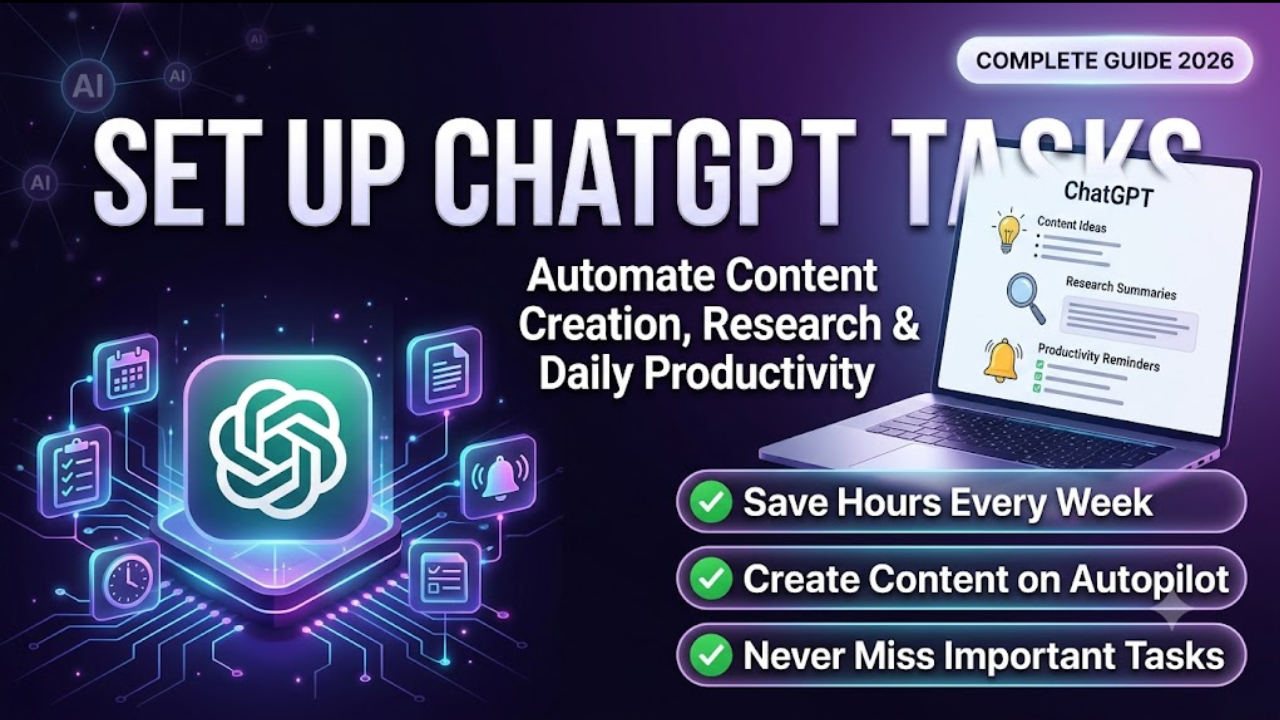
AI assistants are moving beyond answering questions. They are becoming proactive tools that can perform actions on your behalf.
ChatGPT Tasks is one of the biggest steps in that direction.
Instead of opening ChatGPT every time you need help, you can create tasks that automatically perform specific actions at scheduled times or recurring intervals. Whether you are a content creator, marketer, student, founder, researcher, or busy professional, ChatGPT Tasks can save hours every week.
This guide explains everything you need to know about ChatGPT Tasks, including:
• What ChatGPT Tasks are
• How ChatGPT Tasks work
• How to set up ChatGPT Tasks
• How to use ChatGPT Tasks for content creation
• How to automate research with ChatGPT Tasks
• How to improve daily productivity
• Best prompts and examples
• Common questions and troubleshooting tips
By the end of this guide, you’ll know exactly how to turn ChatGPT into your personal AI assistant.

What Are ChatGPT Tasks?
ChatGPT Tasks is a feature that allows ChatGPT to perform actions based on instructions and schedules.
Think of it as giving ChatGPT assignments that it remembers and executes automatically.
Examples include:
• Sending daily content ideas
• Summarizing industry news every morning
• Creating a weekly learning plan
• Generating social media post drafts
• Sending productivity reminders
• Monitoring trends in your industry
Instead of repeatedly entering the same prompts, you create a task once and let ChatGPT handle the rest.
Read Also: What Is ChatGPT Tasks? A Complete Beginner’s Guide to OpenAI’s Productivity Feature
How Do ChatGPT Tasks Work?
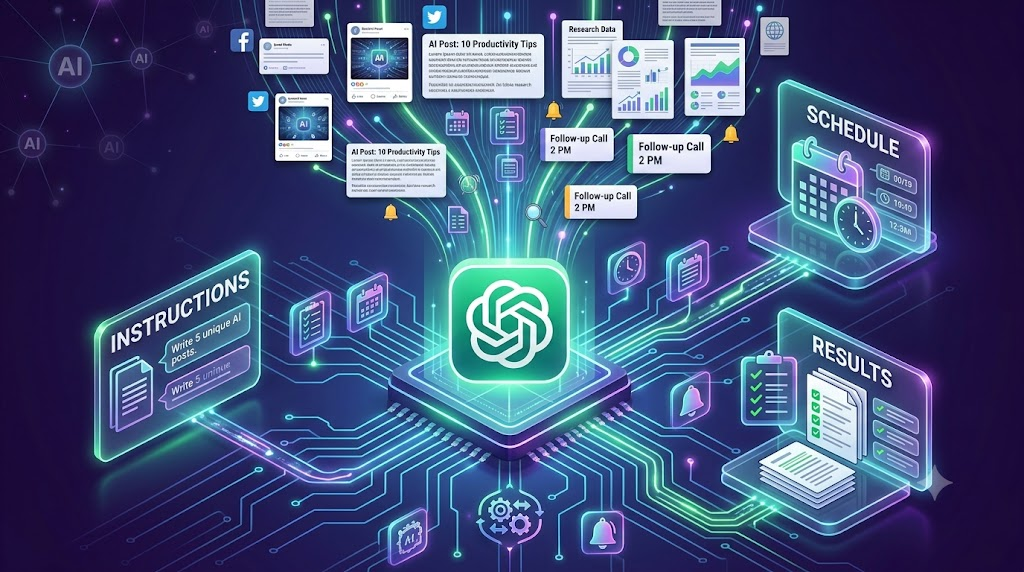
ChatGPT Tasks work using three main components:
- Instructions
You tell ChatGPT exactly what you want it to do.
Example:
“Generate five LinkedIn post ideas about AI and productivity.”
- Schedule
You define when the task should run.
Examples:
• Every morning at 8 AM
• Every Monday
• Every weekday
• Once per month
- Delivery
ChatGPT completes the task and provides the output according to the schedule and settings available to you.
This transforms ChatGPT from a reactive chatbot into a proactive assistant.
Why Use ChatGPT Tasks?
ChatGPT Tasks eliminate repetitive work.
Benefits include:
Save Time
Stop typing the same prompts every day.
Improve Consistency
Never forget important tasks.
Reduce Mental Load
Let AI handle recurring activities.
Increase Productivity
Spend more time executing instead of organizing.
Stay Informed
Receive updates without manually searching.
Read Also: How to Use Claude AI as Your Free Personal Research Assistant (2026 Guide)
How to Access ChatGPT Tasks
To use ChatGPT Tasks:
Step 1:
Open ChatGPT.
Step 2:
Go to the Tasks section if available on your account.
Step 3:
Click Create Task.
Step 4:
Write your instructions.
Step 5:
Set your schedule.
Step 6:
Save the task.
Once saved, ChatGPT handles the recurring activity automatically.
How to Set Up ChatGPT Tasks for Content Creation
Content creation involves many repetitive activities.
ChatGPT Tasks can automate much of the work.

Task 1: Generate Daily Content Ideas
Prompt:
“Every morning at 8 AM, generate ten content ideas about artificial intelligence, productivity, and business growth. Include LinkedIn, X, and YouTube ideas.”
Benefits:
• Never run out of content ideas
• Stay consistent
• Create content faster
Task 2: Create Social Media Posts
Prompt:
“Every weekday, create one LinkedIn post and three X posts about AI tools for professionals. Use simple language and include practical examples.”
Benefits:
• Reduce writing time
• Maintain posting consistency
• Build audience engagement
Task 3: Create Video Scripts
Prompt:
“Every Monday, generate three YouTube Shorts scripts about new AI tools and productivity hacks.”
Benefits:
• Speed up video production
• Publish more frequently
• Stay ahead of trends
Task 4: Build a Content Calendar
Prompt:
“Every Sunday, create a seven-day content calendar focused on AI productivity, entrepreneurship, and personal branding.”
Benefits:
• Better planning
• Less decision fatigue
• Improved content consistency
How to Set Up ChatGPT Tasks for Research
Research can consume several hours each week.
ChatGPT Tasks can continuously gather and summarize information.

Task 1: Industry News Briefings
Prompt:
“Every morning at 7 AM, summarize the most important developments in artificial intelligence and provide key insights.”
Benefits:
• Stay updated
• Save research time
• Identify opportunities faster
Task 2: Competitor Monitoring
Prompt:
“Every Friday, summarize major content trends and strategies used by leading AI creators and companies.”
Benefits:
• Understand market trends
• Improve content strategy
• Discover competitive opportunities
Task 3: Learning and Education
Prompt:
“Every weekday, teach me one product management concept in simple terms with examples and practical applications.”
Benefits:
• Continuous learning
• Better retention
• Faster skill development
Task 4: Research Summaries
Prompt:
“Every evening, provide summaries of the most discussed topics in AI productivity and explain why they matter.”
Benefits:
• Stay informed
• Reduce information overload
• Learn efficiently
Read Also: 10 Things You Should Never Share With ChatGPT (And What to Do Instead)
How to Set Up ChatGPT Tasks for Daily Productivity
Many professionals lose time managing repetitive tasks.
ChatGPT Tasks can act as your productivity assistant.
Task 1: Morning Planning
Prompt:
“Every day at 7 AM, help me prioritize my day. Ask me my top objectives and create a focused action plan.”
Benefits:
• Clear priorities
• Better focus
• Improved execution
Task 2: Daily Reflection
Prompt:
“Every evening, help me review my accomplishments, lessons learned, and priorities for tomorrow.”
Benefits:
• Better decision making
• Increased self-awareness
• Continuous improvement
Task 3: Weekly Planning
Prompt:
“Every Sunday evening, create a weekly planning framework focused on my goals, priorities, and key deliverables.”
Benefits:
• Better organization
• Reduced stress
• Improved accountability
Task 4: Habit Building
Prompt:
“Every day, remind me to complete my learning, reading, and exercise goals and ask for progress updates.”
Benefits:
• Improved consistency
• Better habits
• Increased accountability
Best ChatGPT Task Examples
For Writers
Generate article outlines every morning.
For Entrepreneurs
Receive business ideas every week.
For Students
Receive personalized study plans.
For Product Managers
Receive product management case studies daily.
For Marketers
Receive content ideas and campaign suggestions.
For Researchers
Receive summaries of industry developments.
For Executives
Receive productivity briefings and planning frameworks.
Advanced Tips for Using ChatGPT Tasks
Be Specific
Poor instruction:
“Give me content ideas.”
Better instruction:
“Generate ten content ideas for LinkedIn focused on AI productivity and entrepreneurship.”
Include Format Requirements
Example:
“Provide a title, hook, key points, and call to action.”
Define Frequency
Example:
“Every weekday at 8 AM.”
Give Context
Example:
“I create educational content for professionals interested in AI and productivity.”
The more context you provide, the better the output.
Common Mistakes to Avoid
Being Too Vague
Specific instructions produce better results.
Creating Too Many Tasks
Start small.
Create only the tasks that solve important problems.
Ignoring Reviews
Review outputs regularly and improve prompts.
Expecting Perfect Results Immediately
Experiment and refine your instructions.
ChatGPT Tasks Prompt Templates
Daily Content Ideas
“Every morning, generate ten content ideas related to [industry].”
Industry Research
“Every weekday, summarize the biggest developments in [industry] and explain their impact.”
Social Media Creation
“Every morning, create one LinkedIn post and three X posts on [topic].”
Weekly Learning
“Every Monday, create a learning plan for improving my knowledge of [skill].”
Productivity Planning
“Every morning, help me prioritize my tasks and create a focused action plan.”
Frequently Asked Questions
What is ChatGPT Tasks?
ChatGPT Tasks is a feature that lets ChatGPT execute recurring activities based on instructions and schedules.
Can ChatGPT Tasks automate content creation?
Yes. It can generate ideas, create outlines, draft posts, and plan content calendars.
Can ChatGPT Tasks help with research?
Yes. It can summarize information, monitor trends, and provide educational briefings.
Can ChatGPT Tasks improve productivity?
Yes. It can help with planning, reminders, prioritization, and habit tracking.
Who should use ChatGPT Tasks?
Content creators, marketers, founders, researchers, students, executives, and professionals who want to automate repetitive work.
Are ChatGPT Tasks worth using?
For many users, ChatGPT Tasks can significantly reduce manual work and improve consistency.
Final Thoughts
Most people still use ChatGPT as a tool they open only when they need answers.
The bigger opportunity is turning ChatGPT into a proactive assistant that works for you continuously.
Start with three simple tasks:
- Daily content ideas
- Industry research briefings
- Morning planning sessions
These three automations alone can save hours every week.
The professionals who learn to delegate repetitive thinking and administrative work to AI will have more time for creativity, strategy, and execution.
ChatGPT Tasks is not just another feature.
It is a shift from asking AI for help to assigning AI work.
Written by Olasunkanmi Adeniyi O : Olasunkanmi is a Product Manager, AI Prompt Engineer, and Technical Writer specializing in advanced automation and digital strategy. As the founder of AI Discoveries, he creates high-performance frameworks and digital operating systems designed to help professionals leverage artificial intelligence, optimize workflows, and build scalable global brands.





Leave a Reply