What Is ChatGPT Tasks?
ChatGPT Tasks is a productivity feature inside ChatGPT that lets you schedule prompts and automate recurring activities. Instead of asking ChatGPT to do something manually every day, you can instruct it once and have it perform the task on a schedule.
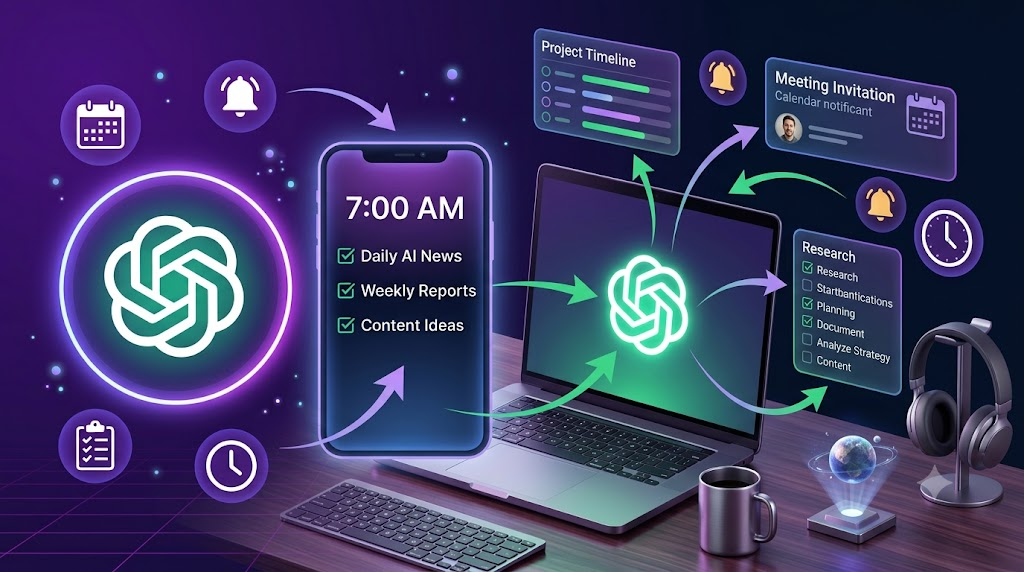
For example, you can ask ChatGPT to:
• Send you a daily summary of AI news every morning.
• Remind you to exercise every evening.
• Generate social media content every Monday.
• Create a weekly meal plan every Sunday.
• Prepare a productivity checklist every workday.
Think of ChatGPT Tasks as a combination of an AI assistant and a scheduler. It allows ChatGPT to proactively deliver useful information and reminders based on schedules you define.
Read Also: Claude AI for Writing: How to Draft Emails, Reports, and Messages in Seconds
Why Did OpenAI Create ChatGPT Tasks?
Most people use ChatGPT reactively. They open the app, type a question, and wait for a response.
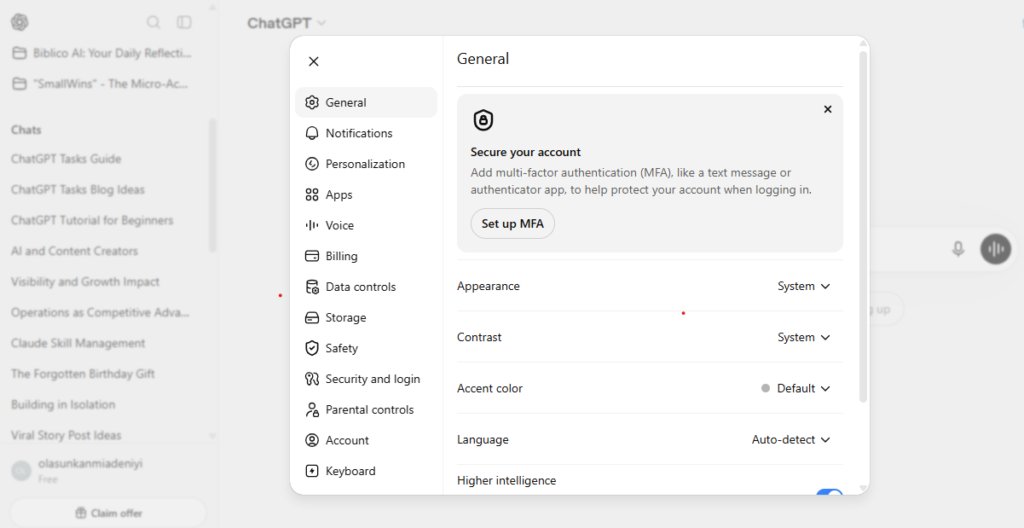
OpenAI introduced Tasks to make ChatGPT more proactive.
Instead of waiting for instructions every time, ChatGPT can:
• Remember recurring instructions.
• Run scheduled activities automatically.
• Deliver information at the right time.
• Help users build routines and habits.
• Reduce repetitive work.
The goal is simple. Turn ChatGPT from a chatbot into a personal AI assistant that works for you continuously.
Read Also: How to Use ChatGPT for Business Growth: Step-by-Step Guide
How Does ChatGPT Tasks Work?
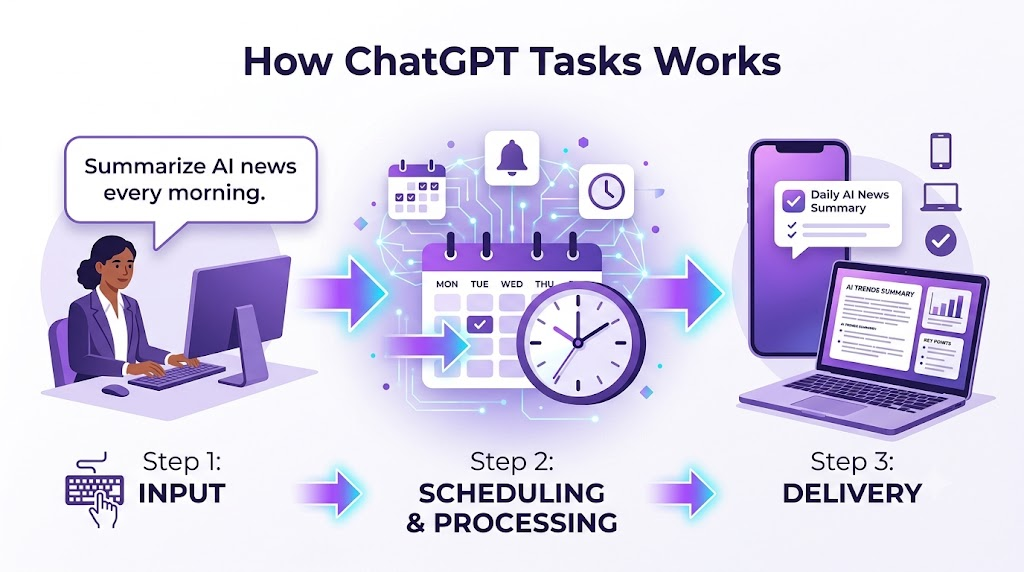
ChatGPT Tasks works in three simple steps:
Step 1: You give ChatGPT an instruction.
Example:
“Every morning at 7 AM, give me a summary of the latest AI news.”
Step 2: You define a schedule.
The task can run:
• Once
• Daily
• Weekly
• Monthly
• On custom schedules
Step 3: ChatGPT automatically delivers the requested information according to the schedule.
You do not need to rewrite the prompt each time.
Key Features of ChatGPT Tasks
1. Scheduled Prompts
You can automate prompts that run at specific times.
Examples:
• Generate a weekly marketing report every Friday.
• Give me five content ideas every morning.
• Create a daily study schedule.
2. Recurring Tasks
Tasks can repeat automatically.
Examples:
• Daily reminders
• Weekly reports
• Monthly planning sessions
• Quarterly business reviews
3. Personalized Outputs
ChatGPT can customize outputs based on your instructions.
Examples:
• Beginner-friendly explanations
• Industry-specific news summaries
• Personalized workout plans
• Custom business reports
4. Cross-Device Access
Tasks created in ChatGPT sync across devices connected to your account, making it easy to manage tasks on desktop and mobile.

How to Set Up ChatGPT Tasks
Setting up ChatGPT Tasks is straightforward.
Step 1: Open ChatGPT
Sign in to your ChatGPT account.
Step 2: Create a Task
Write your instruction naturally.
Examples:
“Every weekday at 8 AM, summarize my calendar and suggest priorities.”
“Every Sunday at 6 PM, create my meal plan for the week.”
Read Also: How to Monitor Your Claude and ChatGPT Tokens as You Use Them
Step 3: Choose the Schedule
Select when and how often the task should run.
Options may include:
• One-time tasks
• Daily tasks
• Weekly tasks
• Monthly tasks
• Custom schedules
Step 4: Save the Task
ChatGPT will handle the recurring activity automatically.
Examples of ChatGPT Tasks You Can Create

For Professionals
• Daily industry news summaries
• Meeting preparation notes
• Weekly productivity reviews
• Project status reports
• Sales performance updates
For Content Creators
• Daily content ideas
• Weekly newsletter drafts
• Social media post generation
• Trend reports
• YouTube video ideas
For Students
• Daily study plans
• Exam preparation schedules
• Vocabulary practice
• Weekly revision summaries
• Reading reminders
For Entrepreneurs
• Competitor monitoring
• Business metrics reports
• Customer feedback summaries
• Marketing planning sessions
• Weekly business reviews
For Personal Productivity
• Morning routines
• Workout reminders
• Habit tracking
• Budget reviews
• Meal planning
Best ChatGPT Tasks Prompts
Daily AI News Digest
Every day at 7 AM, summarize the most important AI news stories and explain why they matter.
Content Ideas Generator
Every morning at 8 AM, generate 10 content ideas about artificial intelligence and productivity.
Weekly Business Review
Every Friday at 5 PM, ask me about my business progress and create a weekly review.
Study Planner
Every evening at 7 PM, create a study schedule for tomorrow based on my goals.
Motivation Reminder
Every morning at 6 AM, send me a motivational quote and three priorities for the day.
Benefits of ChatGPT Tasks
Saves Time
You no longer need to repeat the same prompts.
Improves Consistency
Recurring tasks help you maintain routines.
Reduces Mental Load
The system remembers schedules so you can focus on important work.
Increases Productivity
Automated information delivery helps you make faster decisions.
Personalizes Workflows
Tasks can be tailored to your unique needs.
ChatGPT Tasks vs Traditional To-Do Apps
| Feature | ChatGPT Tasks | Traditional To-Do Apps |
|---|---|---|
| Intelligent responses | Yes | Limited |
| Generates content | Yes | No |
| Provides explanations | Yes | No |
| Scheduled reminders | Yes | Yes |
| Personalized recommendations | Yes | Limited |
| Interactive conversations | Yes | No |
Traditional to-do applications remind you about tasks.
ChatGPT Tasks can actually help you complete those tasks by generating information, ideas, plans, and recommendations.
Who Should Use ChatGPT Tasks?
Professionals
For automating reports, reminders, and research summaries.
Students
For study schedules and learning routines.
Creators
For content planning and idea generation.
Business Owners
For monitoring business activities and planning workflows.
Busy Individuals
For managing routines and personal organization.
Limitations of ChatGPT Tasks
Although powerful, ChatGPT Tasks has limitations.
It Cannot Replace Full Project Management Tools
Complex project management platforms still offer advanced collaboration features.
Output Depends on Prompt Quality
Clear instructions produce better results.
Requires Initial Setup
You need to spend time defining tasks properly.
Some Integrations May Be Limited
Depending on your account and feature availability, certain integrations and notifications may vary.
Frequently Asked Questions
Is ChatGPT Tasks free?
Availability may depend on your ChatGPT plan and OpenAI’s feature rollout. Check your account to see whether Tasks is available.
Can ChatGPT Tasks send reminders?
Yes. Tasks can be scheduled to provide reminders and recurring information.
Can ChatGPT Tasks automate work?
Yes. It can automate recurring prompts, reports, summaries, and planning activities.
Can ChatGPT Tasks create content automatically?
Yes. You can schedule content ideas, outlines, newsletters, and social media drafts.
Can I edit or delete tasks?
Yes. Tasks can generally be modified or removed after creation.
Does ChatGPT Tasks replace project management software?
No. It works best as an AI productivity assistant rather than a complete project management platform.
What devices support ChatGPT Tasks?
Tasks can be managed through supported ChatGPT applications and web experiences connected to your account.
Real-World Examples of ChatGPT Tasks
Example 1:
A marketer schedules a task that generates five LinkedIn post ideas every morning.
Example 2:
A founder receives a weekly summary of industry trends every Monday.
Example 3:
A student gets a personalized study timetable every evening.
Example 4:
A content creator receives daily YouTube video ideas and keyword suggestions.
Example 5:
A manager receives weekly meeting preparation notes automatically.
How to Get the Most From ChatGPT Tasks
- Start with simple recurring activities.
- Use clear instructions.
- Be specific about the desired output.
- Review and refine tasks regularly.
- Create workflows that save meaningful time.
The Future of AI Productivity
ChatGPT Tasks signals a shift in how people interact with artificial intelligence.
The next generation of AI tools will not simply answer questions. They will proactively help people plan, organize, and execute recurring activities.
As AI assistants become more capable, features like Tasks could become central to how individuals and businesses manage information and daily work.
Final Thoughts
ChatGPT Tasks is OpenAI’s productivity feature that allows ChatGPT to run scheduled prompts and recurring activities automatically.
It helps users automate repetitive work, build routines, stay informed, and receive personalized information without repeatedly typing the same instructions.
Whether you are a student, creator, entrepreneur, or busy professional, ChatGPT Tasks can function as a personal AI assistant that works in the background and delivers value exactly when you need it.
If you regularly ask ChatGPT to perform the same activities repeatedly, ChatGPT Tasks may be one of the simplest ways to save time and become more productive.




Leave a Reply