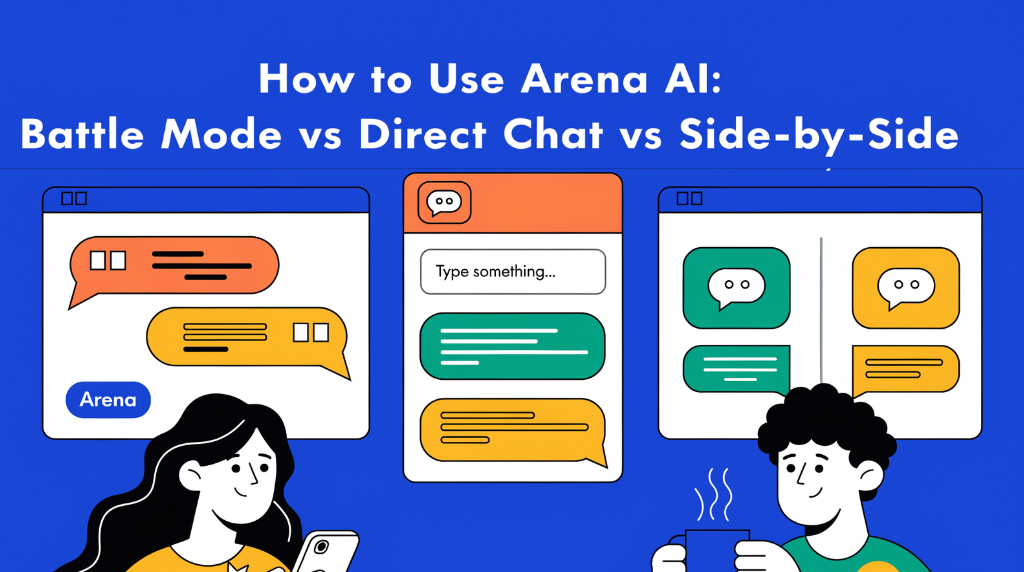
Arena AI offers three ways to try AI models, and each suits a different task:
- Battle Mode compares two typically anonymous model responses, helping you judge answers without knowing which model wrote them.
- Direct Chat lets you choose one model and chat with it normally.
- Side-by-Side lets you select two specific models and compare their responses to the same prompt.
In short: use Battle Mode for a blind comparison, Side-by-Side to test models you’ve chosen, and Direct Chat when you want to work with one model. Model availability and interface controls may change, so the exact steps can vary.
Read Also: Google AI Studio: How to Create Your Own Private Android App (Step-by-Step)
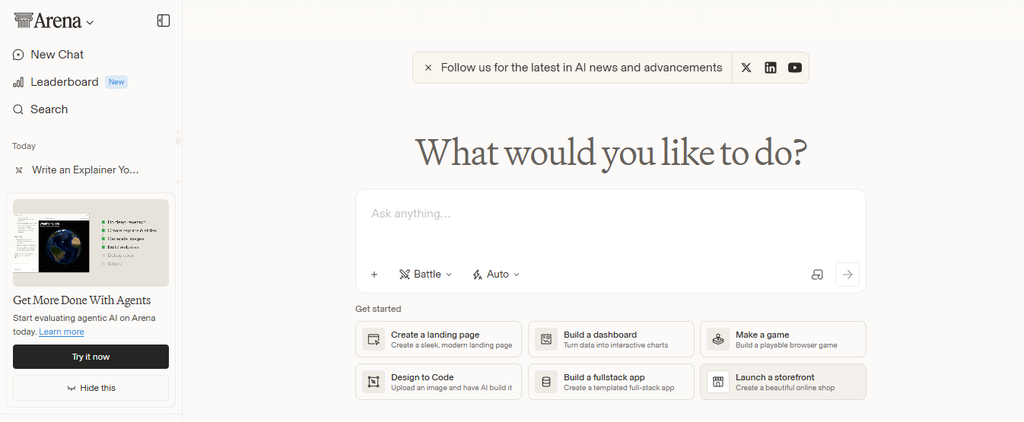
Arena AI is a platform for trying AI assistants and comparing their responses. Instead of relying only on model names or general rankings, you can enter prompts and judge the results for yourself.
The mode you choose determines which models respond, whether you know their identities, and whether you’re chatting with one model or comparing two.
Arena AI Modes Compared
| Mode | How models are selected | What you see | Best for |
|---|---|---|---|
| Battle Mode | Arena typically assigns two models | Two responses, usually anonymized at first | Blind comparisons and exploring unfamiliar models |
| Direct Chat | You select one model | A regular chat with that model | Writing, brainstorming, coding, and follow-up questions |
| Side-by-Side | You select two models | Two responses from the selected models | Comparing specific models with the same prompt |
How to Use Arena AI Battle Mode
Battle Mode is designed for a blind comparison. You submit one prompt, and two models answer it. Their identities are generally hidden while you judge the responses, helping reduce the influence of brand names or reputation.
Steps
- Choose Battle Mode.
- Enter a clear prompt. Include the task, context, and any important requirements.
- Read both answers. Compare how accurately and fully each one follows your instructions.
- Choose the stronger response. Select a tie or “neither” option if the interface offers one.
- Reveal the model identities if available. On some interfaces, model names appear after you vote.
For a useful comparison, judge the responses against the same criteria: correctness, relevance, completeness, clarity, and how well each follows your instructions. A longer answer isn’t automatically a better answer.
When to Use Battle Mode
Choose Battle Mode when you:
- Want to compare answers without seeing model names first
- Are exploring models you haven’t tried before
- Want a quick, informal test of which response works better for a particular prompt
Battle Mode usually isn’t the best choice when you need to compare two specific models, because Arena may select the models for you. Use Side-by-Side for that.
How to Use Arena AI Direct Chat
Direct Chat is the most straightforward option when you want to use one AI model for a task. You select a model, send a prompt, and continue the conversation with follow-up questions.
Steps
- Choose Direct Chat.
- Select a model from the available list.
- Enter your prompt. Be specific about the goal, format, audience, or constraints.
- Review the response and ask follow-up questions to refine it.
- Start a fresh chat when you change topics or want to test the model without earlier conversation context.
When to Use Direct Chat
Use Direct Chat when you want to:
- Draft or revise writing
- Brainstorm ideas
- Ask questions and explore a topic
- Work through a coding or planning task
- Continue a multi-turn conversation with one model
Direct Chat is convenient for completing a task, but it doesn’t provide a paired comparison by itself. To compare that model with another, use Side-by-Side or submit the same prompt to both models in separate chats.
How to Use Arena AI Side-by-Side
Side-by-Side mode is for comparing two models you choose. Both receive the same prompt, so you can review their answers next to each other.
Steps
- Choose Side-by-Side.
- Select the two models you want to test.
- Submit one prompt that clearly describes the task.
- Compare the answers using criteria that matter for your use case.
- Repeat with other representative prompts before deciding which model suits you best.
For a fairer comparison, use the same prompt, context, attachments, and available settings for both models. If you continue the conversation, give both models the same follow-up question.
When to Use Side-by-Side
Choose Side-by-Side when you:
- Have two models in mind and want to compare them directly
- Are choosing a model for a specific kind of work
- Want to compare writing style, instruction-following, coding help, or other task-specific results
Because the model names are visible, your expectations may influence your judgment. If you want to assess the answers without knowing which model produced them, Battle Mode is a better fit.
Which Arena AI Mode Should You Choose?
Use this quick guide:
- Choose Battle Mode if you want a blind comparison or don’t know which models to test.
- Choose Side-by-Side if you want to compare two specific models.
- Choose Direct Chat if you already know which model you want to use.
A practical workflow is to start with Battle Mode to discover responses you like, use Side-by-Side to compare shortlisted models, and then use Direct Chat for your regular tasks.
Tips for Comparing AI Models Fairly
One prompt can show how models respond to one request, but it can’t establish that a model is best overall. Use these tips to get a more meaningful comparison:
- Test realistic tasks. Use prompts similar to the work you actually need done.
- Keep comparisons consistent. Give each model the same prompt and context.
- Try more than one prompt. Include different task types if you plan to use the model for a range of work.
- Use a simple evaluation checklist. Consider accuracy, instruction-following, completeness, clarity, and usefulness.
- Check factual claims. A confident or well-written response can still be wrong.
- Avoid entering sensitive information unless you’ve reviewed the platform’s privacy and data-use policies.
For example, to compare how models summarize text, use the same passage and ask each model to produce a fixed number of bullet points without adding information. For coding, use a representative problem and check whether the proposed code works—not just whether the explanation sounds convincing.
Frequently Asked Questions
Is Battle Mode better than Side-by-Side?
Neither mode is better for every purpose. Battle Mode is useful for blind comparisons, while Side-by-Side is better when you want to choose the two models yourself.
Can I choose the models in Battle Mode?
Usually, Arena assigns the models in a Battle. If you want to test two particular models, use Side-by-Side when that option is available.
Which Arena AI mode is best for everyday chatting?
Direct Chat is usually the simplest choice. Select a model, send your prompt, and continue with follow-up questions.
Does one comparison prove that a model is better?
No. A result reflects how two models answered one prompt at one time. Responses can vary, and model performance depends on the task. Test several representative prompts and verify important information.
Final Takeaway
The difference between Arena AI’s modes is simple: Battle Mode is for blind comparisons, Side-by-Side is for comparing models you select, and Direct Chat is for using one model in a regular conversation. Choose the mode that matches your goal, and compare answers on the quality that matters for your task—not just on style or length.
✍️ About the Author
Olasunkanmi Adeniyi is a product manager, AI prompt engineer, and the founder of AI Discoveries (aidiscoveries.io). With hands-on expertise in leading AI models, no-code automation, and digital strategy, he helps businesses and creators adopt practical artificial intelligence. He is the author of several business and tech guides, including ChatGPT Mastery Guide for Business Owners, AI-POWERED LINKEDIN GROWTH AUDIT
and SELL YOURSELF. All content is rooted in real-world testing, modern workflows, and a commitment to smart, actionable technology adoption.
Learn more and explore his latest work at www.aidiscoveries.io.





Leave a Reply