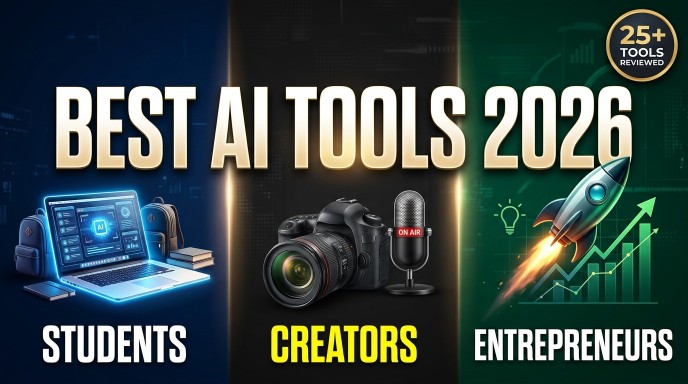
Updated: April 27, 2026 | 18-minute read | 25+ tools reviewed
Artificial intelligence is no longer a futuristic promise, it has quietly become the most powerful productivity lever available to anyone with an internet connection. Whether you are a student trying to understand a dense textbook chapter at midnight, a creator racing a content deadline, or an entrepreneur building a business with a lean team, the right AI tool can compress weeks of effort into hours.
In 2026, the AI tools market has matured significantly. The hype has settled, and what remains are genuinely useful applications that deliver measurable results. This guide cuts through the noise to give you a curated, category-by-category breakdown of the best AI tools for students, creators, and entrepreneurs — covering what each tool does, who it is for, what it costs, and where it genuinely falls short.
Read Also: How Does AI Work? A Simple Explanation for Beginners – AI Discoveries
Every tool in this guide has been independently tested or evaluated against real-world workflows. No affiliate bias, no filler — just the tools that actually move the needle.
HOW WE SELECTED THESE TOOLS
Each tool was evaluated on five criteria: ease of use, output quality, value for money, integration with existing workflows, and long-term reliability. Only tools that scored strongly across at least four criteria made this list.
TABLE OF CONTENTS
- Best AI Tools for Students
- Best AI Tools for Content Creators
- Best AI Tools for Entrepreneurs
- Full Comparison Table
- How to Choose the Right AI Tool
- Frequently Asked Questions
================================================================
SECTION 1: BEST AI TOOLS FOR STUDENTS (2026)
AI is fundamentally shifting how students research, write, and learn. The tools below are selected specifically for academic contexts — they help you understand difficult concepts faster, write with more clarity, stay organised, and prepare for exams without burning out.
- CHATGPT
Category: Conversational AI & Study Assistant
Pricing: Free | Plus from $20/month
Best for: All-round studying, essay writing, concept explanation
ChatGPT remains the most versatile AI tool available to students in 2026. Its strength lies in its ability to explain complex concepts in plain language, break down academic papers, help structure essays, debug code, and generate practice questions for any subject. The latest version reasons through multi-step problems with impressive accuracy, making it effective for STEM subjects, humanities, and professional courses alike. Many students now use ChatGPT as their first port of call before consulting a textbook — not to replace learning, but to orient themselves before diving deeper.
Pros:
- Explains anything at any level
- Generates practice quizzes on demand
- Supports 50+ languages
- Powerful free tier
Cons:
- Can hallucinate citations
- Best features require the Plus plan
- No source linking on free tier
- PERPLEXITY AI
Category: AI-Powered Research Engine with Citations
Pricing: Free | Pro from $20/month
Best for: Academic research, fact-checking, literature reviews
Perplexity AI is what happens when a search engine meets a reasoning model. Every answer it generates is backed by live web sources with inline citations, which is invaluable for students who need to verify information. Unlike ChatGPT’s free tier, Perplexity searches the web in real time — making it far superior for current events, recent studies, and fast-moving fields. It has become many students’ preferred research starting point because it dramatically reduces the time between a question and a citable, structured answer.
Pros:
- Real-time web search
- Inline source citations on every answer
- Concise, well-structured responses
- Generous free plan
Cons:
- Less conversational than ChatGPT
- Pro searches are capped on the free tier
- NOTION AI
Category: Smart Note-Taking & Study Organisation
Pricing: AI add-on from $10/month
Best for: Note organisation, study planning, summarisation
Notion AI combines a powerful workspace with an embedded AI assistant that can summarise long lecture notes, generate study schedules, draft outlines, and auto-fill databases. For students managing coursework across multiple subjects, Notion AI introduces a sense of order that is genuinely difficult to replicate elsewhere. You can ask it to simplify a pasted paragraph, generate a revision plan for an upcoming exam, or extract action items from a messy set of notes — all within the same workspace where you store everything else.
Read Also: 5 EASIEST Ways to Make Money With AI (No One Is Doing This) – AI Discoveries
- GRAMMARLY
Category: AI Writing Assistant & Academic Editor
Pricing: Free | Premium from $12/month
Best for: Essays, reports, emails, academic submissions
Grammarly is the standard for AI-assisted writing quality. Its latest version goes far beyond grammar correction — it now analyses tone, argument structure, and clarity, and offers suggestions for strengthening academic arguments. For non-native English speakers in particular, Grammarly bridges the gap between competent ideas and polished prose. It integrates directly with browsers, Google Docs, Microsoft Word, and most email clients, making it frictionless to use in any writing context.
ALSO WORTH CONSIDERING FOR STUDENTS:
Wolfram Alpha — Unmatched for mathematics, physics, chemistry, and data computation. Its step-by-step solutions are genuinely educational. Free with optional Pro tier from $7.25/month.
NotebookLM (Google) — Upload your own lecture slides, PDFs, and readings. NotebookLM creates an AI that answers questions using only your source materials, greatly reducing hallucination risk. Free to use.
Otter.ai — Automatically transcribes lectures and meetings in real time with AI-generated summaries. Essential for students with disabilities or those who miss classes. Free tier available.
STUDENT PRO TIP: Combine Perplexity AI for research discovery, Notion AI for organising your findings, and Grammarly for polishing your final submission. This three-tool stack costs less than $25/month combined and covers the full writing workflow.
================================================================
SECTION 2: BEST AI TOOLS FOR CONTENT CREATORS (2026)
For creators — YouTubers, podcasters, writers, designers, and social media professionals — AI tools have shifted from nice-to-have to essential infrastructure. The tools below address the real bottlenecks in content creation: ideation, production, editing, and distribution.
- MIDJOURNEY
Category: Professional AI Image Generation
Pricing: From $10/month (no free tier)
Best for: Thumbnails, brand visuals, concept art, social graphics
Midjourney v7 has cemented its position as the gold standard for AI image generation. Its understanding of style, lighting, composition, depth, and artistic direction now rivals the output of professional concept artists and photographers. Creators use it to generate thumbnail images, visual references, branding concepts, editorial illustrations, and social media graphics. The learning curve is real — Midjourney rewards users who invest time in mastering prompt construction — but the ceiling of output quality is higher than any competitor.
Pros:
- Highest visual quality currently available
- Unmatched artistic range and style control
- Large community with extensive resources
Cons:
- No free tier
- Steep prompt learning curve
- Operates through a Discord-based interface
- ELEVENLABS
Category: Hyper-Realistic AI Voice Generation
Pricing: Free (limited) | Starter from $5/month
Best for: YouTube narration, podcasts, audiobooks, video ads
ElevenLabs produces the most realistic AI-generated voices currently available. For YouTubers, podcasters, narrators, and educators, it enables high-quality voiceovers without recording equipment or retakes. Its voice cloning feature lets creators clone their own voice for consistent branding, and its library of professional voices spans dozens of languages and accents. The emotional expressiveness of its output is notably superior to competitors — the difference between ElevenLabs and a robotic text-to-speech tool is night and day.
Pros:
- Most natural AI voice quality available
- Voice cloning capability
- 160+ languages and accents
Cons:
- Free tier has strict usage limits
- Higher usage scales up cost quickly
- RUNWAY GEN-3
Category: AI Video Generation & Editing
Pricing: Free (limited) | Standard from $15/month
Best for: Video creation, short-form content, visual effects
Runway Gen-3 has made advanced video production accessible to individual creators. Tasks that once required professional editors — object removal, scene generation, motion tracking, and style transfer — are now achievable through intuitive AI controls. Filmmakers use it to prototype scenes, creators use it for dynamic B-roll, and marketers use it to produce video ads without a production crew. The tool is best understood as a creative collaborator, not a replacement for storytelling — you still need a vision, but Runway removes the technical barriers to executing it.
- CANVA AI
Category: Design Automation for Non-Designers
Pricing: Free | Pro from $15/month
Best for: Social media graphics, presentations, brand assets, thumbnails
Canva has evolved from a template tool into a comprehensive AI design platform. Its Magic Suite — including Magic Design, Magic Write, and AI image generation — allows creators to produce on-brand graphics, presentations, and social media content in minutes rather than hours. Unlike Midjourney, Canva AI is built for non-designers: the output is polished and professional within a familiar drag-and-drop interface. For creators who need volume over maximum artistic control, Canva AI is the most time-efficient option available.
ALSO WORTH CONSIDERING FOR CREATORS:
Descript — Edit video and audio by editing the transcript. Its Overdub feature corrects voice flubs without re-recording. Essential for solo creators who record content but dread post-production.
Gamma — Converts notes, outlines, or rough text into polished presentations and documents in seconds. Far faster than building slides manually.
Adobe Firefly — Adobe’s generative AI is deeply integrated into Photoshop and Illustrator, making it the obvious choice for creators already inside the Adobe ecosystem.
================================================================
SECTION 3: BEST AI TOOLS FOR ENTREPRENEURS (2026)
Entrepreneurs in 2026 are building businesses that would have required entire departments just three years ago. The AI tools below address the most time-intensive parts of running and growing a business: writing, marketing, operations, customer support, and product development.
- CLAUDE (ANTHROPIC)
Category: Strategic Thinking, Writing & Code Automation
Pricing: Free | Pro from $20/month
Best for: Strategy, long documents, code, investor materials
Claude is the AI assistant most consistently praised by entrepreneurs and knowledge workers for nuanced, long-form tasks. It excels at drafting investor decks, analysing business documents, writing and refactoring code, synthesising research, and engaging in complex strategic conversation without losing context. Its exceptionally large context window — one of the largest available — means you can feed it entire business plans, contracts, or codebases and receive coherent, structured responses. Claude’s writing voice is notably measured and thorough, making it particularly well-suited for high-stakes written communication.
Pros:
- Exceptional long-form reasoning
- Massive context window
- Strong at code and document analysis
- Honest about its limitations
Cons:
- No real-time web search on the free tier
- No built-in image generation
- JASPER AI
Category: Enterprise Marketing Copy at Scale
Pricing: Creator from $49/month
Best for: Marketing copy, ad content, email campaigns, brand writing
Jasper is purpose-built for marketing teams and content-driven businesses. Unlike general-purpose AI models, it is trained specifically on high-performing marketing copy and includes brand voice controls that keep all output consistent with your company’s tone. For entrepreneurs running content marketing, email campaigns, or ad copy at scale, Jasper’s ability to produce dozens of on-brand variations rapidly makes it a significant productivity multiplier. It integrates with SEO tools, Google Ads, and CMS platforms, fitting naturally into existing marketing workflows.
- LOVABLE
Category: Build Apps & MVPs Without Coding
Pricing: Free (limited) | Paid from $25/month
Best for: MVPs, landing pages, internal tools, SaaS prototypes
Lovable lets non-technical entrepreneurs build functional web applications, landing pages, and SaaS MVPs using plain language descriptions. You describe what you want to build, and Lovable generates working code using React, complete with a live preview. It is ideal for founders who want to validate a product idea without hiring a developer — the resulting applications are real, deployable products, not just prototypes. It is particularly powerful for building internal tools, simple SaaS products, and customer-facing dashboards at a fraction of the traditional development cost.
Pros:
- No coding skills required
- Deploys real, working applications
- Fast MVP validation
Cons:
- Not suitable for enterprise-scale products
- Limited customisation depth
- ADCREATIVE.AI
Category: AI-Generated Ad Creatives for Performance Marketing
Pricing: From $21/month
Best for: Facebook Ads, Google Ads, paid acquisition testing
AdCreative.ai specialises in one narrow but high-value task: generating scroll-stopping ad creatives for Facebook, Google, and Instagram. You input your brand colours, copy, and style preferences, and the tool generates batches of image and video ad variations ready for A/B testing. For entrepreneurs who run paid acquisition, this tool directly reduces creative production costs and time. Its integration with ad platforms allows you to push campaigns live without exporting files manually, closing the loop between creative production and media buying.
ALSO WORTH CONSIDERING FOR ENTREPRENEURS:
Copy.ai — Versatile marketing copy generation covering product descriptions, email sequences, and social content. Strong free tier and workflow automation features.
Synthesia — Create professional training videos and product demos using an AI presenter. Eliminates cameras, studios, and repeated retakes for video-heavy businesses.
Fathom — Records, transcribes, and summarises sales calls and meetings with action items. Reduces note-taking burden on founders managing high volumes of client conversations.
================================================================
SECTION 4: FULL COMPARISON TABLE
| Tool | Best For | Use Case | Free Tier | Starting Price |
|---|---|---|---|---|
| ChatGPT | Students, All | Writing, Q&A, Code | Yes | $20/mo Plus |
| Perplexity AI | Students | Research | Yes | $20/mo Pro |
| Notion AI | Students | Notes, Organisation | Limited | $10/mo add-on |
| Grammarly | Students, Writers | Writing Quality | Yes | $12/mo Premium |
| NotebookLM | Students | Source-based Q&A | Yes | Free |
| Midjourney | Creators | Image Generation | No | $10/mo Basic |
| ElevenLabs | Creators | Voice & Audio | Limited | $5/mo Starter |
| Runway Gen-3 | Creators | Video Generation | Limited | $15/mo Standard |
| Canva AI | Creators, All | Design, Social Media | Yes | $15/mo Pro |
| Descript | Creators | Video/Audio Editing | Limited | $12/mo Hobbyist |
| Claude | Entrepreneurs, All | Strategy, Code | Yes | $20/mo Pro |
| Jasper AI | Entrepreneurs | Marketing Copy | No | $49/mo Creator |
| Lovable | Entrepreneurs | App/MVP Builder | Limited | $25/mo |
| AdCreative.ai | Entrepreneurs | Ad Creative | No | $21/mo |
| Copy.ai | Entrepreneurs | Marketing Copy | Yes | $49/mo Pro |
================================================================
SECTION 5: HOW TO CHOOSE THE RIGHT AI TOOL FOR YOUR NEEDS
The abundance of AI tools available in 2026 is itself a challenge. Here is a practical framework for cutting through the options and choosing what will actually serve you.
- START WITH YOUR SINGLE BIGGEST BOTTLENECK
Resist the temptation to build a comprehensive AI stack immediately. Identify the one task that consumes the most time or causes the most friction in your workflow. If you spend hours editing video, start with Descript or Runway. If writing is your bottleneck, start with Claude or Jasper. Solve your highest-value problem first, then expand. - ALWAYS TEST THE FREE TIER BEFORE PAYING
Nearly every major AI tool offers a free or trial tier in 2026. The gap between marketing copy and actual product experience can be significant. Use free tiers for at least two weeks in a real workflow before committing to a paid subscription. Pay attention not just to output quality, but to how the tool fits into how you already work. - CONSIDER INTEGRATION OVER ISOLATED POWER
A tool that integrates seamlessly into your existing workflow is usually more valuable than a marginally superior tool that requires you to change how you work. Grammarly’s browser integration, for example, is a major part of its value. Notion AI’s value is partly that it lives where your notes already are. - WATCH THE TOTAL COST OF YOUR STACK
It is easy to accumulate AI subscriptions. Four tools at $20/month each is $80/month — nearly $1,000 per year. Audit your stack every quarter and cut tools that have not meaningfully changed how you work. Consolidate where possible: ChatGPT Plus, for instance, combines text AI, image generation, and code execution in a single subscription.
IMPORTANT NOTE: AI tools augment human judgement — they do not replace it. Always verify AI-generated research before citing it, review AI-written copy before publishing it, and test AI-generated code before deploying it. The best results come from treating AI as a capable assistant, not an autonomous authority.
EDITOR’S FINAL VERDICT
If you had to choose just three tools to start — regardless of whether you are a student, creator, or entrepreneur — the combination of ChatGPT or Claude (for thinking and writing), Canva AI (for visual output), and Perplexity AI (for research) covers the broadest range of daily tasks at the lowest combined cost. From this foundation, add specialist tools as specific bottlenecks emerge.
================================================================
SECTION 6: FREQUENTLY ASKED QUESTIONS
Q: What is the best AI tool for students in 2026?
A: ChatGPT, Perplexity AI, and Notion AI are consistently rated the best AI tools for students in 2026. ChatGPT excels at explaining complex concepts and breaking down difficult material; Perplexity AI is ideal for research with real-time, cited sources; and Notion AI helps organise notes, study plans, and revision schedules efficiently. For most students, starting with the free tiers of all three is the best approach.
Q: What are the best free AI tools for content creators?
A: The best free AI tools for creators include Canva AI (generous free tier for design), Google Gemini (free access to a capable multimodal AI), NotebookLM (free for source-based research), and CapCut’s AI features (free video editing). ElevenLabs and Runway both offer limited free tiers worth testing. Paid tools like Midjourney deliver significantly higher quality but require an upfront subscription commitment.
Q: Which AI tools do successful entrepreneurs use most in 2026?
A: Entrepreneurs in 2026 most commonly rely on Claude or ChatGPT for strategy, writing, and complex analysis; Jasper or Copy.ai for scaling marketing content; Lovable or similar no-code tools for building product MVPs; AdCreative.ai for paid advertising; and Notion AI or ClickUp AI for project management and operations. Most successful founders use a focused stack of three to five tools rather than trying to use every available option.
Q: Are AI tools worth paying for, or are free versions good enough?
A: For casual use, free tiers are often sufficient. For professional use — where time saved directly translates to output or revenue — paid tiers typically deliver a return many times their monthly cost. The key question is whether the upgrade unlocks a capability you actually need (e.g., larger context windows, more generations, commercial usage rights). Start free, upgrade when you consistently hit the limits of the free tier.
Q: Can AI tools replace human creativity and judgement?
A: No — and this is an important distinction to maintain. AI tools in 2026 are powerful assistants that can dramatically accelerate human work, but they lack genuine understanding, lived experience, and strategic judgement. The most effective users of AI tools use them to remove friction from execution while keeping human direction and decision-making central. AI handles the first draft; humans determine whether it is the right draft.
================================================================
ABOUT THIS GUIDE
Written by:Olasunkanmi, Technical writer and Founder AI Discoveries
Published: April 27, 2026
Word count: ~4,800 words
Topics: AI tools, productivity, students, content creators, entrepreneurs, artificial intelligence 2026
This guide is updated quarterly. All tools were evaluated independently with no affiliate arrangements. Pricing reflects publicly available rates as of April 2026 and may have changed.
================================================================



Leave a Reply