If you want to turn text into a realistic human voice without paying for expensive software, you have more options than ever.
But there is a problem.
A lot of tools say “free” when they really mean:
You can try it for 3 minutes.
You can generate a preview, but you cannot download it.

You need a credit card.
The best voices are locked behind a subscription.
Or you can use the audio personally, but not for commercial projects.
So I tested the free options with a simple question:
Which text to speech AI tools can you actually use without paying?
You write the words.
AI does the talking.
That is the basic idea behind text to speech AI.
But finding a tool that is actually free is harder than it sounds.
Many “free” AI voice generators give you a tiny trial, limit how much text you can generate, lock the best voices behind a subscription, or restrict how you can use the audio.
So I looked at the options differently.
Instead of asking, “Which AI voice generator is popular?”
I asked:
“Which text to speech AI tools can I actually use without paying?”
For 2026, these are my top three:
- FlowSpeech, best overall free AI text to speech tool
- ElevenLabs, best for extremely realistic voices
- CapCut, best for video creators
If you only want one tool to try first, start with FlowSpeech.
It combines realistic voices, emotion controls, multiple languages, long-form generation, and a useful free plan. Signed-in users currently get 10,000 free credits per month.
Let’s look at all three.
Read Also: Every AI Model Explained For You in Simple Language as a Beginner
What Is Text to Speech AI?
Text to speech, or TTS, is technology that turns written words into spoken audio.
Think about it like this.
You write:
“Welcome to my channel. Today, I will show you three AI tools that can save you hours every week.”
The AI reads those words and creates a voice recording.
You don’t need:
• A microphone
• A recording studio
• A voice actor
• Expensive audio equipment
You need a script and a text to speech tool.
Modern AI voices can also change their speed, tone, emotion, pauses and delivery.
That makes them useful for YouTube videos, podcasts, courses, audiobooks, advertisements, presentations, social media videos and more.
What Does “Actually Free” Mean?
This is important.
A tool can advertise itself as free while making the useful features difficult to access.
For this article, I look at four things:
- Can you generate speech without paying?
- Can you create a useful amount of audio?
- Can you download or use the result?
- Are the usage rights clear?
There is one more thing to remember.
A free plan does not always mean commercial use is free.
For example, ElevenLabs currently provides a free plan, but its terms restrict free-tier use to non-commercial purposes. Paid plans provide commercial usage rights.
Always check the current license before using AI-generated audio in paid work.
Quick Comparison
| Tool | Best for | Free option | Biggest advantage |
|---|---|---|---|
| FlowSpeech | Overall TTS | Yes | Emotion, pauses, languages and long-form generation |
| ElevenLabs | Voice realism | Yes | Very natural voices |
| CapCut | Video creation | Yes | Voiceover and video editing in one place |
Now let’s look at each tool.
1. FlowSpeech
Best for: Overall free AI text to speech
If you want one tool that does a lot without immediately asking you to pay, FlowSpeech is my first choice.
FlowSpeech describes itself as a context-aware text to speech studio designed around lifelike voices, emotion control, pause control and multi-speaker casting.
And there is a lot packed into it.
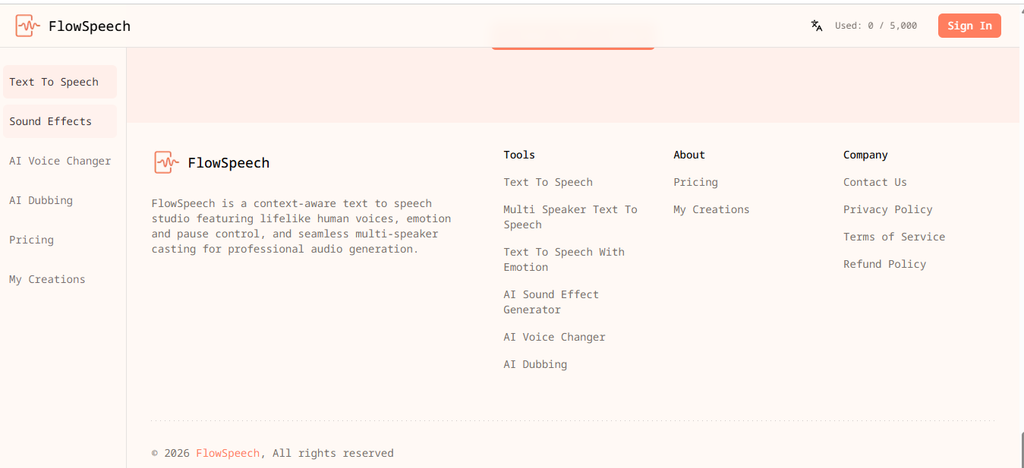
You can use FlowSpeech for:
• YouTube voiceovers
• TikTok videos
• Instagram Reels
• Podcasts
• Audiobooks
• Storytelling
• Educational content
• Product videos
• Presentations
• Character dialogue
• Long-form narration
Why FlowSpeech Is My #1 Pick
The biggest reason is control.
You don’t simply paste text and hope the AI reads it nicely.
FlowSpeech lets you influence how the voice delivers the words.
For example, its emotion feature supports directions such as excited, empathetic and whispered delivery.
That matters because humans don’t speak every sentence in exactly the same way.
Imagine this:
“Wait.
You mean I can do all of this for free?”
The second sentence should sound surprised.
A good TTS system should understand that.
FlowSpeech is designed to give you that kind of control.
FlowSpeech Supports 70+ Languages
If you create content for audiences outside English-speaking countries, this is another major advantage.
FlowSpeech currently supports more than 70 languages.
That makes it useful for creators targeting international audiences.
You could create:
• English content
• French content
• Spanish content
• Arabic content
• Hindi content
• And many other languages
This is especially useful if you want to create localized versions of the same video.
Read Also: I Tested 50 AI Money-Making Ideas. Here Are the 7 I’d Actually Start in 2026
You Can Control Pauses
Pauses can make a huge difference.
Compare:
“Here’s the secret. You don’t need more tools.”
with:
“Here’s the secret…
You don’t need more tools.”
The second version creates more tension.
FlowSpeech supports precise pause controls, which gives you more control over the rhythm of your narration.
This is particularly useful for:
• Storytelling
• Ads
• YouTube hooks
• Dramatic narration
• Educational videos
FlowSpeech Supports Long Scripts
This is another feature worth mentioning.
FlowSpeech says its system can process up to 200,000 characters per render.
That is useful when you are working with long-form content.
Instead of constantly chopping a long script into tiny pieces, you can work with much larger sections.
This can be useful for:
• Audiobooks
• Long YouTube videos
• Online courses
• Podcasts
• Training materials
You Can Upload Documents
FlowSpeech also says it can ingest PDF, Word, PowerPoint, TXT, RTF, EPUB and image files for text-to-speech generation.
That creates an interesting workflow.
Imagine you have a PDF course.
Instead of copying every paragraph manually, you can use the document as the starting point for generating narration.
Is FlowSpeech Really Free?
Yes, FlowSpeech currently has a $0 free plan.
The pricing page lists:
• 5,000 credits per month for guests
• 10,000 credits per month for signed-in users
• Up to 10,000 characters per request for signed-in users
Paid plans provide much larger credit allowances and higher limits.
For someone testing AI voice generation, that is a useful starting point.
How to Use FlowSpeech
The basic process is simple.
Step 1: Open FlowSpeech.
Step 2: Sign in.
Step 3: Enter your script.
Step 4: Choose a voice.
Step 5: Add emotion or delivery instructions where needed.
Step 6: Add pauses.
Step 7: Generate the audio.
Step 8: Listen to it.
Step 9: Make changes if necessary.
Step 10: Download or use the generated audio according to the current terms.
You don’t need to understand audio engineering.
A Simple FlowSpeech Script
Instead of giving the AI this:
“Today I will show you three AI tools that can help you save time.”
Try writing:
“Today, I’ll show you three AI tools that can help you save time.
And trust me…
The third one is surprisingly useful.”
The second version gives the voice more room to sound conversational.
FlowSpeech Rating
Voice quality: 9/10
Ease of use: 9/10
Free value: 10/10
Language support: 10/10
Voice control: 10/10
Long-form content: 10/10
Best for: Creators who want powerful TTS features without starting with a paid subscription
2. ElevenLabs
Best for: Extremely realistic AI voices
ElevenLabs is one of the biggest names in AI voice generation.
And for good reason.
Its voices can sound remarkably natural.
ElevenLabs currently offers a free plan with 10,000 characters per month, which the company estimates at around 10 minutes of audio. The free plan includes access to premade voices and the API.
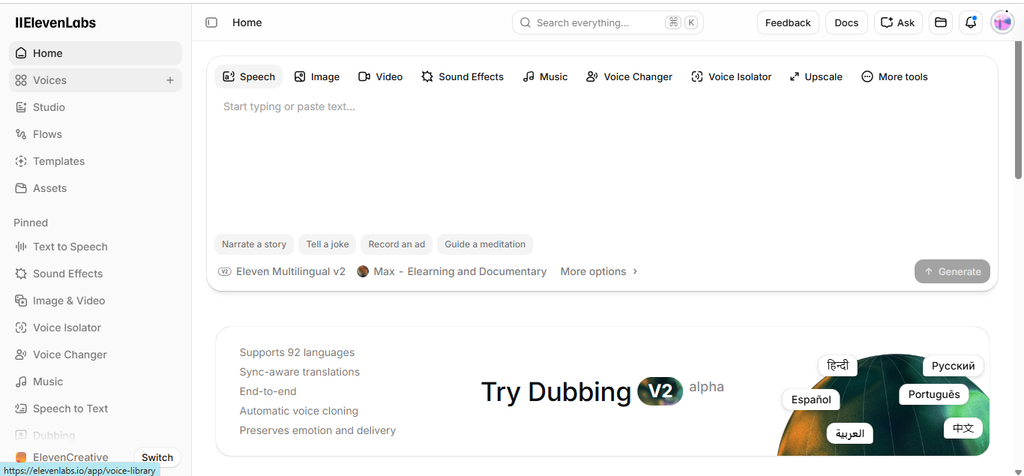
It also supports more than 30 languages across its models.
Why People Love ElevenLabs
Voice quality is the main attraction.
The system is designed to produce speech with natural pacing and expressive delivery.
That makes it useful for:
• YouTube narration
• Audiobooks
• Storytelling
• Podcasts
• Character voices
• Educational content
• Voice experiments
If you generate the same sentence using several AI voice tools, ElevenLabs is one of the tools worth putting into the comparison.
The Big Catch
The free plan has an important restriction.
ElevenLabs’ current terms say free users can only use the service and its output for non-commercial purposes. Paid plans include commercial usage rights.
So don’t assume:
“It’s free, therefore I can use it in my business.”
That’s not how the license works.
If you’re creating monetized YouTube videos, advertisements, client work or other commercial content, check the plan you are using.
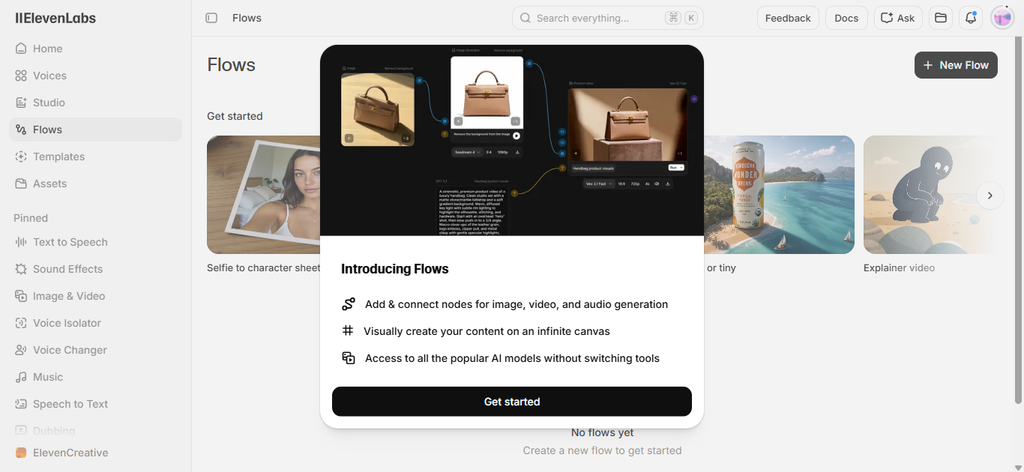
ElevenLabs Pricing
The current free plan provides 10,000 credits per month.
The Starter plan is currently $6 per month and includes a commercial license.
So ElevenLabs can still be very affordable if you eventually need commercial rights or more generation capacity.
Read Also: How to Use Gemini Step by Step (2026 Beginner’s Guide for Beginners)
ElevenLabs Rating
Voice quality: 10/10
Ease of use: 9/10
Free value: 8/10
Language support: 9/10
Commercial flexibility on free plan: 3/10
Best for: Creators who care most about voice realism
3. CapCut
Best for: YouTube, TikTok, Instagram and short-form video creators
You may already know CapCut as a video editor.
But it also includes text to speech.
That makes CapCut particularly useful for people who don’t want to move between five different tools just to create one video.
You can generate a voiceover and place it directly into your video project.
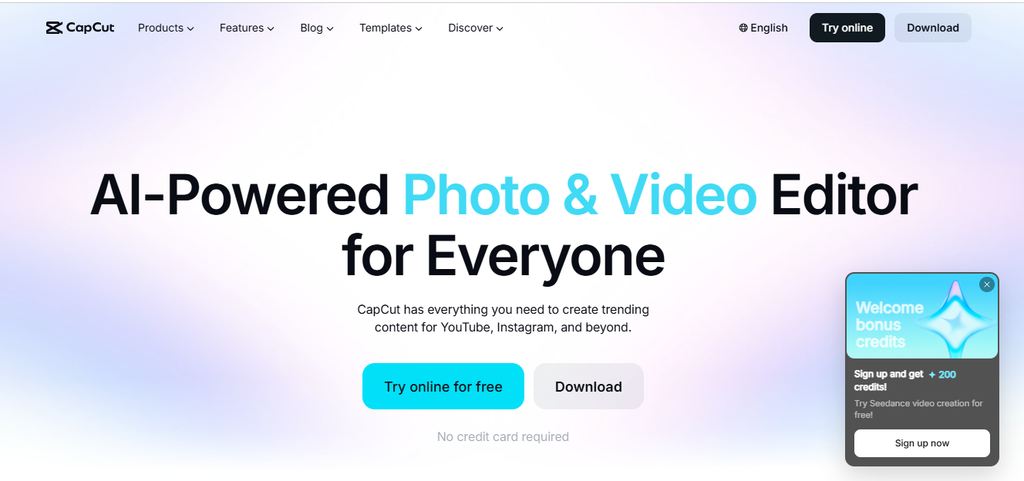
CapCut currently says its core text-to-speech functionality is free. It supports voice customization through controls such as speed, pitch and volume.
Why CapCut Is Useful
Imagine you’re creating a faceless YouTube video.
Your workflow could look like this:
Write the script.
Generate the voice.
Add the voice to your timeline.
Add images.
Add video clips.
Add captions.
Add music.
Export.
You can do much of that inside CapCut.
That makes it a strong choice for beginners.
CapCut Has Many Voices
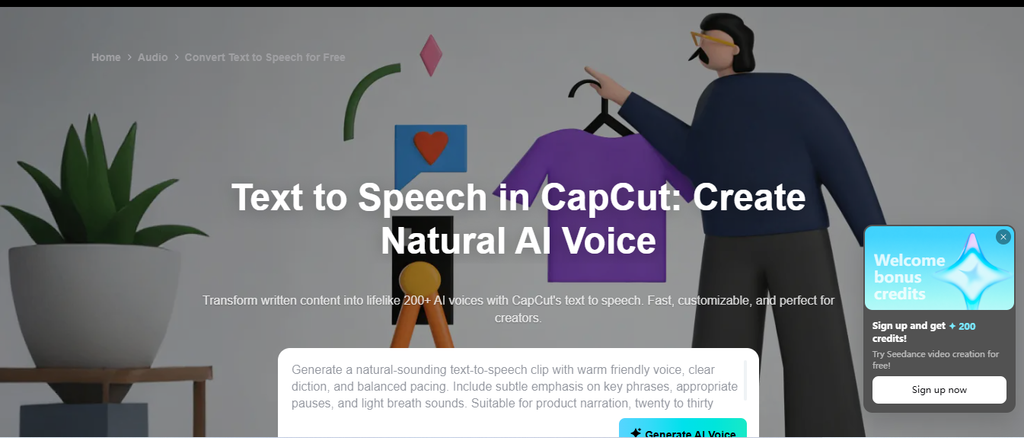
CapCut’s current text-to-speech tools offer a large selection of voice styles and languages. Its current pages advertise more than 200 AI voices, while its custom voice feature advertises more than 350 voice styles across 15+ languages and accents. Availability can vary by feature, region and platform.
You can also adjust:
• Speed
• Pitch
• Tone
• Volume
That gives you enough control for most basic video projects.
Can You Use CapCut TTS Commercially?
CapCut says audio generated through its AI text-to-speech tool can be used for commercial projects such as advertisements, YouTube videos and brand promotions.
However, CapCut has separate rules for templates and other materials.
Its legal guidance says materials specifically labeled for commercial use can be used commercially, so check the license for any other assets you add to your project.
CapCut Rating
Voice quality: 8.5/10
Ease of use: 10/10
Video workflow: 10/10
Free value: 9/10
Best for: Video creators who want voice generation and editing in one place
FlowSpeech vs ElevenLabs vs CapCut
Here’s the simple version.
If you want the best overall free TTS experience:
Choose FlowSpeech.
If you want extremely realistic voices:
Choose ElevenLabs.
If you want to create videos:
Choose CapCut.
If you want lots of control over emotion and pauses:
Choose FlowSpeech.
If you want to experiment with premium AI voice quality:
Choose ElevenLabs.
If you want to generate a voiceover and immediately edit a video:
Choose CapCut.
What Is the Best Free Text to Speech AI Tool in 2026?
For most people, I would start with FlowSpeech.
The reason is simple.
You get more than basic text-to-speech.
You get tools for controlling how the voice speaks.
You get 70+ languages.
You get multiple voice styles.
You get emotion controls.
You get pause controls.
You get multi-speaker options.
You get support for long-form generation.
And signed-in users currently get 10,000 free credits per month.
That is a strong package for a free starting point.
How to Make AI Voices Sound More Human
The tool matters.
But your script matters just as much.
A great AI voice reading a terrible script will still sound terrible.
Here are five things you can do.
1. Write Like You Speak
Don’t write like a textbook.
Instead of:
“Artificial intelligence provides numerous opportunities for improving operational efficiency.”
Say:
“AI can help you get more work done in less time.”
Simple writing sounds better when spoken.
2. Use Short Sentences
Long sentences can make AI voices sound rushed.
Instead of:
“Today we are going to look at five different AI tools that can help you automate repetitive tasks and create content faster while saving both time and money.”
Try:
“Today, we’re looking at five AI tools.
They can automate repetitive tasks.
They can help you create content faster.
And they can save you time.”
Much easier to listen to.
3. Add Pauses
Don’t be afraid of silence.
A short pause can make a sentence more powerful.
For example:
“Here’s the truth…
You don’t need 50 AI tools.”
The pause creates anticipation.
Tools such as FlowSpeech make this easier because they support precise pause controls.
4. Match the Voice to the Content
A serious documentary needs a different voice from a funny TikTok.
Think about your audience.
Ask:
Who is listening?
What should they feel?
What kind of person would naturally say these words?
Then choose the voice.
5. Don’t Generate Everything at Once
For a long video, break your script into sections.
For example:
Introduction
Section 1
Section 2
Section 3
Conclusion
This makes it easier to fix mistakes and control the pacing.
How to Create a Faceless YouTube Video With AI Voice
You can use a very simple workflow.
Step 1: Choose a topic.
Pick something people already search for.
Step 2: Write the script.
Use simple sentences.
Step 3: Generate the voice.
Try FlowSpeech first.
Step 4: Edit the audio.
Remove awkward sections.
Step 5: Add visuals.
Use screen recordings, images, animations or video clips.
Step 6: Add captions.
Make the video easy to follow without sound.
Step 7: Add background music.
Keep it quiet.
The voice should remain easy to understand.
Step 8: Export.
Upload the finished video to YouTube, TikTok, Instagram or your chosen platform.
You can use FlowSpeech for the narration and CapCut for the video editing.
That gives you a simple two-tool workflow.
Can You Use AI Voices for YouTube?
Yes.
But the answer depends on the tool’s license.
This is where many creators make mistakes.
For example, ElevenLabs currently restricts free-tier output to non-commercial use. Its paid plans include commercial usage rights.
CapCut says its TTS audio can be used for commercial projects, subject to its terms.
For FlowSpeech, check its current terms before using generated audio in commercial work.
The safest habit is simple:
Check the license before publishing.
Especially if you are:
• Monetizing YouTube
• Running advertisements
• Creating client content
• Selling courses
• Creating audiobooks
• Producing paid content
Are AI Voices Good Enough for YouTube?
Yes.
For many types of content, they are more than good enough.
AI voices work particularly well for:
• Tutorials
• Explainer videos
• Educational content
• List videos
• Product demonstrations
• Faceless channels
• Short-form videos
• Storytelling
• News-style narration
But don’t assume AI voice automatically makes a video good.
Your idea matters.
Your script matters.
Your editing matters.
Your hook matters.
The voice is only one part of the video.
How to Choose the Right AI Voice
Use this simple rule.
If you are making a serious educational video:
Choose a calm, clear voice.
If you are making a motivational video:
Choose a confident and energetic voice.
If you are telling a story:
Choose a warm storytelling voice.
If you are making a children’s video:
Choose a friendly and expressive voice.
If you are making an advertisement:
Choose a voice that matches the brand.
Don’t choose a voice because it sounds impressive.
Choose it because it fits the message.
Common Mistakes to Avoid
Mistake 1: Using the First Voice You Find
Test several voices.
The first voice is rarely automatically the best voice for your project.
Mistake 2: Writing Giant Paragraphs
Break your script into smaller sections.
Your listener will thank you.
Mistake 3: Ignoring Pronunciation
AI can sometimes pronounce names, brands or unusual words incorrectly.
Listen to the generated audio before publishing.
Mistake 4: Making Every Sentence Sound the Same
Human speech changes.
Sometimes we speak faster.
Sometimes slower.
Sometimes we pause.
Sometimes we emphasize one word.
Use the controls your TTS tool provides.
Mistake 5: Ignoring Commercial Rights
This is the biggest one.
Never assume that a free AI tool gives you unrestricted commercial rights.
Read the current terms.
Best Free AI Text to Speech Tool by Use Case
Best overall: FlowSpeech
Best realistic voice: ElevenLabs
Best for YouTube videos: CapCut
Best for emotion and pause control: FlowSpeech
Best for long scripts: FlowSpeech
Best for video editing: CapCut
Best for testing premium-quality voices: ElevenLabs
Best starting point for beginners: FlowSpeech
My Final Ranking
After looking at the features that actually matter to creators, here’s my ranking:
1. FlowSpeech
Best overall.
It combines voice quality with useful controls and a strong free starting allowance.
Its support for 70+ languages, emotion, pauses, multiple speakers and long-form generation makes it more than a basic voice generator.
2. ElevenLabs
Best for voice quality.
If realism is your number one priority, test ElevenLabs.
The free plan gives you 10,000 characters per month, but remember that the free tier is for non-commercial use.
3. CapCut
Best for video creators.
If you already use CapCut, its built-in text to speech feature makes your workflow much easier.
You can generate the narration, edit the video and add captions without constantly switching between applications.
The 10-Second Answer
If you don’t want to read the entire article, here’s the answer:
FlowSpeech is my #1 pick for the best overall free AI text to speech tool in 2026.
ElevenLabs is my choice when voice realism matters most.
CapCut is my choice when I’m creating videos.
You don’t need to pay for three tools.
Start with one.
Take the same 30-second script.
Generate it with each tool.
Listen to the results.
Then choose the one that fits your content.
Frequently Asked Questions
What is the best free text to speech AI tool in 2026?
FlowSpeech is my top overall pick because its free plan combines useful generation capacity with emotion controls, pause controls, multiple voices, 70+ languages and long-form capabilities.
Is FlowSpeech free?
Yes. FlowSpeech currently offers a $0 plan. Signed-in users receive 10,000 credits per month, with a 10,000-character request limit.
Is ElevenLabs free?
Yes. ElevenLabs currently offers a free plan with 10,000 characters per month. However, its current terms restrict free users to non-commercial use.
Is CapCut text to speech free?
CapCut says its core text-to-speech functionality is free. It also provides controls for speed, pitch and volume.
Which AI voice generator sounds the most human?
ElevenLabs is one of the strongest choices if realistic voice quality is your main priority. FlowSpeech is also designed around lifelike voices and adds more direct controls for emotion and pauses.
Can I create a YouTube voiceover without a microphone?
Yes.
You can write your script, generate the speech with an AI text to speech tool and add the resulting audio to your video.
Can I use AI voices commercially?
Sometimes.
It depends on the tool and plan.
Always check the current license before using AI-generated audio in monetized or commercial content.
Which free AI voice generator is best for beginners?
FlowSpeech is a strong starting point because it combines a simple workflow with features that let you control the delivery of the voice.
CapCut is another excellent option if you are already creating videos.
Which AI text to speech tool is best for long videos?
FlowSpeech is particularly useful for long-form content because its website currently states that it can process up to 200,000 characters per render.
Can AI text to speech replace a human voice actor?
For some projects, yes.
For others, no.
AI voice works extremely well for many educational videos, tutorials, explainers and faceless content.
But if your project depends heavily on a unique personality, emotional performance or a recognizable personal voice, a human voice can still be the better choice.
Final Verdict
You don’t need an expensive microphone.
You don’t need a recording studio.
And you don’t need to spend hundreds of dollars testing AI voice tools.
Start with these three.
FlowSpeech for the best overall free experience.
ElevenLabs for highly realistic voices.
CapCut for video creation.
If I were starting today, I would test FlowSpeech first.
Write a 30-second script.
Generate the voice.
Listen carefully.
Then improve the script.
Because here’s the secret most people miss:
A great AI voice cannot rescue a bad script.
But a clear script, a good voice and smart editing can turn a simple idea into content people actually want to watch.
Olasunkanmi Adeniyi is a solo founder, product builder, AI practitioner, no-code and low-code developer, and SEO/content strategist. He builds websites, SaaS products, digital tools, and content systems using AI and modern development tools.
Rather than writing about AI from theory alone, Olasunkanmi focuses on testing, building, experimenting, and documenting what actually works. His work explores AI-powered workflows, product development, automation, SEO, content strategy, online business, and the practical use of emerging technologies.
Through AI Discoveries, he publishes practical tutorials, in-depth guides, experiments, and real-world use cases designed to help entrepreneurs, professionals, creators, and businesses understand and apply AI more effectively.
His goal is simple: make AI practical, understandable, and actionable—so readers can move from learning about what AI can do to actually using it to build, work, and grow.
Learn more and explore his latest work at www.aidiscoveries.io.





Leave a Reply