
If you’ve ever typed a vague question into Claude AI and gotten back a vague, generic answer, the problem usually isn’t Claude — it’s the prompt. Claude prompt writing is a skill, and like any skill, it follows a formula you can learn in five minutes and use for the rest of your life.
Read Also: What Is Claude AI? The Honest Beginner’s Guide for African Professionals – AI Discoveries
In this guide, you’ll learn the exact 3-part structure professional AI users rely on, see real before/after examples, and walk away with 5 starter prompts you can copy, paste, and customize right now. By the end, you’ll know how to use Claude AI like someone who’s been doing it for months, not minutes.

Why Most Claude Prompts Fail
Most beginners treat Claude like a search engine. They type a few words, hit enter, and expect magic. But Claude isn’t guessing what website to show you — it’s trying to generate the best possible response from the information you give it. If you give it three words, you get a three-word’s-worth of context back.
The fix isn’t writing longer prompts for the sake of length. It’s writing prompts with the right structure.
The 3-Part Prompt Formula
Every effective Claude prompt — whether you’re writing a business email, a blog post, or a marketing strategy — contains three parts:
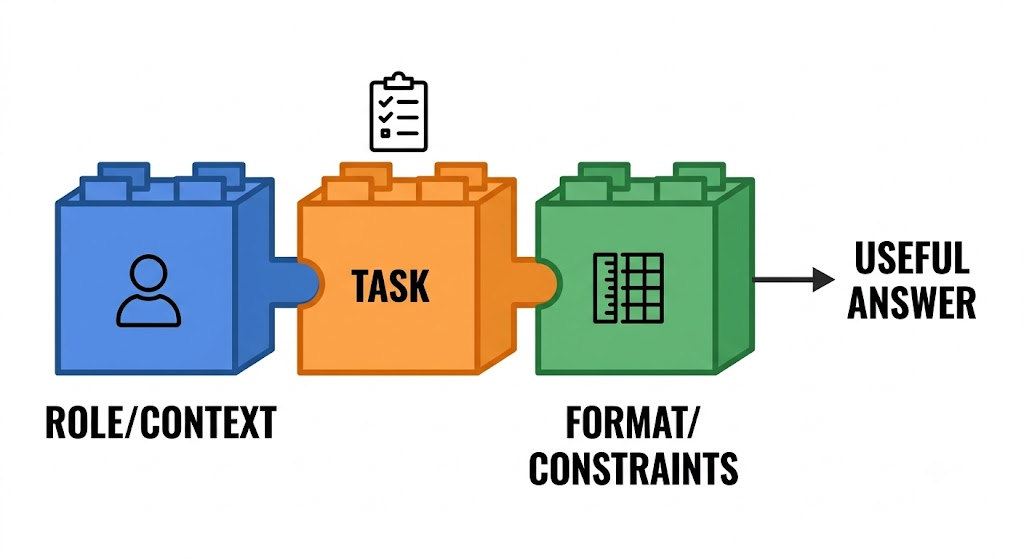
1. Role or Context Tell Claude who it should “be” or what situation it’s operating in. This anchors the tone, expertise level, and perspective of the response.
2. Task State exactly what you want Claude to do. Be specific about the action: write, summarize, compare, explain, brainstorm, edit.
3. Format and Constraints Specify how you want the output structured — length, tone, audience, format (list, table, paragraph), and any rules to follow.
Put together, the formula looks like this:
[Role/Context] + [Task] + [Format/Constraints] = A useful, specific answer
This is the foundation of Claude prompts for beginners, and once it becomes second nature, you’ll never write a flat, one-line prompt again.
Read Also: How to Land Your First International Remote Job in 30 Days (Step-by-Step Roadmap + AI Prompts)
Before and After: See the Formula in Action
Example 1: Writing a Business Email
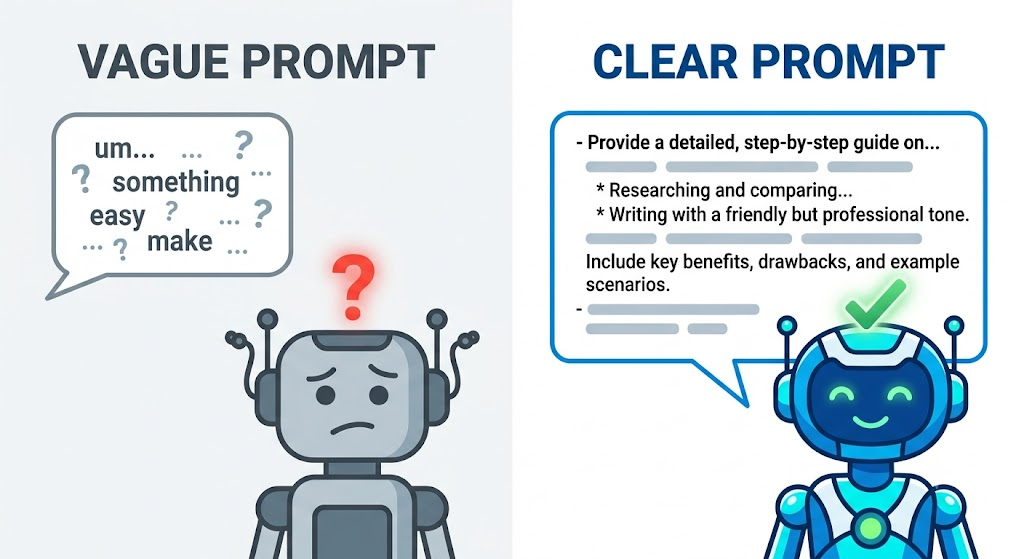
Bad prompt: “Write an email about a delayed shipment.”
Good prompt: “You are a customer service manager for a small e-commerce business in Lagos. Write a short, apologetic but professional email to a customer whose order is delayed by 5 days due to a logistics issue. Keep it under 120 words, offer a 10% discount on their next order, and end with a reassuring tone.”
The difference: the second prompt gives Claude a role, a clear task, and exact constraints — so the output is ready to send, not ready to rewrite.
Example 2: Creating Social Media Content
Bad prompt: “Give me a LinkedIn post about AI.”
Good prompt: “Act as a LinkedIn content strategist for African tech professionals. Write a 150-word LinkedIn post about how AI tools are changing remote work opportunities for Nigerian freelancers. Use a confident, conversational tone, include one practical tip, and end with a question to drive comments.”
Example 3: Research and Summaries
Bad prompt: “Summarize this.”
Good prompt: “You are a research assistant. Summarize the following article in 5 bullet points for a busy executive who has 30 seconds to read it. Focus only on actionable insights, not background information.”
Notice the pattern: every “good” prompt answers three silent questions — who is Claude being, what exactly should it do, and how should the result look.
5 Starter Prompts You Can Copy and Paste Right Now
Use these as templates. Just swap in your own details inside the brackets.
- The Explainer Prompt “Explain [topic] to me like I’m a complete beginner. Use a simple analogy, avoid jargon, and keep it under 200 words.”
- The Business Writer Prompt “Act as a [job title] with 10 years of experience. Write a [type of document] about [topic] for [target audience]. Keep the tone [tone] and the length under [word count] words.”
- The Brainstorm Prompt “Give me 10 creative ideas for [goal or project]. Rank them from easiest to hardest to execute, and include a one-line reason for each.”
- The Editor Prompt “Here is a piece of writing: [paste text]. Edit it for clarity and tone, keep the meaning the same, and explain the 3 biggest changes you made.”
- The Decision-Helper Prompt “I’m trying to decide between [option A] and [option B] for [context]. Compare them in a table based on cost, time, and risk, then give me your recommendation with reasoning.”
Save these somewhere you can find them — a notes app, a doc, or your phone — and you’ll always have a strong starting point instead of a blank cursor.
Common Mistakes to Avoid
A few habits quietly sabotage good prompts, even when the formula is right:
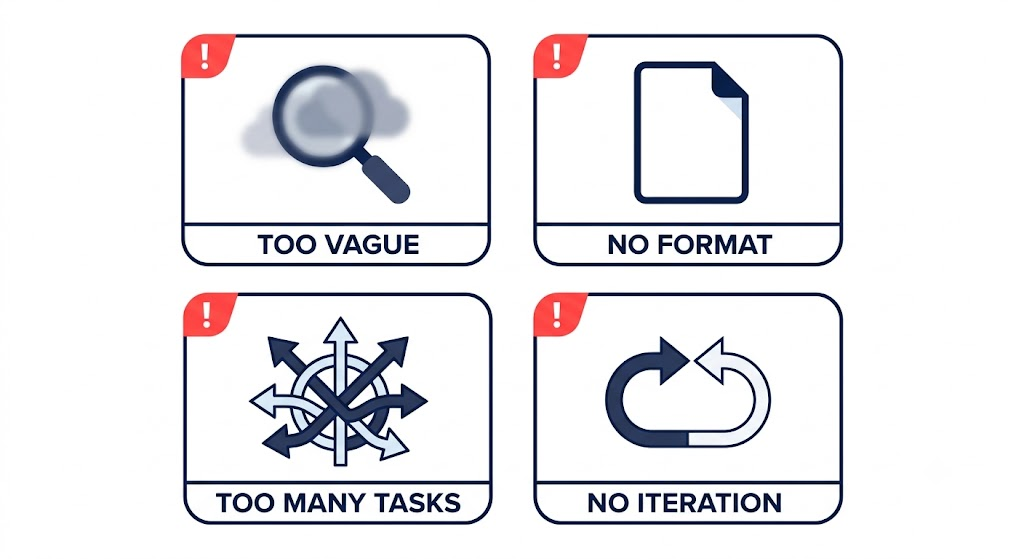
Being too vague about the audience. “Write a post about AI” leaves Claude guessing whether your reader is a beginner or an engineer.
Skipping the format. If you don’t ask for bullet points, a table, or a word limit, you’ll often get a long, unstructured paragraph.
Stacking too many tasks into one prompt. Asking Claude to write, translate, and format three different documents in a single message usually produces a weaker result than three focused prompts.
Not iterating. Your first prompt doesn’t have to be perfect. Treat your first message as a draft instruction and refine it based on what comes back.
Watch It in Action
The video below walks through a live demo — taking a genuinely bad prompt, breaking down exactly why it fails, and rebuilding it step by step using the 3-part formula until it produces a publish-ready result.
[Embed video here]
Your Turn
Claude prompt writing isn’t about memorizing tricks — it’s about giving Claude the same clarity you’d give a smart new employee on their first day: who they are for this task, what you need done, and how you want it delivered. Start with the formula, borrow one of the 5 starter prompts above, and adjust as you go.
Tomorrow, we’ll build on this with Day 3: how to turn a single prompt into an entire content workflow.
Have a prompt you’re stuck on? Drop it in the comments and I’ll show you how to rewrite it using the 3-part formula.





Leave a Reply