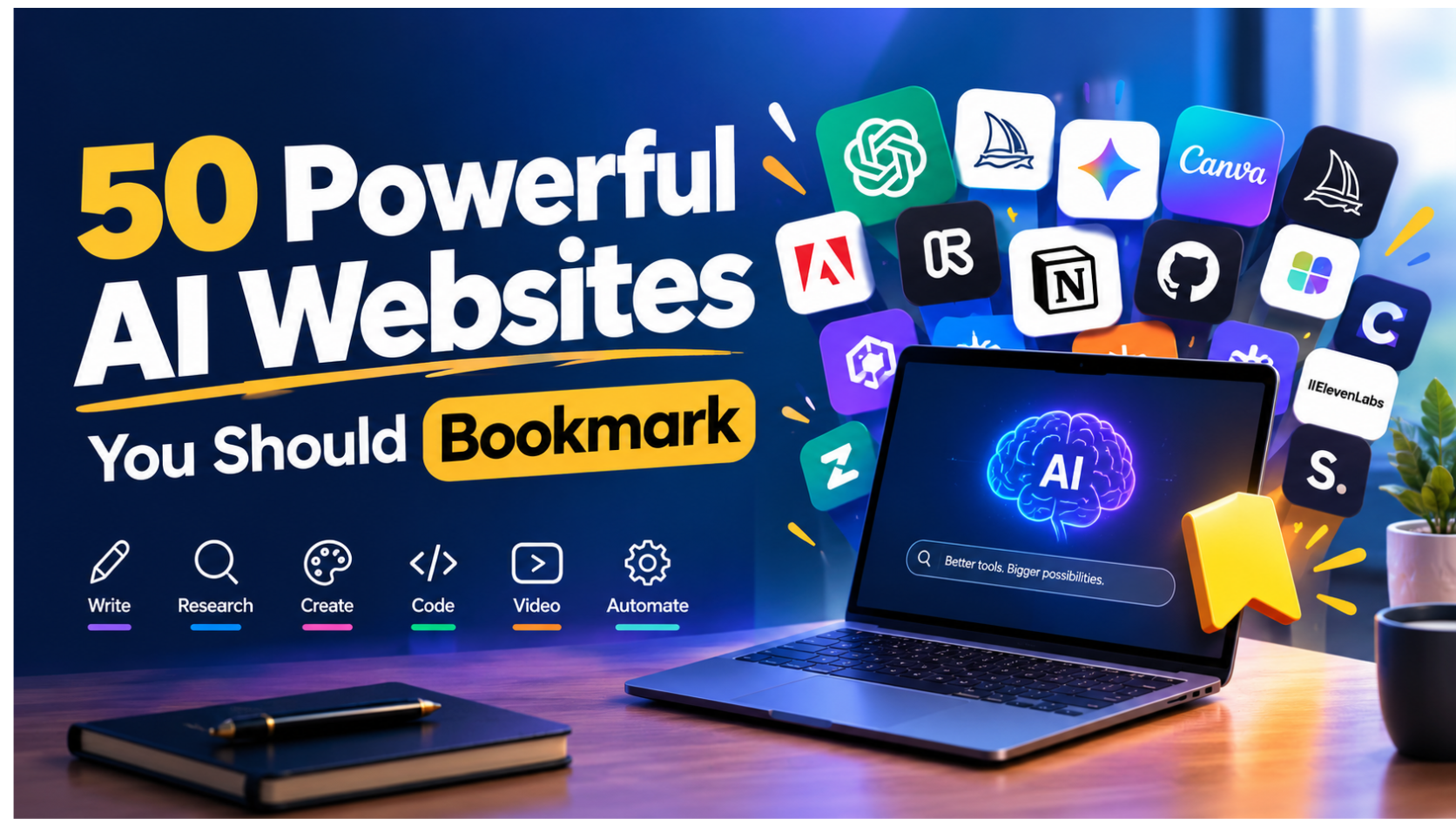
Artificial intelligence has moved far beyond chatbots.
Today, AI websites can help you research faster, write better, create images and videos, build software, analyze documents, automate repetitive work, generate presentations, create voiceovers, study complex subjects, and even build businesses.
The problem is choice.
Read Also: Lagos Life Game: How to Play the Viral Nigerian Game Everyone Is Talking About
There are now thousands of AI tools competing for your attention. Some are genuinely useful. Others are simply repackaged versions of existing capabilities.
So instead of giving you another giant directory of random AI tools, this guide focuses on 50 powerful AI websites worth bookmarking because they solve practical problems.
Whether you are a professional, entrepreneur, student, creator, developer, marketer, researcher, freelancer, or business owner, you should find several tools here that can immediately improve your workflow.
Features, pricing, free limits, model availability, and geographic access can change quickly. Treat this list as a practical starting point rather than a permanent ranking. Recent 2026 comparisons consistently show that the best AI tool depends heavily on the specific task rather than one platform winning everything.
Quick answer: 50 AI websites worth bookmarking
- ChatGPT, general-purpose AI
- Claude, writing and reasoning
- Gemini, Google-connected AI
- Perplexity, AI research and search
- Microsoft Copilot, workplace productivity
- DeepSeek, AI reasoning and research
- Qwen, multilingual AI
- Poe, access to multiple AI models
- Meta AI, everyday AI assistance
- Gemini Notebook, research and learning
- Canva, AI-powered design
- Midjourney, AI image creation
- Adobe Firefly, generative design
- Leonardo AI, image and creative production
- Ideogram, AI images and typography
- Krea, real-time AI creation
- Runway, AI video
- Kling AI, AI video generation
- Pika, AI video creation
- Luma, AI video and creative tools
- Synthesia, AI avatar videos
- HeyGen, AI video and avatars
- ElevenLabs, AI voice
- Suno, AI music
- Gamma, presentations and documents
- Napkin AI, visual explanations
- Tome, AI presentations and storytelling
- NotebookLM, source-grounded research
- Elicit, academic research
- Consensus, scientific research
- Scite, research verification
- ResearchRabbit, literature discovery
- Cursor, AI coding
- GitHub Copilot, developer assistance
- Replit, AI-powered software development
- Lovable, AI app building
- Bolt, AI-powered web development
- v0, AI interface generation
- Perplexity Labs, research and creation
- Zapier, AI automation
- Make, visual automation
- n8n, advanced workflow automation
- Notion, AI workspace
- Grammarly, AI writing assistance
- Otter.ai, meeting transcription
- Descript, AI audio and video editing
- CapCut, AI video editing
- Photoroom, AI product photography
- Remove.bg, background removal
- Hugging Face, open AI models and resources
- ChatGPT
Best for: General-purpose AI assistance
ChatGPT is one of the most versatile AI websites you can bookmark.
You can use it for brainstorming, writing, research, analysis, coding, learning, document work, image creation, data analysis, planning, and many other tasks.
The biggest advantage is versatility. Instead of maintaining a separate AI tool for every small task, ChatGPT can serve as a central AI workspace.
Best for: Professionals, students, founders, marketers, creators, researchers, and developers.
Read Also: What Is Lagos Life? Inside Nigeria’s Viral Sims-Style Game
- Claude
Best for: Writing, reasoning, analysis, and coding
Claude is Anthropic’s AI assistant and is particularly useful for long-form writing, analysis, coding, document work, and complex instructions.
It is a strong option when you want an AI assistant to work through large amounts of information while maintaining context.
Best for: Writers, developers, researchers, consultants, and knowledge workers.
- Gemini
Best for: Google-connected productivity
Gemini is Google’s AI assistant.
Its major advantage is its connection to Google’s ecosystem. Depending on your plan and available features, Gemini can work across Google products and provide access to capabilities for research, writing, image creation, and productivity.
Google’s current Gemini offering also includes features such as Deep Research, Gemini Live, Canvas, Gems, image generation, and access to Google’s AI creative tools.
Best for: Google Workspace users, professionals, students, and creators.
- Perplexity
Best for: Web research and cited answers
Perplexity works more like an AI-powered research engine than a traditional chatbot.
It searches the web and provides answers with sources, making it useful when you need to investigate a topic quickly.
Perplexity describes its platform as an AI answer engine designed for real-time web research, citations, analysis, and multi-model workflows.
Best for: Researchers, journalists, students, marketers, analysts, and business professionals.
- Microsoft Copilot
Best for: Microsoft productivity
If your work revolves around Microsoft products, Copilot deserves a place in your AI toolkit.
It can assist with writing, research, brainstorming, analysis, and productivity, with deeper capabilities available through Microsoft’s paid ecosystem.
Best for: Microsoft 365 users, businesses, professionals, and enterprise teams.
- DeepSeek
Best for: AI reasoning and experimentation
DeepSeek has become one of the major names in the global AI ecosystem.
It is worth bookmarking if you want another capable AI assistant for reasoning, coding, research, and experimentation.
- Qwen
Best for: Multilingual AI and experimentation
Qwen is Alibaba’s family of AI models and applications.
It is particularly interesting for users who want to experiment with multilingual AI and alternative frontier models.
Best for: Developers, researchers, multilingual users, and AI enthusiasts.
- Poe
Best for: Accessing multiple AI models
Poe gives users access to multiple AI models and bots through one interface.
This makes it useful when you want to compare different models without constantly switching between websites.
Best for: AI enthusiasts, writers, researchers, and people who regularly compare models.
- Meta AI
Best for: Everyday AI assistance
Meta AI provides AI assistance through Meta’s ecosystem.
It is useful for everyday questions, brainstorming, image-related tasks, and conversational AI experiences.
Best for: Everyday users, creators, and social media users.
- Gemini Notebook
Best for: Researching your own documents
Gemini Notebook, formerly known as NotebookLM, is designed around source-grounded research.
You can provide sources such as documents, websites, YouTube videos, audio files, and other supported materials, then ask questions about the information.
Google describes it as a research and learning assistant that works from sources you provide.
Best for: Students, researchers, writers, consultants, and professionals working with large amounts of information.
- Canva
Best for: AI-powered design
Canva combines traditional design tools with increasingly powerful AI capabilities.
You can use it to create presentations, social media graphics, documents, marketing materials, videos, images, and more.
Canva’s AI connector also lets users work with Canva through AI assistants such as ChatGPT, Claude, and Gemini.
Best for: Marketers, creators, entrepreneurs, social media managers, and businesses.
- Midjourney
Best for: AI image generation
Midjourney is one of the most recognizable names in AI image generation.
It is particularly useful for concept art, editorial imagery, creative campaigns, characters, environments, and visual experimentation.
Best for: Designers, artists, creators, marketers, and filmmakers.
- Adobe Firefly
Best for: Generative creative work
Adobe Firefly brings generative AI into Adobe’s creative ecosystem.
It can help generate and modify visual content while fitting naturally into workflows that already use Adobe products.
Best for: Designers, marketers, photographers, and creative teams.
- Leonardo AI
Best for: AI image creation and creative production
Leonardo AI provides tools for generating and working with visual assets.
It is useful for concept development, marketing graphics, characters, illustrations, and creative experimentation.
Best for: Creators, designers, game developers, and marketers.
- Ideogram
Best for: AI images with text
Ideogram is particularly useful when your generated image needs readable text.
That makes it worth considering for posters, advertisements, social media graphics, thumbnails, logos, and other text-heavy visual concepts.
Best for: Marketers, designers, content creators, and advertisers.
- Krea
Best for: Real-time creative generation
Krea provides AI-powered tools for generating and manipulating visual content.
Its real-time creative workflows make it interesting for people who want to iterate quickly instead of waiting for a traditional generation cycle.
Best for: Designers, artists, creators, and visual experimenters.
- Runway
Best for: AI video generation
Runway is one of the major AI video platforms.
It is useful for generating video concepts, cinematic visuals, editing, visual effects, and experimenting with generative video.
Best for: Filmmakers, YouTubers, marketers, and creative professionals.
- Kling AI
Best for: Generative video
Kling AI has become a popular option for AI-generated video.
It is worth testing when you need animated scenes, cinematic concepts, characters, or short-form visual content.
Best for: Creators, filmmakers, advertisers, and AI storytellers.
- Pika
Best for: Short AI videos
Pika focuses on accessible AI video creation.
It can help creators turn ideas and images into engaging short-form video content.
Best for: Social media creators, marketers, and visual storytellers.
- Luma
Best for: AI video and creative generation
Luma develops AI tools for creative generation, including video and visual workflows.
It is worth bookmarking if you regularly experiment with generative media.
Best for: Filmmakers, creators, designers, and visual artists.
- Synthesia
Best for: AI presenter videos
Synthesia lets businesses create videos featuring AI avatars and presenters.
This can reduce the need for traditional video production for training, onboarding, internal communication, and educational content.
Best for: Businesses, trainers, HR teams, educators, and corporate communication.
Read Also: How to Generate 100 Videos Per Day With Free AI Video Tool – There’s An AI For That
- HeyGen
Best for: AI avatars and video creation
HeyGen is another strong AI video platform focused on avatars, translation, and video creation.
It can be useful when you need presenter-style videos without recording every version manually.
Best for: Marketers, educators, sales teams, and creators.
- ElevenLabs
Best for: AI voice generation
ElevenLabs specializes in AI-generated speech and voice technology.
It is useful for narration, voiceovers, audiobooks, video production, accessibility, and voice-based applications.
Best for: YouTubers, podcasters, filmmakers, developers, and publishers.
- Suno
Best for: AI music creation
Suno lets users create music using natural-language prompts.
You can experiment with genres, moods, lyrics, arrangements, and complete songs without traditional music production software.
Best for: Musicians, creators, filmmakers, and social media producers.
- Gamma
Best for: AI presentations
Gamma helps users turn ideas and written content into presentations and other visual documents.
It can save significant time when you need a first draft of a pitch deck, report, proposal, or presentation.
Best for: Founders, marketers, consultants, educators, and professionals.
- Napkin AI
Best for: Turning ideas into visuals
Napkin AI converts written ideas into visual explanations.
It can be particularly useful when a paragraph would be easier to understand as a diagram, flowchart, framework, or visual explanation.
Best for: Consultants, educators, marketers, writers, and business professionals.
- Tome
Best for: AI storytelling and presentations
Tome helps users create visual narratives, presentations, and documents with AI assistance.
It can help transform rough ideas into structured visual content.
Best for: Founders, marketers, sales professionals, and educators.
- Elicit
Best for: Academic research
Elicit is designed to help researchers discover, analyze, and synthesize academic literature.
It is especially useful when you need to move beyond general web search and work with research papers.
Best for: Students, academics, researchers, and analysts.
- Consensus
Best for: Finding evidence in scientific research
Consensus uses scientific literature to help users investigate research questions.
It is useful when you want evidence from academic papers rather than relying solely on general web content.
Best for: Researchers, students, healthcare researchers, and evidence-focused professionals.
- Scite
Best for: Evaluating research papers
Scite helps researchers understand how scientific papers have been cited.
This can make it easier to investigate whether later research supports, contradicts, or simply mentions an earlier study.
Best for: Researchers, academics, students, and analysts.
- ResearchRabbit
Best for: Discovering related research
ResearchRabbit helps users discover academic papers and relationships between research topics.
It can be useful when a normal keyword search does not reveal the full research landscape.
Best for: Academics, students, PhD researchers, and knowledge workers.
- Cursor
Best for: AI-assisted coding
Cursor is an AI-powered code editor.
Instead of simply generating isolated snippets, it can help developers work with larger codebases and use AI directly within the development environment.
Best for: Developers, engineers, technical founders, and software teams.
- GitHub Copilot
Best for: Coding assistance
GitHub Copilot brings AI assistance directly into software development workflows.
It can help developers write code, explain code, generate tests, and work more efficiently.
Best for: Developers, engineering teams, and technical students.
- Replit
Best for: Building software with AI
Replit combines a browser-based development environment with AI-assisted software creation.
It is particularly interesting for people who want to turn an idea into a working prototype without setting up a complicated local development environment.
Best for: Beginners, developers, students, founders, and rapid prototyping.
- Lovable
Best for: Building web apps with AI
Lovable allows users to describe software ideas in natural language and turn them into working applications.
It is useful for prototyping products, internal tools, dashboards, landing pages, and MVPs.
Best for: Founders, product managers, designers, entrepreneurs, and developers.
Read Also: How to Set Up and Use Guided Vision in Gemini Live (Step-by-Step Guide)
- Bolt
Best for: AI-powered web development
Bolt helps users create applications and websites through natural-language instructions.
It is particularly useful for rapid experimentation and prototyping.
Best for: Developers, founders, designers, and no-code or low-code builders.
- v0
Best for: AI-generated interfaces
v0 helps users generate user interfaces and application components from natural-language descriptions.
It is especially useful for developers and product teams who want to move quickly from an idea to an interface.
Best for: Developers, designers, product managers, and startups.
- Perplexity Labs
Best for: Research-to-output workflows
Perplexity has expanded beyond simple question answering into workflows designed to research, analyze, create, and execute multi-step tasks.
This makes it useful when the goal is not simply to find information but to turn research into a usable output.
Best for: Analysts, researchers, founders, marketers, and knowledge workers.
- Zapier
Best for: AI-powered automation
Zapier connects applications and automates repetitive tasks.
You can use it to move information between applications, trigger workflows, send notifications, update databases, and build AI-powered business processes.
Best for: Businesses, marketers, operations teams, founders, and freelancers.
- Make
Best for: Visual workflow automation
Make provides a visual environment for building sophisticated automations.
It is particularly useful when your workflow involves multiple applications and conditional logic.
Best for: Automation specialists, operations teams, marketers, agencies, and founders.
- n8n
Best for: Advanced workflow automation
n8n is a powerful workflow automation platform that gives users more control over how their automations work.
It is especially useful for technical users who want to build AI agents, connect APIs, automate business processes, and create more complex workflows.
Best for: Developers, technical founders, automation specialists, and businesses.
- Notion
Best for: AI-powered knowledge management
Notion combines documents, databases, project management, knowledge management, and AI capabilities in one workspace.
It is useful for organizing ideas, company knowledge, projects, meeting notes, content calendars, and standard operating procedures.
Best for: Teams, founders, students, creators, and professionals.
- Grammarly
Best for: Improving professional writing
Grammarly helps users improve grammar, clarity, tone, and written communication.
Its AI capabilities can also help users rewrite and develop content.
Best for: Professionals, students, writers, marketers, and job seekers.
- Otter.ai
Best for: Meeting transcription
Otter.ai turns conversations and meetings into searchable transcripts and summaries.
Instead of relying on memory or manually typing notes, you can capture the discussion and focus on participating.
Best for: Managers, sales teams, consultants, students, and professionals.
- Descript
Best for: AI-powered audio and video editing
Descript takes a text-based approach to editing audio and video.
It is particularly useful for podcasts, interviews, YouTube videos, screen recordings, and other spoken-word content.
Best for: YouTubers, podcasters, educators, and content teams.
- CapCut
Best for: Social video creation
CapCut combines video editing with a growing set of AI-powered creative features.
It is useful for short-form videos, social media content, captions, effects, and quick editing workflows.
Best for: TikTok creators, YouTubers, marketers, and social media managers.
- Photoroom
Best for: AI product photography
Photoroom helps users create and edit product images.
It can remove backgrounds, generate scenes, and prepare product visuals without requiring a professional photography setup.
Best for: Ecommerce sellers, small businesses, marketers, and online retailers.
- Remove.bg
Best for: Removing image backgrounds
Remove.bg does one thing extremely well: removing backgrounds from images.
It is useful when you need a quick transparent-background image for a product, presentation, social media graphic, website, or advertisement.
Best for: Designers, ecommerce sellers, marketers, and creators.
- Hugging Face
Best for: Exploring open AI models
Hugging Face is one of the most important platforms in the open AI ecosystem.
Developers and researchers can explore models, datasets, demos, and tools across areas such as language, vision, audio, and machine learning.
Best for: Developers, researchers, AI engineers, students, and AI enthusiasts.
- AI Discoveries
Best for: Discovering practical AI tools, prompts, workflows, and resources
AI Discoveries brings practical AI resources together for professionals, founders, creators, entrepreneurs, students, and anyone who wants to use AI more effectively.
Instead of treating AI as a collection of flashy tools, the focus is on finding useful tools, prompts, workflows, automation ideas, and practical ways to apply AI to real work.
Best for: Professionals, founders, creators, entrepreneurs, students, freelancers, and business owners.
How to choose the right AI website
You do not need all 50 tools.
That is one of the biggest mistakes people make when building an AI toolkit.
The goal is not to collect AI websites. The goal is to build a small collection of tools that consistently solve your most important problems.
A practical AI stack could look like this:
For writing:
ChatGPT + Claude + Grammarly
For research:
Perplexity + Gemini Notebook + Consensus
For design:
Canva + Adobe Firefly + Midjourney
For video:
Runway + HeyGen + CapCut
For voice:
ElevenLabs
For music:
Suno
For coding:
Cursor + GitHub Copilot
For building apps:
Lovable + Replit + Bolt
For automation:
Make + n8n + Zapier
For knowledge management:
Notion + Gemini Notebook
For presentations:
Gamma + Canva
The strongest AI stack is usually the smallest one you actually use consistently. Recent AI productivity research also points toward choosing tools according to workflow roles rather than subscribing to every new AI product.
How to build your own AI toolkit
Start with five questions.
- What work takes you the most time?
Identify repetitive tasks such as writing emails, summarizing documents, creating reports, editing videos, researching topics, preparing presentations, or managing data.
- Which tasks happen every week?
A task that happens once a year does not need an elaborate AI workflow.
A task that happens every day might.
- Which AI tool already solves most of the problem?
Start there.
Do not add another tool simply because it is trending.
- Can two tools work together?
This is where AI becomes much more powerful.
For example:
Perplexity → research
ChatGPT or Claude → analysis and writing
Canva → visual content
Make or n8n → automation
Notion → storage and organization
- Can you measure the result?
Ask yourself:
How much time did the tool save?
Did the quality improve?
Did it reduce costs?
Did it help you generate revenue?
Did it remove repetitive work?
If the answer is consistently no, remove the tool.
50 AI websites by category
AI assistants:
ChatGPT, Claude, Gemini, Microsoft Copilot, DeepSeek, Qwen, Poe, Meta AI
AI research:
Perplexity, Gemini Notebook, Elicit, Consensus, Scite, ResearchRabbit
AI image generation:
Midjourney, Adobe Firefly, Leonardo AI, Ideogram, Krea
AI video:
Runway, Kling AI, Pika, Luma, Synthesia, HeyGen
AI audio:
ElevenLabs, Suno
AI presentations:
Gamma, Napkin AI, Tome
AI coding:
Cursor, GitHub Copilot, Replit, Lovable, Bolt, v0
AI automation:
Zapier, Make, n8n
AI productivity:
Notion, Grammarly, Otter.ai
AI editing:
Descript, CapCut, Photoroom, Remove.bg
AI ecosystem:
Hugging Face
Frequently asked questions about AI websites
What are the best AI websites in 2026?
The best AI website depends on your goal. ChatGPT and Claude are strong general-purpose choices, Gemini is useful for Google-connected work, Perplexity is designed around web research and citations, Canva is useful for visual content, Cursor and GitHub Copilot are strong choices for coding, and tools such as Runway, ElevenLabs, and Suno specialize in video, voice, and music respectively.
What is the best free AI website?
There is no single best free AI website for everyone. ChatGPT, Gemini, Claude, Perplexity, and Gemini Notebook all provide useful entry points, although free limits and available features can vary by region, account, and plan. Google’s current Gemini offering, for example, provides a free tier in Nigeria.
Which AI website is best for research?
Perplexity is a strong option for web research because it combines AI answers with citations. Gemini Notebook is particularly useful when you want answers grounded in documents and sources that you provide yourself. Elicit, Consensus, Scite, and ResearchRabbit are useful when your work involves academic literature.
Which AI website is best for creating images?
Midjourney, Adobe Firefly, Leonardo AI, Ideogram, Krea, and Canva are among the platforms worth exploring. The right choice depends on whether you prioritize artistic generation, commercial design workflows, text inside images, editing, or speed.
Which AI website is best for video creation?
Runway, Kling AI, Pika, Luma, Synthesia, and HeyGen are worth exploring. Choose based on whether you need cinematic generation, short-form content, AI avatars, translation, or editing.
Which AI website is best for coding?
Cursor, GitHub Copilot, Replit, Lovable, Bolt, and v0 are strong options for different stages of software development. Developers should choose based on whether they need an AI code editor, code completion, rapid prototyping, or natural-language application development.
How many AI tools should I use?
Use as few as possible.
A practical starting point is five to ten tools covering your most frequent tasks. Add another tool only when it solves a problem that your existing stack handles poorly.
Are AI websites replacing traditional software?
In some workflows, AI is becoming part of traditional software rather than replacing it completely.
Canva is an example. Its AI capabilities increasingly sit inside a broader design platform. The same pattern is happening across productivity, coding, research, video, and business software. Canva’s AI connector, for example, now allows users to access Canva’s design capabilities from supported AI assistants.
What should I do before paying for an AI tool?
Test the free version if one exists.
Then check:
What problem does it solve?
How often will you use it?
What are the usage limits?
Does it integrate with your existing workflow?
Can you export your work?
Does it protect sensitive information appropriately?
Will it save or make more money than it costs?
The best AI subscription is one that produces measurable value.
Final thoughts
The AI landscape is moving too quickly for any list of tools to remain perfect forever.
New models will launch. Existing tools will merge. Features will move from one platform to another. Some startups will disappear.
That is why the most valuable skill is not knowing 50 AI websites.
It is knowing how to identify a problem, choose the right AI capability, give the system good instructions, verify the output, and build that capability into your workflow.
Start with five tools.
Learn them properly.
Build repeatable workflows around them.
Then expand your stack only when a new tool gives you a clear advantage.
Bookmark this page and return whenever you need a better AI tool for a specific task.




Leave a Reply