

Academic writing is one of the most demanding intellectual tasks a person can undertake. Whether you are a postgraduate student drafting a dissertation, a researcher preparing a journal article, or a faculty member writing a grant proposal, the process is slow, complex, and mentally exhausting.
Claude AI, developed by Anthropic, has emerged as one of the most capable AI assistants for academic work. Unlike general-purpose chatbots, Claude handles nuance exceptionally well, follows complex instructions consistently, and maintains a scholarly tone across long documents. These are precisely the qualities that academic writing demands.
Read Also: How to Mark Handwritten Students Exam Papers With ChatGPT (Step-by-Step Guide for Teachers)
This guide explains exactly how to use Claude AI for academic writing and research, from generating your first research question all the way through to polishing your final draft. Every section includes practical prompts you can use immediately.
WHAT IS CLAUDE AI AND WHY IS IT SUITED FOR ACADEMIC WORK?
Claude is a large language model created by Anthropic. It is available at claude.ai and through an API used by developers and institutions. The current version as of 2025 is Claude Sonnet 4.6, with Claude Opus 4.6 and 4.7 available for more complex, nuanced tasks.
Claude is particularly well-suited for academic writing for the following reasons:
First, it handles nuance better than most language models. Academic writing depends on precision and careful hedging. Claude consistently uses language like “the findings suggest” rather than “the findings prove,” which is the correct epistemic register for scholarly work.
Second, it follows multi-part instructions reliably. You can tell Claude to write in APA format, use passive voice, maintain a formal register, avoid first-person pronouns, and stay within 500 words, and it will comply with all those constraints simultaneously.
Read Also: Claude 101: Everything You Need to Set Up and Use Claude — Step-by-Step Guide (2026)
Fourth, Claude is less likely to fabricate false confidence. Where other models state uncertain things definitively, Claude tends to hedge appropriately, which is critical when your writing will be scrutinised by peer reviewers or examiners.
One important limitation: Claude cannot access the internet or retrieve live academic databases. It cannot look up papers published after its training cutoff, and it can hallucinate citations. Every reference it generates must be verified manually before use.
SECTION 1: USING CLAUDE AI TO DEVELOP RESEARCH QUESTIONS
The foundation of any academic work is a well-defined research question. Claude is an excellent thinking partner at this early stage.
How to use Claude for research question development:
Start by describing your broad area of interest. Tell Claude your subject, your level of study, and what aspect you find most interesting or underexplored. Ask it to help you identify gaps in the literature, challenge your assumptions, or narrow a broad topic into a researchable question.
Sample prompt:
“I am a master’s student in public health. I am interested in the relationship between social media use and mental health outcomes in adolescents in sub-Saharan Africa. Help me identify three to five specific, researchable questions that address gaps likely to exist in the current literature. Frame the questions at a level appropriate for a 15,000-word dissertation.”
What you will get back is a structured list of focused questions, each with a brief explanation of why it addresses a genuine gap. You can then ask Claude to pressure-test each question by listing the counterarguments or methodological challenges it would face.
Another powerful technique is asking Claude to stage a synthetic debate between scholars with different theoretical positions on your topic. This surfaces tensions in the literature and helps you locate where your own argument can intervene.
Sample prompt for this:
“Stage a debate between a structuralist sociologist and a behaviourist psychologist about the causes of teenage anxiety. Each position should present two strong arguments. Then identify where their disagreements open a productive research gap.”
SECTION 2: USING CLAUDE AI FOR LITERATURE REVIEWS
Literature reviews are among the most time-consuming parts of academic work. Claude can dramatically accelerate this process if used correctly.
What Claude can do for literature reviews:
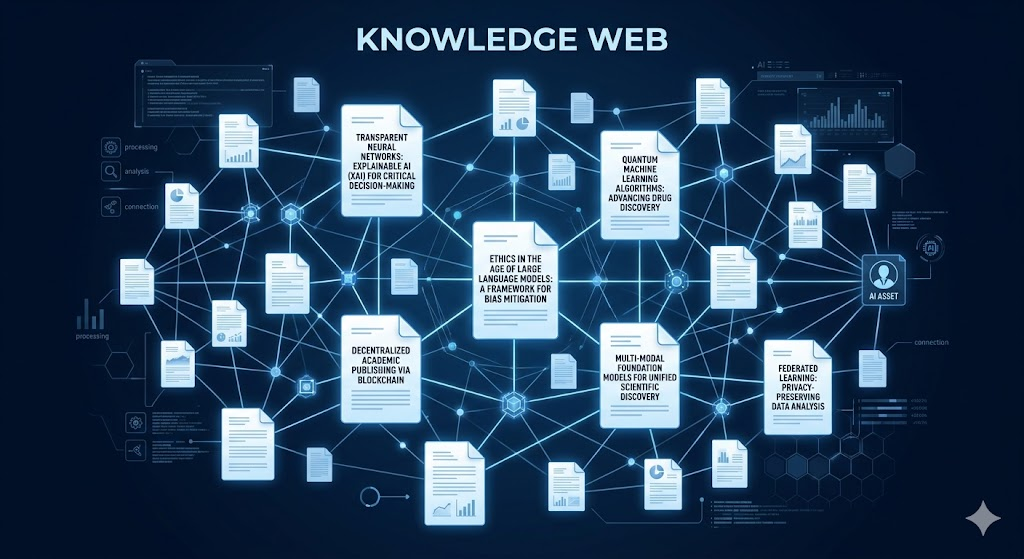
Claude can help you organise and synthesise sources you have already read. It can identify thematic patterns, compare methodologies across studies, and highlight contradictions between findings. It can also help you structure the literature review itself by suggesting logical sub-sections and transitions.
What Claude cannot do reliably:
Claude cannot reliably generate accurate citations for papers it was not trained on. It may produce plausible-sounding but entirely fabricated references. Never include a Claude-generated citation in your work without first confirming the paper exists in a verified academic database such as Google Scholar, PubMed, JSTOR, or your institutional library.
Practical workflow for literature reviews:
Step 1. Read your sources yourself and take notes in a document.
Step 2. Paste those notes or key excerpts into Claude with a clear instruction.
Step 3. Ask Claude to synthesise the notes into a thematic overview.
Step 4. Ask Claude to identify contradictions, unresolved debates, or areas where the literature is thin.
Step 5. Use Claude’s synthesis as a working draft and revise it in your own voice.
Sample prompt:
“Here are my notes from twelve papers on urban food insecurity. Synthesise these into a 600-word thematic literature review with three sub-themes. Use formal academic language, third-person perspective, and cite sources using the author and year I have provided in my notes. Do not invent any citations.”
The instruction “do not invent any citations” is essential. Always include it when asking Claude to produce referenced content.
Another effective technique is asking Claude to compare a set of papers in a structured table. For example: “Compare these five papers across the following dimensions: research design, sample size, key findings, methodological limitations, and year of publication. Present the comparison in a markdown table.”
This kind of comparative overview, which might take hours to compile manually, can be produced in seconds and then refined.
SECTION 3: USING CLAUDE AI FOR THESIS AND DISSERTATION WRITING
Writing a thesis or dissertation is a multi-month project with many moving parts. Claude can function as a persistent intellectual collaborator throughout the process.
Structuring your thesis with Claude:
One of the first things you can ask Claude to do is help you plan a logical chapter structure. Provide the title, scope, word count, and discipline of your thesis, and ask Claude to suggest a chapter breakdown with a brief description of what each chapter should accomplish.
Sample prompt:
“I am writing a 25,000-word doctoral thesis titled: The Impact of Microfinance on Women’s Economic Autonomy in Rural Nigeria. Suggest a seven-chapter structure with a two-sentence description of the purpose and content of each chapter. The thesis follows a qualitative methodology using semi-structured interviews.”
Drafting individual sections:
Rather than asking Claude to write your entire thesis in one prompt, break the task into sections. Draft one section at a time, providing Claude with your outline, key arguments, and any sources you want incorporated.
Sample prompt for a methodology chapter:
“I am writing the methodology chapter of my thesis. I used a qualitative, interpretivist approach with semi-structured interviews with 20 participants selected through purposive sampling. Data was analysed using thematic analysis following the Braun and Clarke framework. Write a 700-word methodology section in formal academic language, past tense, passive voice, and third person. Do not cite any sources I have not listed here.”
Improving argument structure:
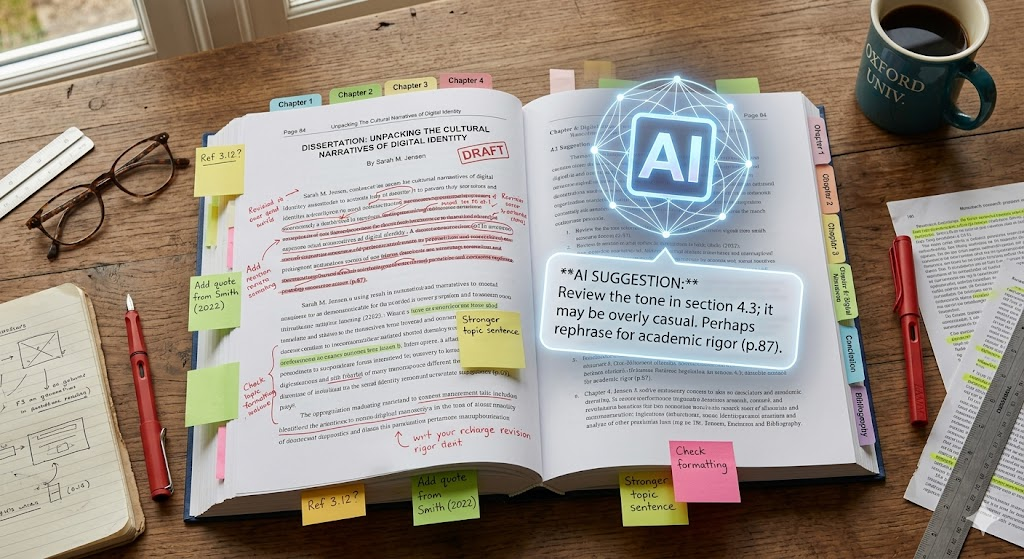
Claude is particularly useful for strengthening the logical coherence of your arguments. You can paste a paragraph or section and ask Claude to identify logical gaps, unsupported claims, or places where the argument moves too quickly.
Sample prompt:
“Read this paragraph from my discussion chapter. Identify any claims I make that are not supported by the evidence I have presented. Then suggest how I could strengthen the weakest part of the argument.”
SECTION 4: USING CLAUDE AI FOR WRITING ABSTRACTS AND INTRODUCTIONS
Abstracts and introductions are often written last but read first. Claude can help you produce polished versions of both.
Writing an abstract:
Paste your completed paper or chapter into Claude and ask it to produce an abstract that follows the required structure for your discipline. Many disciplines have a standard abstract format: background, aims, methods, results, and conclusion.
Sample prompt:
“Read this 8,000-word research paper. Write a 250-word structured abstract with the following sections: Background, Objectives, Methods, Results, and Conclusion. Use formal academic language and past tense for the methods and results.”
Writing introductions:
A strong academic introduction typically does four things: it establishes the topic and its significance, it reviews the existing state of knowledge, it identifies a gap or problem, and it states what the paper will do. This is sometimes called the CARS model (Create a Research Space), developed by John Swales.
Sample prompt:
“Write a 400-word introduction for a paper titled: The Influence of Parental Educational Background on University Enrolment in West Africa. The introduction should establish the topic’s significance, briefly identify a gap in the literature, and end with a clear statement of the paper’s aim. Use formal academic language and third-person perspective.”
SECTION 5: USING CLAUDE AI TO IMPROVE ACADEMIC WRITING QUALITY
Even if you prefer to write your own drafts, Claude can serve as a powerful editing and revision tool.
Improving clarity and precision:
Academic writing should be clear, precise, and concise. If you have written a passage that feels dense or convoluted, paste it into Claude and ask it to improve the clarity without changing the meaning.
Sample prompt:
“Rewrite this paragraph to improve clarity and concision. Maintain the academic register and do not change the argument. The paragraph should be no longer than 120 words.”
Improving academic tone:
If your writing sounds too casual or colloquial, Claude can elevate the register.
Sample prompt:
“Rewrite this section in a more formal academic register. Replace informal vocabulary with discipline-appropriate terminology and ensure the tone is appropriate for a peer-reviewed journal submission in the field of developmental psychology.”
Checking logical flow:
Claude can assess whether the logic of a section holds together and whether transitions between paragraphs are effective.
Sample prompt:
“Read these four paragraphs. Do they flow logically from one to the next? Identify any abrupt transitions or logical gaps and suggest how to improve the connective tissue between them.”
Adapting writing style:
One advanced technique is to feed Claude samples of your own previous writing and ask it to build a style profile. You can then ask it to draft new sections that match your existing voice, so that AI-assisted sections do not sound jarring or inconsistent with the rest of your work.
Sample prompt:
“Here are three paragraphs from papers I have previously written. Analyse the stylistic patterns: sentence length, vocabulary level, use of hedging, and paragraph structure. Then use that style profile to draft a 300-word discussion paragraph on the following argument: [insert argument].”
SECTION 6: USING CLAUDE AI FOR CITATION MANAGEMENT
This is the area where the most caution is required.
What Claude can help with:
Claude can reformat citations you already have into a different referencing style. If you have a list of references in Harvard format and need to convert them to APA or Chicago, Claude can do this quickly and accurately.
Sample prompt:
“Convert these ten references from Harvard to APA 7th edition format. Here are the references: [paste references].”
Claude can also help you identify what information is missing from an incomplete citation and tell you what fields you need to look up.
What Claude cannot be trusted to do:
Claude should never be used to generate new citations from scratch. It will often produce a reference that looks entirely plausible, with a real author’s name, a real journal name, and a plausible title, but the specific paper does not exist. This is called hallucination, and it is a well-documented limitation of all current AI language models.
The rule is simple: only cite sources you have personally verified exist.
Always use Google Scholar, PubMed, Scopus, Web of Science, or your institutional database to confirm a source before including it in your work.
SECTION 7: USING CLAUDE AI ACROSS DIFFERENT ACADEMIC DISCIPLINES
Claude adapts well to different disciplines, but you need to tell it what conventions apply.
Sciences and social sciences:
Specify the referencing style (APA, Vancouver, etc.), request passive voice and past tense for methods sections, and ask for hedged language in results discussions.
Humanities:
Specify the referencing style (MLA, Chicago, OSCOLA for law), allow first-person voice where appropriate, and ask Claude to engage with theoretical frameworks by name.
Business and economics:
Request structured arguments with clear empirical grounding, and specify whether you want quantitative or qualitative framing.
In every case, the more context you give Claude about your discipline, your institution’s expectations, and the specific requirements of your assignment, the better the output will be.
SECTION 8: ACADEMIC INTEGRITY AND ETHICAL USE OF CLAUDE AI
This is the most important section in this guide.

The ethical use of Claude AI in academic work depends entirely on the policies of your institution and the norms of your discipline. Before using Claude for any academic submission, you must check your institution’s AI use policy. Many universities now have explicit guidelines on what is and is not permitted.
General ethical principles for using Claude in academic work:
One. Use Claude as a thinking partner, not a ghostwriter. Your ideas, your arguments, your analysis, and your conclusions must be your own. Claude should help you express and develop those ideas more effectively, not replace the intellectual work of developing them.
Two. Disclose AI assistance where required. Many journals and universities now require disclosure of AI tool use. Check the requirements before you submit.
Three. Verify everything. Never submit Claude-generated content without reviewing it for accuracy. Claude can make factual errors, fabricate citations, and miss disciplinary nuance. You are responsible for the accuracy of your work.
Four. Do not use Claude to write entire papers or sections you will submit as your own unaided work if your institution prohibits this. Using AI to produce work you submit as original when your institution forbids it is academic misconduct, regardless of how good the output is.
Five. Use Claude to eliminate drudgery and sharpen your thinking. The legitimate use cases include brainstorming, restructuring arguments, improving clarity, reformatting references, and getting feedback on draft writing. These are the uses that make you a better scholar without compromising integrity.
SECTION 9: PRACTICAL TIPS FOR GETTING THE BEST RESULTS FROM CLAUDE
Tip 1. Be specific in your prompts. The more detail you provide about the task, the format, the audience, the word count, and the style, the better Claude performs. Vague prompts produce vague results.
Tip 2. Break large tasks into smaller ones. Do not ask Claude to write a 5,000-word chapter in one prompt. Ask it to outline the chapter first, then draft section by section.
Tip 3. Provide your own material. Claude works best when it is working with information you have given it, not generating facts from its own knowledge. Paste in your notes, your outlines, your sources, and your half-written drafts.
Tip 4. Use iterative refinement. Your first Claude output is a draft, not a finished product. Ask Claude to improve it, and then improve it again. The iterative conversation is often where the most useful work happens.
Tip 5. Set constraints explicitly. If you do not want Claude to use bullet points, say so. If you want passive voice, say so. If you need exactly 300 words, say so. Claude follows specific constraints reliably.
Tip 6. Use Projects in Claude.ai for ongoing work. The Projects feature lets you maintain context across multiple conversations. For a dissertation or long research project, set up a Project so Claude retains the background information about your work without you needing to re-explain it every session.
SECTION 10: SAMPLE WORKFLOW FOR A COMPLETE RESEARCH PAPER
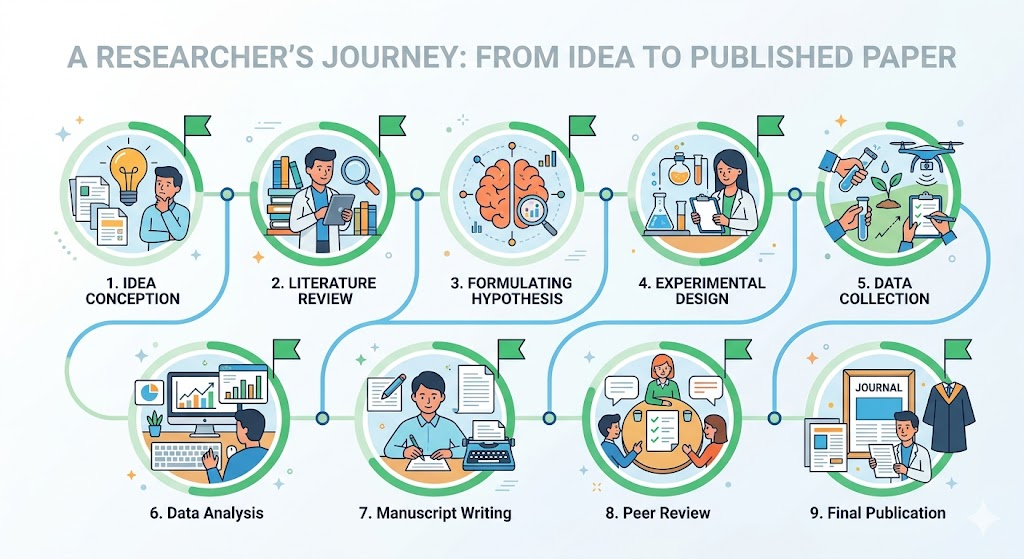
Here is a realistic workflow for using Claude AI to assist with a full research paper from start to finish:
Stage 1 (Topic development): Describe your area of interest to Claude. Ask it to help you identify a specific, researchable question with a clear gap in the literature.
Stage 2 (Literature review planning): Give Claude your reading list and notes. Ask it to identify themes and organise your sources into sub-sections.
Stage 3 (Outline creation): Ask Claude to generate a detailed outline with sub-sections, key arguments for each section, and a logical flow from introduction to conclusion.
Stage 4 (Section drafting): Work section by section, pasting your notes and asking Claude to draft each section. Review and revise each draft immediately.
Stage 5 (Argument review): Paste your draft into Claude and ask it to identify logical gaps, unsupported claims, or weak transitions.
Stage 6 (Style and clarity edit): Ask Claude to improve the clarity, concision, and academic register of your draft.
Stage 7 (Abstract and introduction): Once the body is complete, ask Claude to help you write a tight abstract and a polished introduction.
Stage 8 (Citation check): Format your citations with Claude, but verify every single one manually in a database before submitting.
Stage 9 (Final review): Ask Claude to read the complete draft and flag anything that seems unclear, inconsistent, or insufficiently supported.
CONCLUSION
Claude AI is not a shortcut around the hard intellectual work of academic writing and research. It is a powerful tool that can make that hard work faster, sharper, and less exhausting when used thoughtfully.
Used well, Claude helps you develop clearer research questions, synthesise literature more efficiently, draft and revise with greater speed, and produce writing that meets the high standards your discipline demands.
Used poorly, meaning relying on it to generate facts, fabricate sources, or replace your own thinking, it will produce work that fails on accuracy, originality, and integrity.
The scholars who benefit most from Claude AI are those who bring their own expertise, their own arguments, and their own intellectual judgement to every session. Claude accelerates their process. It does not replace it.
Start with one task in your current project. Bring Claude your research question and ask it to help you pressure-test it. Then go from there.
FREQUENTLY ASKED QUESTIONS
Is Claude AI good for academic writing?
Yes. Claude is particularly strong for academic writing because it handles nuance, follows complex style instructions, and maintains consistent formal register across long documents. It performs well for drafting, editing, restructuring arguments, and synthesising sources.
Can Claude AI write my research paper for me?
Technically Claude can produce text that resembles a research paper. Whether doing so is appropriate depends entirely on your institution’s AI policy. In most academic contexts, submitting AI-generated work as your own is considered academic misconduct. Use Claude as an assistant, not as the author.
Does Claude AI make up references?
Yes. Like all current AI language models, Claude can hallucinate citations that sound plausible but do not exist. Always verify every reference in a legitimate academic database before including it in your work.
What is the best Claude model for academic writing?
As of 2025, Claude Sonnet 4.6 is an excellent choice for most academic tasks. Claude Opus 4.6 or 4.7 is better suited for highly nuanced theoretical work, complex literature synthesis, or tasks requiring deep critical reasoning.
How do I use Claude AI without violating academic integrity?
Use it as a thinking partner and writing assistant rather than a ghostwriter. Develop your own arguments and analysis, and use Claude to help you express them clearly. Disclose AI use where your institution or journal requires it. Verify all factual claims and citations independently.





Leave a Reply