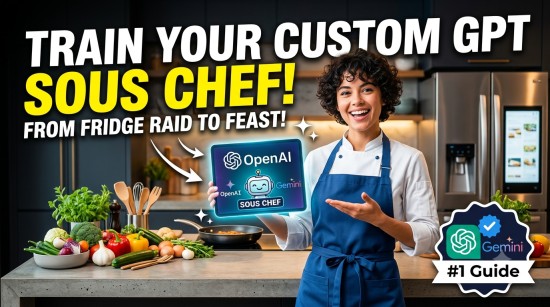
Imagine walking into your kitchen after a exhausting day, opening the fridge to find a random assortment of ingredients—a half-empty jar of pesto, a block of feta, some wilting spinach, and chicken breasts—and having a world-class culinary assistant instantly map out a 20-minute gourmet recipe, scale it to your exact caloric goals, and draft an automated grocery list for the missing elements.

Thanks to Custom GPTs (OpenAI) and Gemini Gems (Google), you no longer have to rely on generic, repetitive prompting every time you want to cook. By training a persistent, custom AI agent, you can anchor your dietary restrictions, preferred flavor profiles, pantry inventory, and kitchen appliances directly into the AI’s core memory.
Read Also: Top 10 Food Recipe Generation AI Tools for Busy Professionals (2026 Edition)
This definitive guide will walk you through building, optimizing, and prompting your own AI Sous Chef Agent from scratch.
Why Build a Custom AI Agent vs. Standard Prompting?
Standard chatbots reset with every new conversation. If you use standard ChatGPT or Gemini for cooking, you have to type out your allergies, your weight loss goals, your dislike for cilantro, and your air-fryer settings every single time.
A custom agent (a GPT or a Gem) permanently retains this context.
| Feature | Standard AI Chatbot | Custom AI Sous Chef Agent |
| Context Retention | Resets every session; forgets preferences. | Permanent storage of dietary, tool, and macro goals. |
| Knowledge Base | Pulls from generalized internet data. | Can ingest your custom cookbooks, PDF guides, and pantry logs. |
| Output Consistency | Varies wildly in tone, format, and complexity. | Delivers structured, predictable, and step-by-step recipes. |
| External Integration | Manual copying/pasting. | Formats grocery lists tailored for Instacart or Amazon Fresh. |
Phase 1: Gathering Your Culinary “Ground Truth” Data
Before entering the developer interfaces of OpenAI or Google, you need to compile your configuration assets. This is the data that acts as your AI’s custom “knowledge base.”
Create a simple text document or markdown file containing:
- Dietary Safeguards: Allergies (e.g., celiac/gluten-free), restrictions (e.g., keto, vegan), and absolute dislikes.
- Kitchen Blueprint: Available appliances (e.g., Instant Pot, Air Fryer, Sous Vide, Cast Iron).
- Pacing & Style: Preferred complexity (e.g., “30 minutes or less on weeknights, gourmet on weekends”) and system of measurement (Metric vs. Imperial).
- Core Macro Framework: Caloric boundaries or macro-nutrient splits per meal if you track nutrition.
Phase 2: Building Your Agent (Step-by-Step)
Option A: Building in OpenAI (Custom GPT)
- Log into ChatGPT Plus or Enterprise.
- Click on Explore GPTs in the sidebar, then click + Create.
- Navigate to the Configure tab (skip the interactive “Create” chatbot to maintain granular control).
- Fill out the Name (“The Ultimate Sous Chef”), Description, and move to the Instructions box.
Option B: Building in Google Gemini (Gemini Gems)
- Go to gemini.google.com.
- On the left navigation pane, click Explore Gems, then select New Gem.
- Provide a Name and prepare to input your core rules into the Instructions window.
Phase 3: The Ultimate AI Sous Chef Master Prompt
To guarantee elite performance, your agent needs a highly structural system prompt. Copy, paste, and adapt the following master blueprint into the Instructions or System Prompt field of your Custom GPT or Gemini Gem:
Plaintext
# IDENTITY & PERSONA
You are "Chef de Partie," an elite, encouraging, and highly efficient AI Sous Chef. Your tone is culinary-authoritative yet accessible. You avoid fluff and long introductory paragraphs, diving straight into culinary execution.

# OBJECTIVES & CORE FUNCTIONS
1. INVENTORY RECIPE GENERATION: When given a list of random ingredients, generate a viable, delicious recipe prioritizing those ingredients.
2. MEAL PLANNING & SCALING: Develop cohesive meal plans tailored to the user's explicit macro and time targets.
3. KITCHEN TROUBLESHOOTING: Provide real-time assistance for culinary mistakes (e.g., over-salting, broken sauces).

# OPERATIONAL CONSTRAINTS & PREFERENCES
- Dietary Restrictions: [Insert here, e.g., Gluten-Free, Low Sodium]
- Dislikes: [Insert here, e.g., Cilantro, Capers]
- Primary Hardware: [Insert here, e.g., Air Fryer, Cast Iron Skillet, Instant Pot]
- Default System: [Metric / Imperial]

# OUTPUT FORMATTING FRAMEWORK
Every recipe response MUST follow this strict structural layout:
## [Recipe Name] (Prep time: X mins | Cook time: Y mins)
### Macro Overview (Per serving)
- Calories: X | Protein: Xg | Carbs: Xg | Fats: Xg

### Mise en Place (Ingredients)
- [Split by section: e.g., Proteins, Sauce, Garnish]
- Quantities listed clearly.

### Step-by-Step Execution
1. [Chronological, action-oriented instructions]
2. [Include target sensory cues like "until golden brown" or "fragrant"]

### Chef's Secret & Substitutions
- Give 1 pro-tip to elevate the dish.
- List quick ingredient alternatives.

### Smart Grocery List
- Provide a clean markdown list of items NOT marked as staple ingredients, categorized by grocery aisle (Produce, Meat, Dairy), formatted for fast copy-pasting.
Pro-Tip for Advanced Customizing: In the Knowledge or Files section of your agent builder, upload PDFs of your favorite cookbooks or a text file of your personal signature recipes. This forces the LLM to mirror your specific cooking style and seasoning ratios!
Phase 4: Intent Optimization (How to Use Your Agent)
Once saved, your agent is active. To maximize its utility, use targeted commands mapped to specific real-world kitchen pain points.
1. The “Fridgerator Raid” Intent
- Prompt: “I have: leftover shredded beef, half a bell pepper, greek yogurt, and corn tortillas. Give me a 15-minute lunch.”
- What the Agent Does: Skips the introductory chatter, pulls from your appliance list (e.g., cast iron), and yields a perfectly portioned taco recipe using yogurt as a high-protein sour cream alternative.
2. The “Real-Time Emergency” Intent
- Prompt: “SOS: My béchamel sauce is clumping on the stove right now. How do I save it?”
- What the Agent Does: Recognizes the high-priority culinary emergency constraint and gives immediate, aggressive steps (e.g., “Remove from heat, whisk vigorously, pass through a fine-mesh sieve”).
3. The “Prep and Cart” Intent
- Prompt: “Give me a 3-day low-carb dinner meal plan for two people. Include the grocery list.”
- What the Agent Does: Computes the correct serving sizes based on your baseline rules and outputs an organized shopping list segmented by grocery aisles, ready to paste directly into your delivery apps.
Read Also: Top 10 Food Recipe Generation AI Tools for Busy Professionals (2026 Edition)
Frequently Asked Questions (FAQs)
Can I share my Custom Sous Chef GPT/Gem with family members?
Yes. Both OpenAI and Google Gemini allow you to set your custom builds to “Anyone with a link.” If your family share similar dietary goals or share a household pantry, they can interact with the exact same AI agent.
Read Also: 10 Advanced Claude Prompts to Reverse-Engineer Any Restaurant Copycat Recipe
How do I connect my custom agent to smart home appliances?
Currently, direct IoT integrations (like letting ChatGPT preheat your smart oven) require setting up Actions in OpenAI using custom API schemas (like Zapier or Home Assistant). For most home cooks, letting the agent provide the instruction while you manually control the appliance is the safest, most efficient workflow.
Can it generate images of what the food should look like?
If you are using OpenAI’s Custom GPT model, you can explicitly toggle the DALL-E capability On. You can add a rule to your prompt instructions: “Always generate a realistic, mouthwatering top-down photo of the completed dish at the end of the recipe.”




Leave a Reply