
Last Updated: June 2026 | Reading Time: 12 minutes | Category: AI Productivity Tools
You get home at 7 PM. You have no idea what to cook. The fridge has leftover chicken, half a bell pepper, and some rice. You are tired, hungry, and the last thing you want to do is scroll through 47 recipe blogs with life stories before finding the actual instructions.
This is exactly the problem AI recipe generation tools were built to solve — and in 2026, the best ones are genuinely impressive.
Read Also: The Ultimate Guide to AI Recipe Generators: How to Program Your Kitchen in 2026
This guide covers the top 10 AI food recipe tools for busy professionals, ranked and compared across the features that actually matter: speed, ingredient-based generation, dietary customisation, meal planning, grocery automation, and real-world usability. Whether you are a solo professional trying to eat healthier, a working parent feeding a family, or a fitness-focused individual tracking macros, there is a tool on this list for you.

What Is an AI Food Recipe Generator?
An AI food recipe generator is a tool that uses artificial intelligence — typically a large language model or a trained culinary model — to produce personalised recipes on demand. You input ingredients you have, dietary restrictions, time constraints, or a general meal idea, and the AI returns a complete, cookable recipe with ingredients, quantities, and step-by-step instructions.
The best tools in 2026 go far beyond this. They generate weekly meal plans, build smart grocery lists, scan your fridge via photo, remember your preferences, and guide you through cooking in real time.
Who Are These Tools Best For?
Before diving into the list, here is a quick guide to identify your profile:
- The Time-Starved Professional — needs meals in under 30 minutes with minimal planning
- The Macro Tracker — counts calories, protein, and carbs with precision
- The Pantry Chef — wants to use what is already in the kitchen, not buy new ingredients
- The Meal Prepper — plans a full week in advance and wants a unified grocery list
- The Family Cook — needs to satisfy multiple people with different preferences in one meal
- The Experimenter — enjoys creative cuisine and unusual ingredient combinations
Each tool below is flagged for the profiles it serves best.
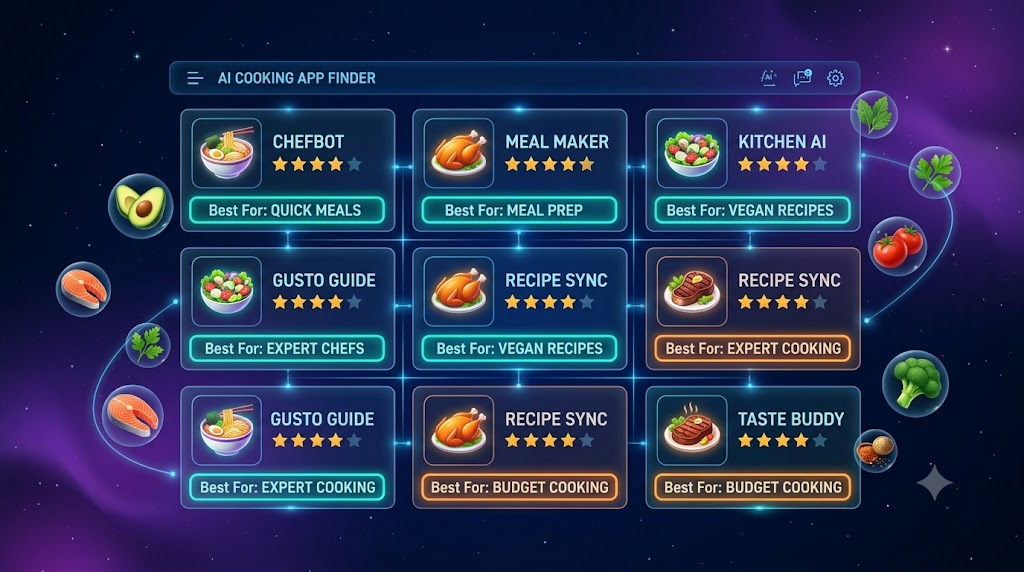
The 10 Best AI Recipe Generation Tools for Busy Professionals in 2026
1. FoodiePrep — Best Overall AI Recipe and Meal Planning Tool
Best for: Busy professionals who want end-to-end meal management in one app Platforms: Web, iOS, Android Price: Free tier; Nutrition Pro from approximately $4.99/month
FoodiePrep is the most complete AI cooking platform available in 2026. Its built-in AI assistant — Chef Foodie — handles the entire cooking workflow from “what should I make?” to dinner on the table. You can generate recipes from your available ingredients, plan a full week of meals based on dietary preferences and skill level, get a pantry-aware shopping list, and ask follow-up questions while you are actively cooking.
What makes FoodiePrep stand out for professionals is the agentic design. Rather than just suggesting meals, it takes action. It generates recipes, places them on your weekly calendar, builds a merged shopping list that flags items you already own, and adapts on the fly when you need a substitution. You can also import recipes from any URL, Instagram, TikTok, YouTube, or even a photo.
Key features:
- AI-generated weekly meal plans from a single prompt
- Recipe import from any social media platform or URL
- Real-time cooking guidance and substitution suggestions
- Pantry tracking to prevent duplicate grocery purchases
- Detailed nutritional breakdowns per recipe
- Shopping list sorted by grocery aisle
Limitation: The premium experience requires a paid plan. The free tier is useful but limited in plan generation depth.
Profiles served: Time-Starved Professional, Meal Prepper, Family Cook
2. FoodsGPT — Best for Quick Weeknight Recipe Ideas
Best for: Professionals who want fast, conversational recipe help without setting up a full system Platforms: Web Price: Free tier available; premium unlocks full workflow
FoodsGPT is built around the practical question every professional asks on a weeknight: “What can I actually cook right now?” It handles ingredient-based prompts, vague dinner ideas, and budget constraints, and returns usable recipes fast — without requiring you to fill out a profile or navigate a complex app.
The real strength of FoodsGPT is refinement speed. After it generates a recipe, you can ask for it to be made cheaper, healthier, quicker, or higher in protein, and the tool adjusts the output immediately. For someone who has ten minutes to make a dinner decision before the hunger spiral sets in, this conversational flexibility is exactly what is needed.
Key features:
- Ingredient-first recipe generation
- Instant refinements (cheaper, quicker, higher-protein)
- Meal planning and practical follow-ups
- Works from incomplete or messy prompts
Limitation: Less focused on appliance integrations; not as structured as full ecosystem tools.
Profiles served: Time-Starved Professional, Pantry Chef
3. ChefGPT — Best for Ingredient-First Home Cooking
Best for: Professionals who want to cook with what they already have and avoid grocery trips Platforms: Web, iOS, Android Price: Starting at $2.99/month
ChefGPT uses specialised “Chef Modes” to match the way real people cook rather than imposing a single workflow. PantryChef generates recipes from whatever ingredients you have on hand. MacrosChef builds meals around specific fitness or dietary targets. The platform has saved over 1 million meals and earned more than 100,000 five-star ratings.
Read Also: Top 10 Food Recipe Generation AI Tools for Busy Professionals (2026 Edition)
For the busy professional who hates wasted food and unexpected grocery runs, ChefGPT’s pantry-first logic is a genuine time-saver. At $2.99 per month, it is also the most affordable premium tool on this list.
Key features:
- Multiple Chef Modes (PantryChef, MacrosChef, and more)
- Ingredient-matching logic
- Fitness and macro-focused meal generation
- Affordable pricing
Limitation: Less comprehensive on full meal planning workflows compared to FoodiePrep.
Profiles served: Pantry Chef, Macro Tracker
4. DishGen — Best for Creative Recipe Generation and Leftovers
Best for: Professionals who want to experiment with cuisine and use up leftovers creatively Platforms: Web, iOS Price: Free plan with around 20 recipe credits/month; Premium at $7.99/month
DishGen is the most straightforward dedicated recipe generator on this list. Input ingredients, dietary preferences, or a general meal idea, and it returns a complete, well-structured recipe immediately — title, ingredients with quantities, and step-by-step instructions. With over 1 million generated recipes in a browsable community library, it also functions as a discovery platform, not just a generator.
DishGen excels at turning random pantry items and leftovers into cohesive meals. Users consistently praise it for reducing food waste by suggesting meals around whatever is already in the kitchen. The chat interface allows quick adjustments for allergies and preferences.
Key features:
- Fast, format-consistent recipe generation
- Community library of over 1 million AI-generated recipes
- Great for leftovers and unusual ingredient combinations
- Chat-based dietary adjustments
Limitation: Generates recipes but does not explain technique or handle deep follow-up questions the way a general AI assistant would.
Profiles served: Experimenter, Pantry Chef
5. Mealime — Best for Simple Weekly Meal Planning Without Overwhelm
Best for: Busy professionals and couples who want healthy weeknight meals with no-fuss grocery lists Platforms: iOS, Android, Web Price: Free tier; Mealime Pro at $2.99/month
Mealime has built an audience of over 7 million users by doing one thing extremely well: removing friction from weeknight cooking. Most of its recipes are designed to be ready in about 30 minutes and come with step-by-step photos. The grocery list is auto-sorted, generated from your chosen meals, and integrates directly with Instacart for delivery.
Mealime is not AI-powered in the same way as FoodiePrep or ChefGPT — it uses curated recipes filtered by your dietary preferences rather than generating new ones on demand. What it lacks in AI depth it makes up for in reliability, speed, and interface quality. It is rated 4.8 stars on iOS across over 35,000 reviews.
Key features:
- 30-minute weeknight recipes with photos
- Auto-generated, aisle-sorted grocery lists
- Instacart integration
- Supports 12+ dietary plans (keto, vegan, paleo, gluten-free, and more)
- Clean, beginner-friendly interface
Limitation: Recipe variety plateaus after a few months of regular use; not truly AI-generated.
Profiles served: Time-Starved Professional, Meal Prepper
6. Eat This Much — Best for Calorie and Macro-Controlled Meal Planning
Best for: Professionals, athletes, and anyone tracking nutrition with precision Platforms: iOS, Android, Web Price: Free daily plans; full weekly plans at $14.99/month
Eat This Much is the only app on this list that treats calorie and macro targeting as a core, non-negotiable feature. You set your daily calorie goal, macros, budget, and dietary restrictions, and the app builds a complete meal plan that hits those numbers. It includes a large food database covering restaurant meals and packaged foods, making it genuinely useful even when you are not cooking at home.
Named CNN Underscored’s number one pick for meal planning apps, Eat This Much is the default choice for anyone whose cooking decisions are led by nutrition data rather than inspiration.
Key features:
- Calorie and macro-targeted meal plan generation
- Restaurant and packaged food database integration
- Budget controls (set a daily spend cap)
- Grocery delivery service integrations
- Dietitian professional tier available
Limitation: The interface feels clinical rather than kitchen-friendly; full features require the premium tier at $14.99/month.
Profiles served: Macro Tracker, Meal Prepper
7. SuperCook — Best for Pantry-Based Recipe Discovery
Best for: Professionals who want to cook with what is already in their kitchen and avoid food waste Platforms: iOS, Android, Web Price: Free tier with daily limits; $39.99/year for full access
SuperCook flips the standard recipe search model. Instead of finding a recipe and then buying the ingredients, you input what you have and SuperCook finds recipes you can make right now. Its database covers over 11 million recipes from 18,000 websites across 20 languages — so even obscure ingredient combinations return usable results.
The 2026 update added AI-powered fridge scanning: take a photo of your fridge, and the app identifies the ingredients and suggests recipes automatically. Dietary filters cover keto, vegan, paleo, and gluten-free. Allergen exclusions are also supported. For a professional trying to eat well without wasting the produce bought on Sunday, SuperCook removes the friction entirely.
Key features:
- 11 million+ recipes from 18,000 sources
- AI-powered fridge scanning (2026 update)
- Ingredient-matching logic across 20 languages
- Dietary and allergen filters
- Calorie tracking and nutritional breakdowns
Limitation: A search and discovery tool, not a planner — no meal plan calendar, no grocery list generation, no scheduling.
Profiles served: Pantry Chef, Experimenter
8. Honeydew Recipe Manager — Best for Social Media Recipe Import and Grocery Sync
Best for: Professionals who collect recipes from Instagram, TikTok, and YouTube and want them organised in one place Platforms: iOS, Android Price: Free tier (up to 10 recipe imports); Honeydew Plus at $4.17/month billed annually
Honeydew solves a very specific pain point that most professionals recognise instantly: you see a recipe on TikTok, save it, and never find it again. Honeydew’s recipe import tool extracts the full ingredients and instructions from any social media URL automatically — no manual entry required. The “Ask Honey” feature then adjusts imported recipes on the fly for dietary needs, calorie targets, or ingredient substitutions.
The Instacart integration means the shopping list generated from your saved recipes can be sent directly for grocery delivery. Users report the app helping cut household food waste by up to 40%, and the Duolingo-style habit system encourages consistent cooking without being annoying.
Key features:
- Recipe import from TikTok, Instagram, YouTube, and Facebook Reels
- “Ask Honey” AI for recipe adjustments and ingredient substitutions
- Photo-to-recipe pantry scanning
- Instacart integration for direct grocery delivery
- Household sharing for up to six members
Limitation: Import credits are limited on the free tier; the Pro plan at $159/year is required for commercial use and AI-generated imagery.
Profiles served: Time-Starved Professional, Family Cook
9. MyChefAI — Best for Dietary-Specialist Recipe Generation
Best for: Professionals with specific, non-negotiable dietary requirements (keto, diabetic-friendly, vegan, and more) Platforms: Web Price: Free to use; premium tiers available
MyChefAI takes an unusual and genuinely useful approach: rather than one general AI assistant, it offers 16 specialised AI chefs, each trained around a specific dietary philosophy. Chef Keto calculates macros for every ingredient. Chef Jeff tracks glycemic index for diabetes management. Chef Herbella ensures complete protein profiles in vegan dishes. Grandmabot makes comfort food. Each chef has a deep system prompt that enforces dietary accuracy rather than just filtering a generic database.
For a professional who has a medical, fitness, or ethical dietary requirement, the specialisation matters. Generic tools get the broad strokes right but make mistakes on edge cases. MyChefAI’s specialist approach reduces those errors significantly.
Key features:
- 16 specialised AI chefs across dietary categories
- Accurate macro and nutritional enforcement per diet type
- 7-day meal plan generation with categorised shopping lists
- Conversational recipe refinement and follow-up support
- GPT-5-mini underlying model for conversational fluency
Limitation: Web-only at this stage; no native mobile app.
Profiles served: Macro Tracker, Experimenter
10. TasteOS — Best for Personalisation That Improves Over Time
Best for: Professionals who want an AI that learns their actual tastes and gets smarter with use Platforms: Web, iOS (early access) Price: Free to start
Most AI recipe tools give everyone the same generic suggestions. TasteOS is built around a different premise: it builds a unique “Taste Fingerprint” for each user across eight dimensions, learned from the actual meals you eat — not just from a dietary questionnaire. Log a restaurant meal, rate a recipe with a thumbs up or down, or scan your fridge, and the AI adjusts its future suggestions accordingly.
As WIRED noted, most AI recipe tools repackage large language model outputs without real personalisation. TasteOS is the exception, making it the right choice for a professional who has been disappointed by generic recommendations and wants a tool that improves the longer they use it.
Key features:
- Eight-dimension Taste Fingerprint that learns from real eating habits
- Fridge and pantry scanning for ingredient-based suggestions
- Thumbs-up/thumbs-down feedback loop for real-time model improvement
- Full dietary support (halal, kosher, vegan, keto, and more)
- Restaurant and takeout meal logging
Limitation: Still early-stage on mobile; the personalisation takes a few weeks of active use before the recommendations feel truly tailored.
Profiles served: All profiles, especially the Experimenter and Macro Tracker who want improving accuracy over time
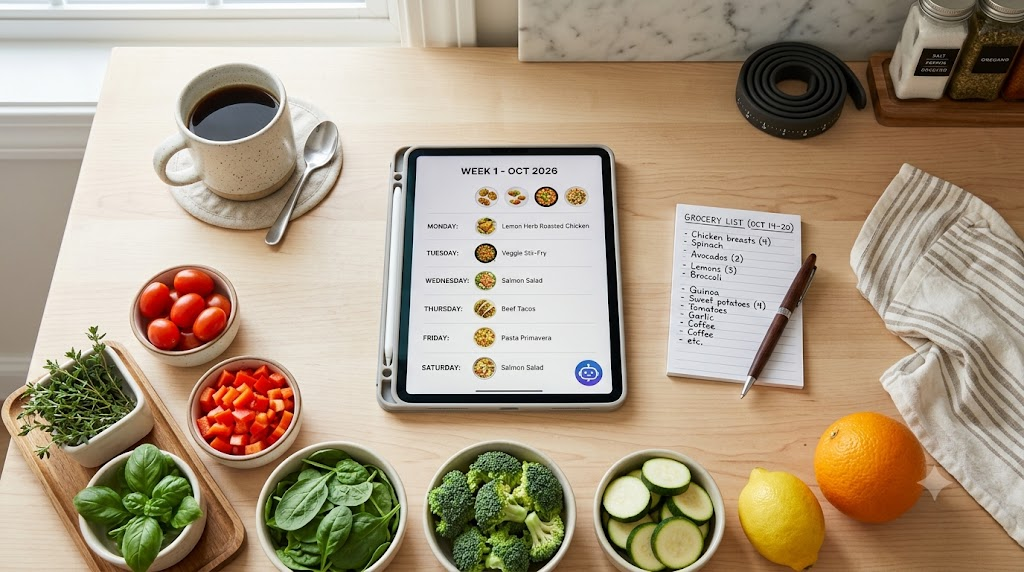
Quick Comparison: Top 10 AI Recipe Tools at a Glance
| Tool | Best For | Starting Price | Platforms | Meal Planning | Grocery List |
|---|---|---|---|---|---|
| FoodiePrep | All-in-one workflow | ~$4.99/mo | Web, iOS, Android | Yes | Yes |
| FoodsGPT | Quick weeknight ideas | Free | Web | Yes | Partial |
| ChefGPT | Ingredient-first cooking | $2.99/mo | Web, iOS, Android | Yes | Yes |
| DishGen | Creative generation | Free (20 credits) | Web, iOS | No | No |
| Mealime | Simple weekly planning | Free | Web, iOS, Android | Yes | Yes |
| Eat This Much | Calorie/macro tracking | Free | Web, iOS, Android | Yes | Yes |
| SuperCook | Pantry discovery | Free | Web, iOS, Android | No | No |
| Honeydew | Social media import | Free | iOS, Android | Yes | Yes |
| MyChefAI | Dietary specialists | Free | Web | Yes | Yes |
| TasteOS | Personalisation | Free | Web, iOS | No | No |
How to Choose the Right AI Recipe Tool for You
You have 20 minutes and no plan → FoodsGPT or FoodiePrep. Enter what you have and get a recipe in under a minute.
You want to plan your whole week on Sunday → FoodiePrep or Mealime. Both handle full weekly planning with automated grocery lists.
You track macros for fitness → Eat This Much or ChefGPT (MacrosChef mode). Both enforce nutritional targets, not just filter by diet tag.
You save recipes on TikTok and never cook them → Honeydew. It imports them automatically and organises everything in one place.
You have a strict medical or dietary requirement → MyChefAI. The specialised chef roster reduces the errors that generic tools make on edge cases.
You want recommendations that improve over time → TasteOS. It builds a taste profile from your actual behaviour, not a questionnaire.
You want to use what is already in your kitchen → SuperCook or ChefGPT’s PantryChef mode. Both prioritise ingredient-matching over everything else.
Frequently Asked Questions
Are AI recipe generators actually useful for busy professionals?
Yes — the core value proposition is real. The best tools eliminate the daily decision fatigue around “what to eat tonight” and replace it with a ready answer based on what you have, what you like, and how much time you have. The tools that also automate grocery lists compound the time savings significantly.
Can AI recipe tools handle allergies and dietary restrictions?
Yes. All ten tools on this list support common dietary filters. For medical or strict dietary requirements — keto macros, diabetic glycemic management, vegan complete proteins — MyChefAI’s specialist chef system is the most reliable option because it enforces constraints at the generation level, not just as a filter.
Do I need to pay for an AI recipe tool?
Not necessarily. FoodsGPT, TasteOS, SuperCook, and Honeydew all offer usable free tiers. DishGen provides 20 free recipe credits per month. For full meal planning, grocery list automation, and pantry tracking, a paid tier from FoodiePrep, Mealime, or ChefGPT is worth the investment — most cost less per month than a single takeout meal.
Can AI tools help reduce food waste?
Yes, and this is one of the most underrated benefits. Research published in the Journal of Cleaner Production found that AI-assisted meal planning reduced household food waste by an average of 25%. Tools like SuperCook, Honeydew, and FoodiePrep are specifically designed around pantry-first logic that uses ingredients before they expire rather than buying new ones for each recipe.
What is the difference between an AI recipe generator and an AI meal planner?
A recipe generator creates a single recipe from a prompt. An AI meal planner creates a connected week of meals, builds the grocery list from those meals, and ideally optimises ingredient overlap to reduce waste and spending. FoodiePrep, Mealime, and Eat This Much are meal planners. DishGen and SuperCook are primarily recipe generators.
Can I use ChatGPT or Claude for recipe generation?
Yes, and they work well for flexible, conversational recipe help — especially for unusual ingredient combinations or mid-cook technique questions. The limitation is that general AI tools have no memory of your preferences, cannot build a grocery list, and start from scratch every session. Purpose-built tools like FoodiePrep or TasteOS persist your preferences and improve over time, which is a significant advantage for regular use.
The Bottom Line
In 2026, AI food recipe tools are not novelties — they are genuinely practical productivity tools for professionals who want to eat well without spending significant time on meal decisions, grocery planning, or recipe research.
The best overall tool for most busy professionals is FoodiePrep for its end-to-end workflow. For tight budgets, ChefGPT at $2.99/month is the strongest value. For macro precision, Eat This Much has no real competitor. For pantry-first cooking, SuperCook’s 11-million-recipe database is unmatched.
The right tool is the one that removes the friction from your specific weak point in the cooking workflow — whether that is deciding what to make, planning the week, shopping efficiently, or actually following through at the stove.
Pick one. Use it for two weeks. You will not go back to guessing.
This post was researched and published in June 2026. Tool features and pricing are subject to change — verify current details on each product’s website before subscribing.





Leave a Reply